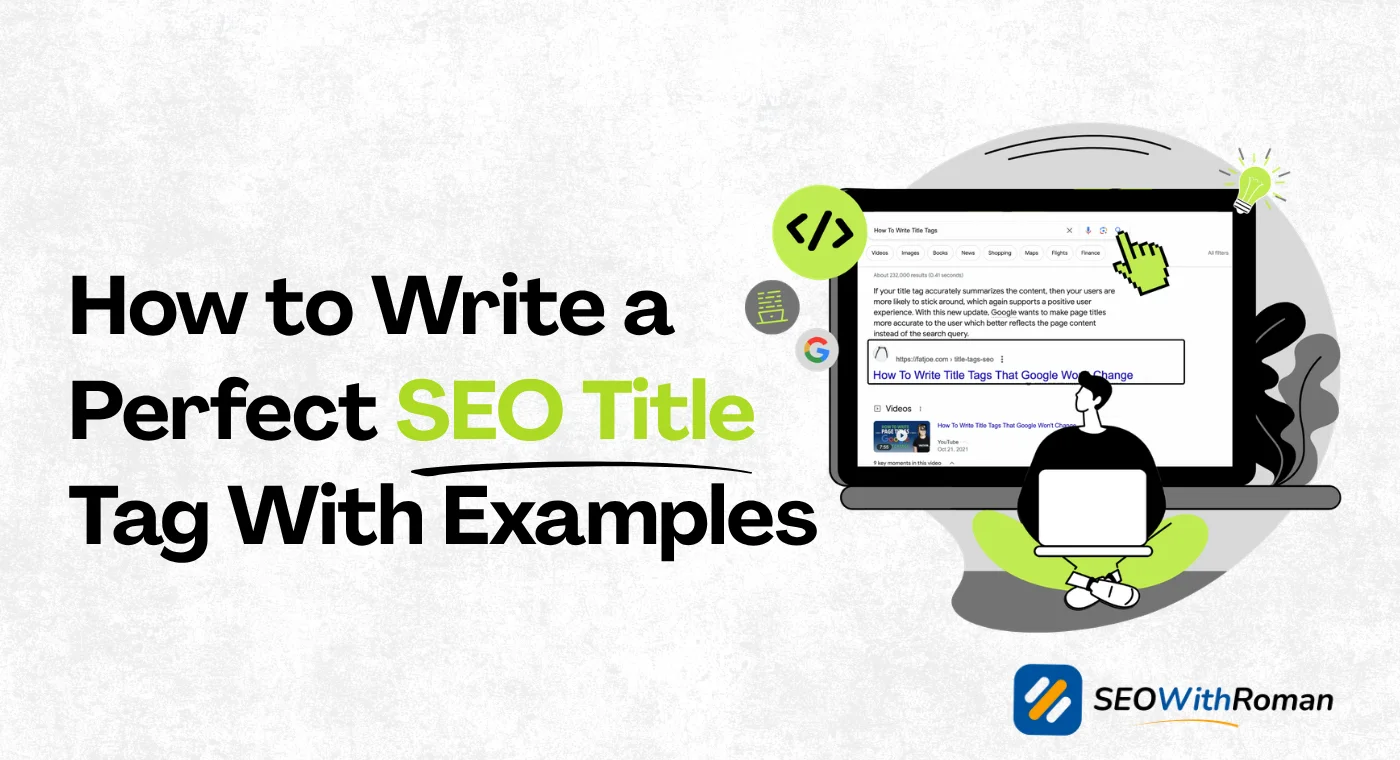
- A title tag is the single most important on-page SEO element you control directly.
- Google rewrites title tags it considers too long, too short, or keyword stuffed.
- Your title tag must balance two goals: ranking on Google and convincing humans to click.
- The ideal title tag length is between 50 and 60 characters including spaces.
- Power words, numbers, and brackets inside title tags consistently improve click through rates.
1 What Is an SEO Title Tag and Why It Carries So Much Weight
If you have ever wondered why two articles ranking on the same page get completely different amounts of clicks, the title tag is usually the reason.
A title tag is the clickable blue headline you see in Google SERP. It is also the text that appears on your browser tab when someone opens your page. Behind the scenes it lives inside your page's HTML code like this: title your headline here /title. Google displays title tags up to 600 pixels wide, which translates to roughly 60 characters including spaces. Go over that limit and Google cuts your title off with three dots in search results.
Google uses your title tag as one of its primary signals for understanding what your page is about. It reads your title tag before it reads a single word of your actual content. That makes it the most valuable piece of real estate on your entire webpage.
But here is what most beginners get wrong. They optimise their title tag purely for Google and forget about the human reading it. A title tag has two jobs. First it tells Google your page is relevant to a search query. Second it convinces the person scanning results to click your link instead of the nine others on the page.
In ten years of doing SEO across multiple industries, I have seen perfectly optimised pages lose traffic simply because a competitor had a more compelling title tag. Rankings matter but clicks are what bring actual visitors to your website.
2 How Google Actually Reads and Uses Your Title Tag
Understanding how Google processes your title tag changes how you write it.
When Google crawls your page it reads the title tag and uses it to determine topical relevance for specific search queries. If your title tag contains the keyword someone searched, Google is significantly more likely to show your page for that query.
However Google does not always display the title tag you write. In 2021 Google updated its systems to rewrite title tags it considers problematic. Research from Zyppy showed that Google rewrites approximately 61% of title tags. Here is when Google rewrites yours:
- Your title tag is too long and gets cut off in search results
- Your title tag is too short and does not describe the page adequately
- Your title tag is stuffed with keywords and reads unnaturally
- Your title tag does not match the actual content of the page
- Your title tag is identical across multiple pages on your site
The best defence against Google rewriting your title tag is writing one that is already doing exactly what Google wants: accurately describing the page content in a natural, readable way that includes your target keyword.
3 The Anatomy of a Perfect SEO Title Tag
Every high performing title tag shares the same core structure. Once you understand the formula you can write strong title tags in under two minutes for any article.
Here is the structure that consistently works:
Primary Keyword + Value Proposition/Power Word + Current Year (where relevant)
Primary Keyword must appear as close to the beginning of the title as possible. Google gives more weight to words that appear earlier in the title tag. "SEO Title Tag Guide" outperforms "A Complete Guide to SEO Title Tags" because the keyword leads.
Value Proposition tells the reader what they get by clicking. Words like "step by step," "with examples," "for beginners," "that actually works," and "in 2026" all signal specific value and reduce the reader's uncertainty about whether the article is relevant to them.
Current Year works for topics where readers want the most recent information. Adding "2026" to a title tag on a competitive keyword can improve click through rate by signalling freshness even when competing articles have more backlinks.
Power Words trigger an emotional or curiosity response. Words like "proven," "complete," "exact," "never," "mistake," and "secret" consistently outperform neutral language in title tags because they create a reason to click right now.
4 SEO Title Tag Examples — Good vs Bad
| Topic | Weak Title Tag | Strong Title Tag | Why It Works Better |
|---|---|---|---|
| Keyword research | Keyword Research Guide | How to Do Keyword Research for Free Step by Step | Specific, action oriented, includes free which triggers clicks |
| Meta descriptions | What Are Meta Descriptions | How to Write Meta Descriptions That Actually Get Clicks | Benefit driven, power word, addresses the real goal |
| Site speed | Website Speed and SEO | Why Slow Websites Lose Google Rankings and How to Fix Yours | Creates urgency, personal with "yours," explains consequence |
| Backlinks | Backlink Building Tips | 7 Proven Ways to Get Backlinks for a Brand New Website | Number, power word, targets specific audience |
| WordPress SEO | WordPress SEO Guide 2026 | Complete WordPress SEO Setup Guide for Beginners in 2026 | Audience specific, complete signals thoroughness |
| Google Search Console | Using Google Search Console | How to Set Up Google Search Console in 10 Minutes Flat | Time promise, specific, removes the intimidation factor |
5 Title Tag Length: The Exact Rules You Need to Follow
Staying within the right character range is one of the easiest wins in on-page SEO and one of the most commonly ignored.
| Title Tag Length | What Happens | Recommendation |
|---|---|---|
| Under 30 characters | Too short, Google may rewrite it | Always too short, add more detail |
| 30 to 49 characters | Acceptable but lacks detail | Add a power word or benefit phrase |
| 50 to 60 characters | Perfect display range | Aim for this on every page |
| 61 to 70 characters | Slight risk of cutoff on mobile | Acceptable if keyword is front loaded |
| Over 70 characters | Will be cut off in results | Shorten before publishing |
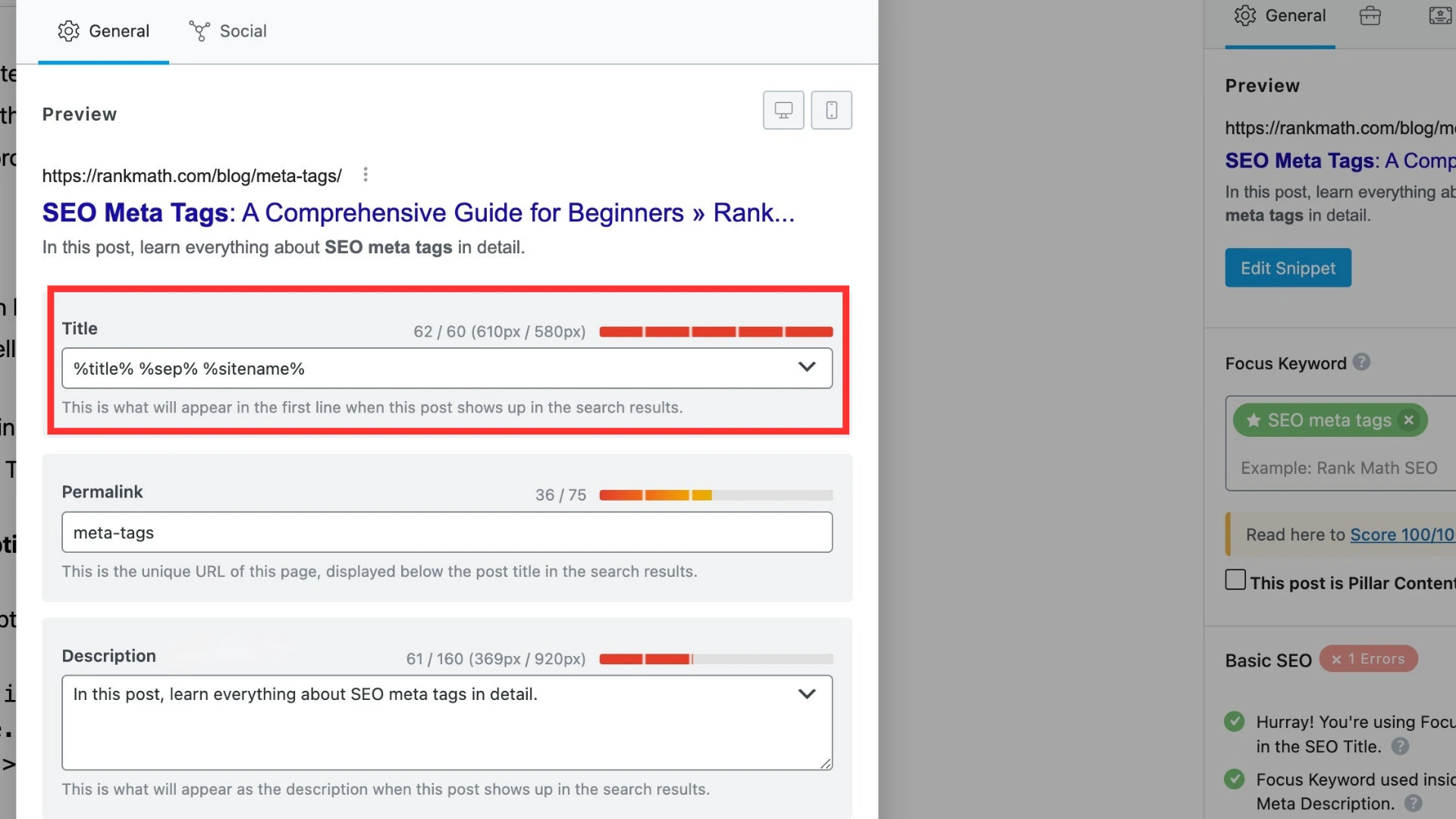
The fastest way to check your title tag length before publishing is to use Rank Math's snippet preview inside WordPress. It shows you exactly how your title and meta description will appear in Google search results before you hit publish.
6 Some Fully Optimised SEO Titles: Examples You Can Learn From
Below are some fully optimised title tag examples across different industries and topics.
Pro Tip: Each one contains a primary keyword, a power word or value signal, and stays within the 60 character recommended limit.
Churn Rate Analysis: How CX Helps Reduce Customer Churn
10 Game-Changing AI Tools That Will Transform Your Productivity
70/30 Hybrid Model | AI+ Human Quality Scoring | AQMS
15 Powerful SEO Hacks to Skyrocket Your Website Traffic in 2026
Performance Improvement Plan PIP: A Guide for BPO Leaders
How to Save $10,000 in a Year: The Ultimate Beginner's Blueprint
Top 10 Market Intelligence Tools for 2026
7 Proven On-Page SEO Techniques for Complete Beginners
What Is Keyword Difficulty and How Do You Beat It in 2026
Retail Banking BPO: Improve Efficiency and Cut Costs in 2026
7 Proven Fat-Loss Workouts That Actually Work (No Gym Required)
Best BPO Companies United States: 9 Top Ranked Providers
Expert Ecommerce Customer Service Outsourcing 24/7
How to Write a Meta Description That Actually Gets Clicks
Google Search Console Setup: Step by Step Guide for Beginners
How to Get Backlinks for Free: 9 Strategies That Still Work
Technical SEO Checklist: 12 Fixes That Boost Rankings Fast
WordPress Speed Optimisation: Cut Load Time in Under 30 Minutes
Local SEO for Small Business: Rank on Google Maps in 2026
Core Web Vitals Explained: What They Are and How to Fix Them
12 Hidden Travel Gems You Must Visit Before They Get Crowded
What every title above has in common:
- Primary keyword appears within the first four words
- A specific benefit, number, or power word creates a reason to click
- None of them sound like keyword lists, they read like helpful expert advice
- Every one stays at or near the 60 character sweet spot
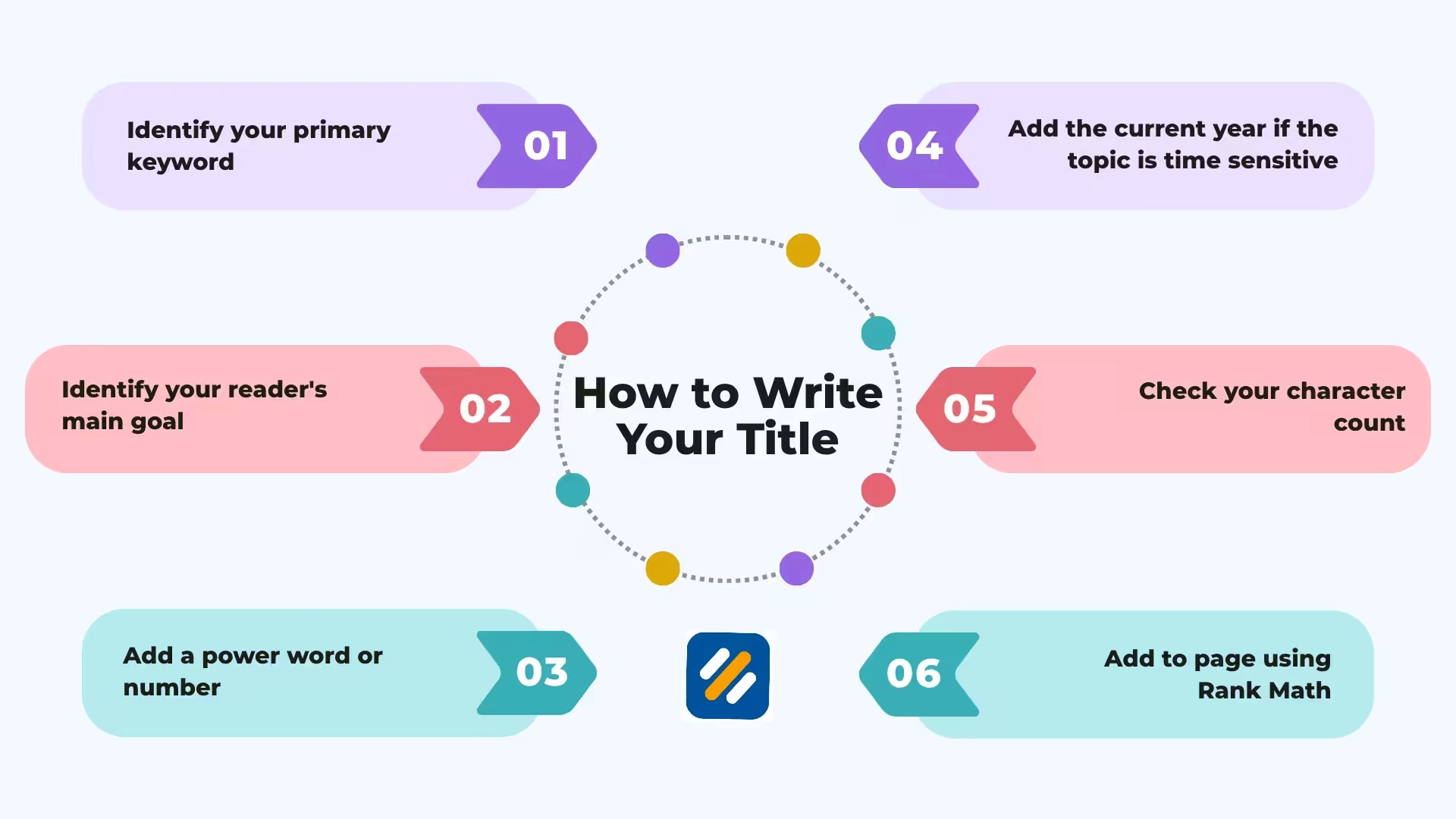
7 How to Write Your Title Tag Step by Step
Here is the exact process I use when writing title tags for client websites and my own content:
Step 1: Identify your primary keyword. This is the exact phrase your target reader types into Google. It must appear in your title tag, ideally within the first four words.
Step 2: Identify your reader's main goal. What does the person searching this keyword actually want to achieve? Write a phrase that promises that outcome. "That actually works" and "step by step" both directly address the fear that guides they find will be too complicated or ineffective.
Step 3: Add a power word or number. Numbers create specificity and trust. Power words create urgency or curiosity. Pick one that fits naturally. Do not force both into the same title or it reads like clickbait.
Step 4: Add the current year if the topic is time sensitive. SEO, tools, and how-to guides all benefit from year inclusion. Evergreen topics like "what is a title tag" do not need it.
Step 5: Check your character count. Paste your title into a character counter and confirm it falls between 50 and 60 characters. If it is too long, remove filler words first. If it is too short, add a specific benefit or audience qualifier.
Step 6: Read it out loud. If it sounds like a robot wrote it, rewrite it. Your title tag will be read by real humans making split second decisions. It needs to sound like something a helpful expert would say, not a keyword list with spaces between.
8 Title Tag Mistakes That Kill Your Click Through Rate
These are the mistakes I see on almost every beginner website I audit:
Keyword stuffing the title: Writing "SEO Title Tag SEO Guide SEO Tips 2026" tells Google nothing useful and tells humans you do not know what you are doing. One primary keyword per title tag, used naturally.
Writing the same title tag for multiple pages: Every page on your website covers a different topic. Every page needs a unique title tag. Duplicate title tags confuse Google about which page to rank for which keyword.
Using your brand name at the front: Unless you are Nike or Apple, nobody is searching your brand name yet. Put your keyword first and move your brand name to the end if you include it at all. "SEOWithRoman | SEO Guide" wastes your most valuable title tag real estate.
Ignoring the click through rate completely: A title tag that ranks on page one but gets no clicks is almost as useless as not ranking at all. Google tracks click through rate as a quality signal. Low CTR over time can actually cause your rankings to drop.
Making it too clever at the expense of clarity: Clever titles work on social media. In Google search results, clarity beats cleverness every time. The reader has one second to decide whether your result matches what they need. Make it obvious.
9 Conclusion
Your title tag is the first impression your website makes on both Google and the human searching for help. Get it right and you earn the click before anyone reads a single word of your content. Get it wrong and your page stays invisible no matter how good the article is.
The formula is not complicated. Lead with your keyword. Promise a specific outcome. Stay under 60 characters. Sound like a helpful expert, not a keyword list.
Write your next title tag using the step by step process above and then check it in Rank Math's snippet preview before you publish. That one habit alone will put your on-page SEO ahead of most websites in your niche.
Found this helpful? Drop a comment below and share the title tag you are working on. I read every single one.
Join 1,000+ business owners and bloggers who get one actionable SEO tip every week — straight to their inbox. Free forever.
Get Free Weekly Tips →