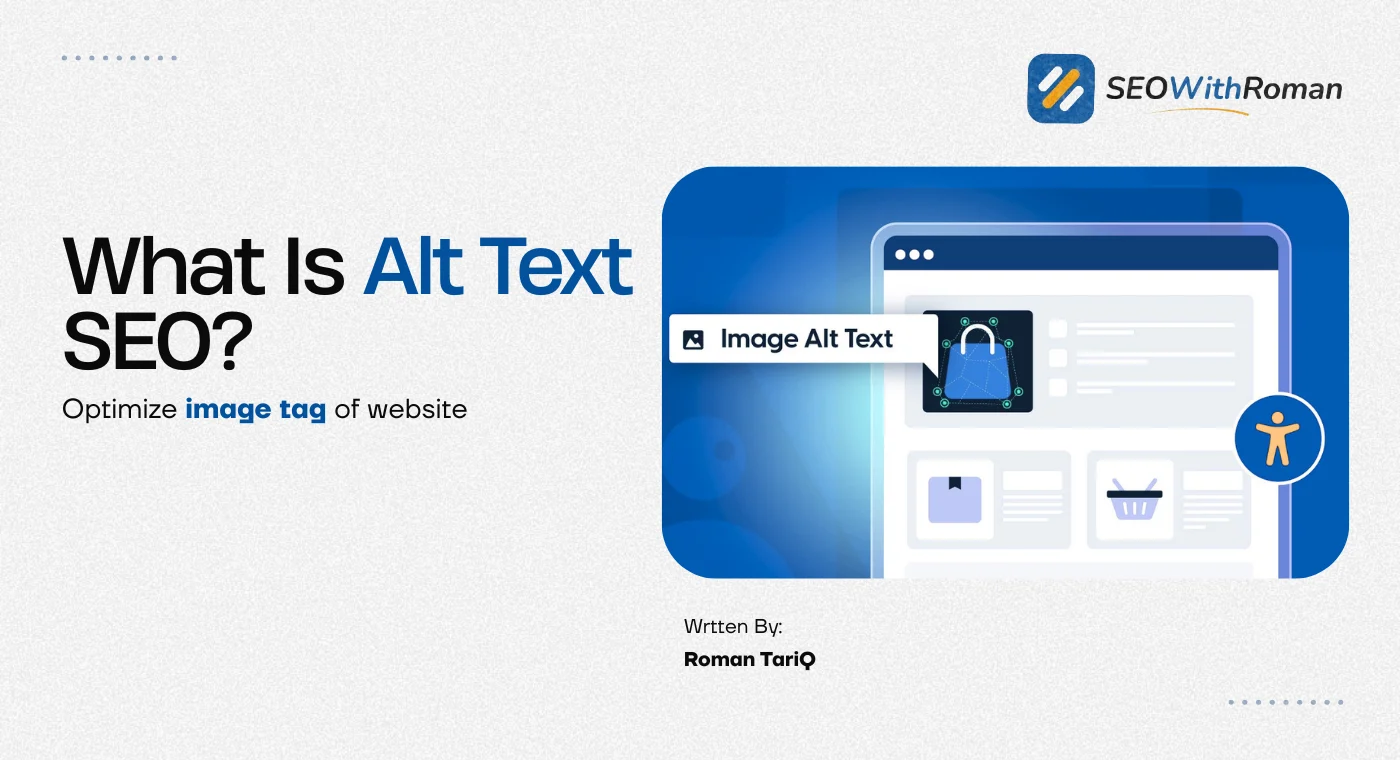
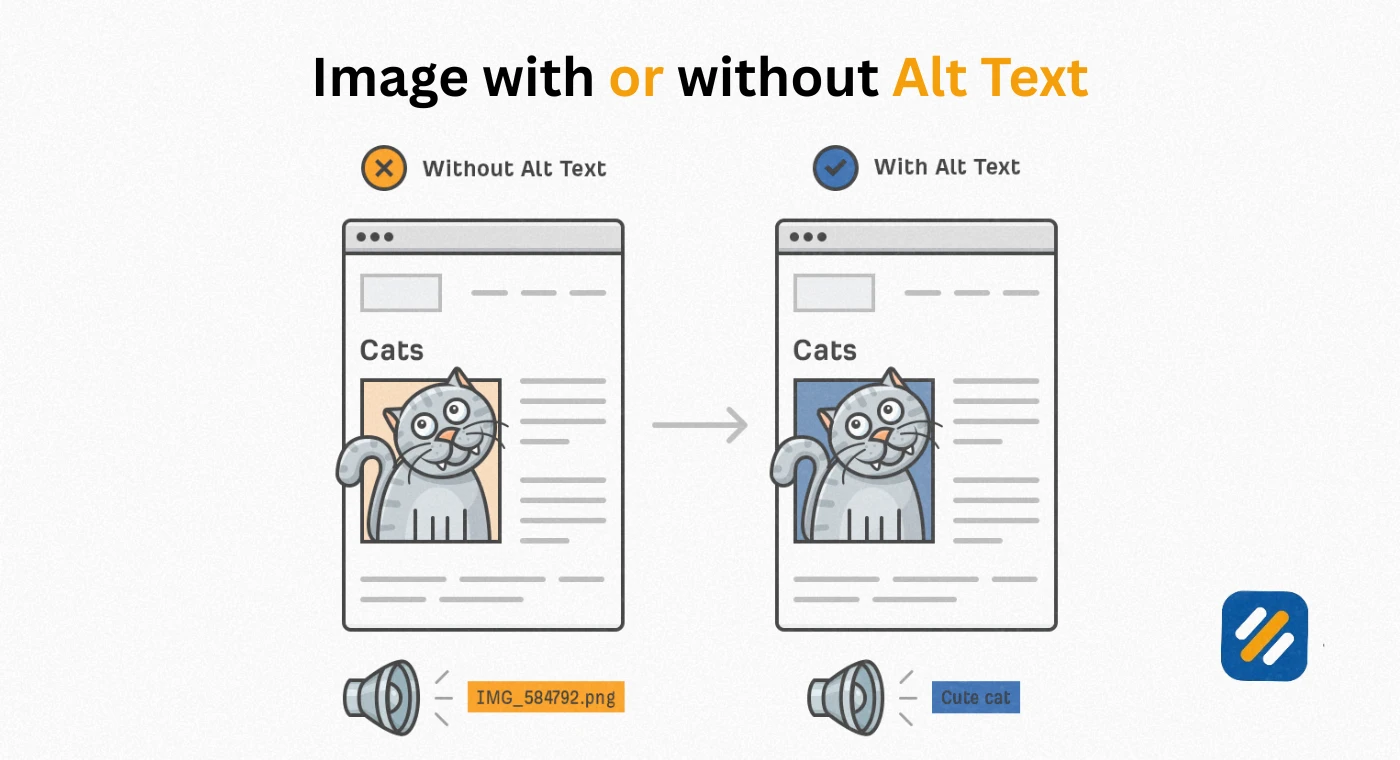
- Alt text is the written description of an image that appears when an image fails to load and is read aloud by screen readers for visually impaired users
- Google cannot see images the way humans do, so alt text is how it understands what your images show
- Well-written image alt text helps your images rank in Google Image Search and supports your overall page SEO
- Alt text should be descriptive, under 125 characters, and include your target keyword naturally without stuffing
- Every image on your website that carries meaning should have alt text. Purely decorative images should have an empty alt attribute, not missing alt text
1 What Is Alt Text and Where Does It Actually Live
If you have ever uploaded an image to a website and seen a small text field labelled "Alternative Text" or "Alt Text," you have already encountered it. Most people fill it in quickly without thinking much about it. That is a missed opportunity every single time.
Alt text, short for alternative text, is a written description of an image that serves three specific purposes simultaneously. It appears on the page if the image fails to load due to a slow connection or a broken file path. It is read aloud by screen reader software used by visually impaired users. And it is read by Google's crawlers to understand what the image depicts.
In HTML code, alt text lives inside the image tag and looks like this:
img src="seo-audit-checklist.jpg" alt="SEO audit checklist on a laptop screen showing Google Search Console data"
The alt attribute is the part after alt= and inside the quotation marks. That short description is what Google reads instead of the image itself.
What surprises most beginners is just how important this single attribute is. In many years of doing SEO audits across small business websites, blogs, and ecommerce stores, missing or poorly written alt text is one of the most consistently ignored on-page issues I find. And it is one of the easiest to fix once you understand how it works.
2 Alt Text vs Alt Tag vs Alt Attribute | Clearing Up the Confusion
These three terms are used interchangeably across the SEO industry and they all refer to the same thing. But understanding the technical distinction helps you communicate more clearly when working with developers or using SEO tools.
| Term | What It Means | Where You See It Used |
|---|---|---|
| Alt text | The actual written description you provide for an image | In WordPress image settings, in SEO guides, in accessibility documentation |
| Alt tag | A commonly used but technically inaccurate term for the alt attribute | Used loosely in SEO conversations and most beginner guides |
| Alt attribute | The technically correct HTML term for the attribute that holds your alt text | In developer documentation, Google's guidelines, Rank Math and Yoast SEO |
| Image alt text | The same as alt text, just with "image" added for clarity | In content marketing and ecommerce SEO contexts |
In everyday SEO work, alt text and alt tag are used so interchangeably that the distinction rarely matters. What matters is that you are writing descriptive, keyword-relevant descriptions for every meaningful image on your website.
3 Why Alt Text Matters | The Three Reasons Google and Users Both Care
Most SEO guides tell you alt text matters for SEO. That is true but it is only one third of the reason. Understanding all three gives you a clearer picture of why getting it right is worth your attention.
Reason 1: Accessibility for visually impaired users
According to the World Health Organization, approximately 2.2 billion people worldwide have some form of vision impairment. A significant portion of those users navigate the internet using screen reader software that reads page content aloud, including alt text.
When a screen reader encounters an image with good alt text, it reads the description to the user, giving them the same understanding of the image that a sighted user gets visually. When the alt text is missing or says something useless like "image1.jpg," the user experiences a gap in the content that sighted visitors never notice.
Accessibility is not just an ethical responsibility. In many countries including the United States and United Kingdom, websites that fail accessibility standards can face legal challenges under laws like the ADA and the Equality Act.
Reason 2: Image SEO and Google Image Search rankings
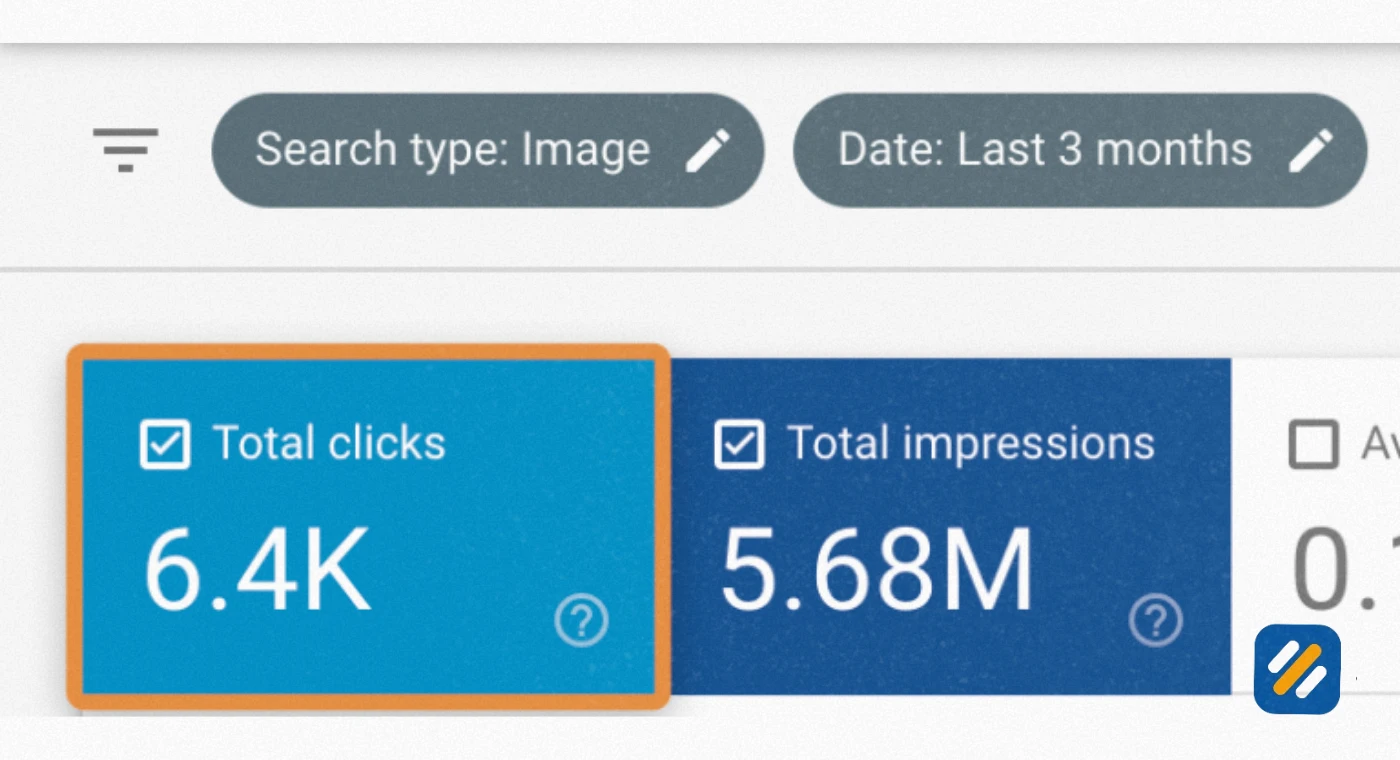
Google's crawlers are sophisticated at understanding text. They are significantly less capable of interpreting the visual content of an image without additional information. Alt text is the primary signal Google uses to understand what an image shows and decide whether it should rank in Google Image Search for relevant queries.
A well-written alt attribute containing your target keyword tells Google your image is relevant to that search query. This is how product images, infographics, diagrams, and photos can drive additional organic traffic beyond what your written content alone generates.
Reason 3: Fallback content when images fail to load
On slow connections or when a hosting issue prevents images from displaying, your alt text appears in the image's place. If your alt text is descriptive, the reader understands what should be there and can continue reading without confusion. If the alt text is empty or missing, the reader sees a broken image icon with no context.
4 Does Alt Text Help SEO: The Honest Answer
This question comes up in almost every SEO audit conversation I have with new clients. The honest answer is yes, but with important nuance.
Alt text for SEO works through two mechanisms. First, it helps Google understand the content of individual images, which directly influences how those images rank in Google Image Search. Second, it contributes to the overall relevance signal of the page by reinforcing the topical context of the content around the image.
However, alt text is not a primary ranking factor for your page's position in regular Google search results. It is one of many on-page signals that collectively tell Google what your page is about. The impact of alt text on image rankings is direct and measurable. The impact on overall page rankings is real but more subtle.
Where alt text makes a genuinely significant difference:
- Ecommerce product pages where images are often the first thing a potential buyer sees in Google Image Search
- Blog posts containing original infographics, charts, or data visualisations that other websites might link to after discovering them through image search
- Local business websites where location-specific images with properly written alt text can support local SEO signals
- News and editorial sites where images accompany articles and can drive discovery through Google Discover and Google News image results
5 How to Write Alt Text | The Step by Step Process
Writing good alt text is a skill that takes about ten minutes to learn and a week of practice to make automatic. Here is the process I use and teach to every client:
Step 1: Describe the image as if you are explaining it to someone over the phone.
Imagine calling a friend and telling them what is in a photo. You would say "a woman holding a red umbrella on a rainy London street" not "image of person outdoors." Describe what is actually visible in the image clearly and specifically.
Step 2: Include your target keyword if it fits naturally.
If your page is targeting "on-page SEO checklist" and the image shows a screenshot of a completed Rank Math optimisation panel, then alt text like "on-page SEO checklist completed in Rank Math SEO plugin" is both accurate and keyword-relevant. If the keyword does not fit naturally, do not force it. A description without a keyword is always better than a stuffed description that reads unnaturally.
Step 3: Keep it under 125 characters.
Screen readers typically truncate alt text beyond 125 characters. Write everything you need to say within that limit. If the image is complex and requires a longer description, use a figure caption below the image for additional context and keep the alt text as a concise summary.
Step 4: Skip the phrases "image of" or "photo of."
Google and screen readers already know they are processing an image. Starting your alt text with "image of" wastes the most important characters in your description. Start directly with the subject of the image.
Step 5: Leave alt text empty for purely decorative images.
If an image serves only a visual design purpose and carries no informational value, use an empty alt attribute like alt="" rather than leaving the alt attribute out entirely. An empty alt tells screen readers to skip the image. A missing alt attribute can cause screen readers to read the image file name aloud, which is confusing and unhelpful.
6 Alt Text Examples | Good vs Bad vs Missing
The fastest way to understand how to write alt text correctly is to compare real examples side by side.
| Image Type | Bad Alt Text | Good Alt Text | Why the Good Version Works |
|---|---|---|---|
| Blog post screenshot | image001.jpg | Google Search Console coverage report showing 47 indexed pages | Specific, descriptive, tells Google what data is shown |
| Product photo | blue shirt | Men's slim fit navy blue Oxford button-down shirt | Includes colour, fit, style, and material relevant to product searches |
| Infographic | SEO infographic | On-page SEO checklist infographic with 10 optimisation steps | Describes the content type and what the infographic contains |
| Team photo | staff photo | Muhammad Roman SEO specialist reviewing website analytics on laptop | Identifies the person and the activity, supports E-E-A-T |
| Decorative divider line | divider | (empty alt attribute: alt="") | Decorative images should have empty alt, not descriptions |
| Chart or graph | graph | Bar chart showing organic traffic growth from 0 to 15,000 monthly visits over 12 months | Communicates the data the chart contains without requiring the user to see it |
| Logo | logo | SEO With Roman logo, personal brand SEO blog for beginners | Identifies the brand and context |
7 Alt Text Best Practices | The Complete Checklist
Use this checklist every time you publish an article or upload images to your website:
Accuracy first: Your alt text must accurately describe what is in the image. A description that does not match the image is worse than no description at all because it actively misleads both users and Google.
One keyword maximum per image: Including your primary keyword once in alt text where it fits naturally is good SEO practice. Including it multiple times across multiple images on the same page is keyword stuffing and Google recognises the pattern.
Match context to purpose: An image on a product page needs different alt text from the same image on a blog post about that product. The alt text should describe the image in the context of the page it appears on.
Never stuff keywords: Writing "SEO alt text SEO image alt text SEO tag" into an alt attribute tells Google your site is trying to manipulate rankings rather than help users. It does the opposite of what you intend.
Update alt text when you update images: If you replace an old screenshot with a new one, update the alt text to match the new image. Outdated alt text is a form of inaccuracy.
Use your CMS alt text field, not just the file name: Many beginners assume naming the image file correctly is enough. The file name is a minor signal. The alt attribute is the primary signal. Always fill in both but prioritise the alt attribute.
8 How to Add Alt Text in WordPress Using Rank Math
Since my many clients websites are built on WordPress, here is the exact process for adding and checking alt text on every image you publish:
When uploading a new image:
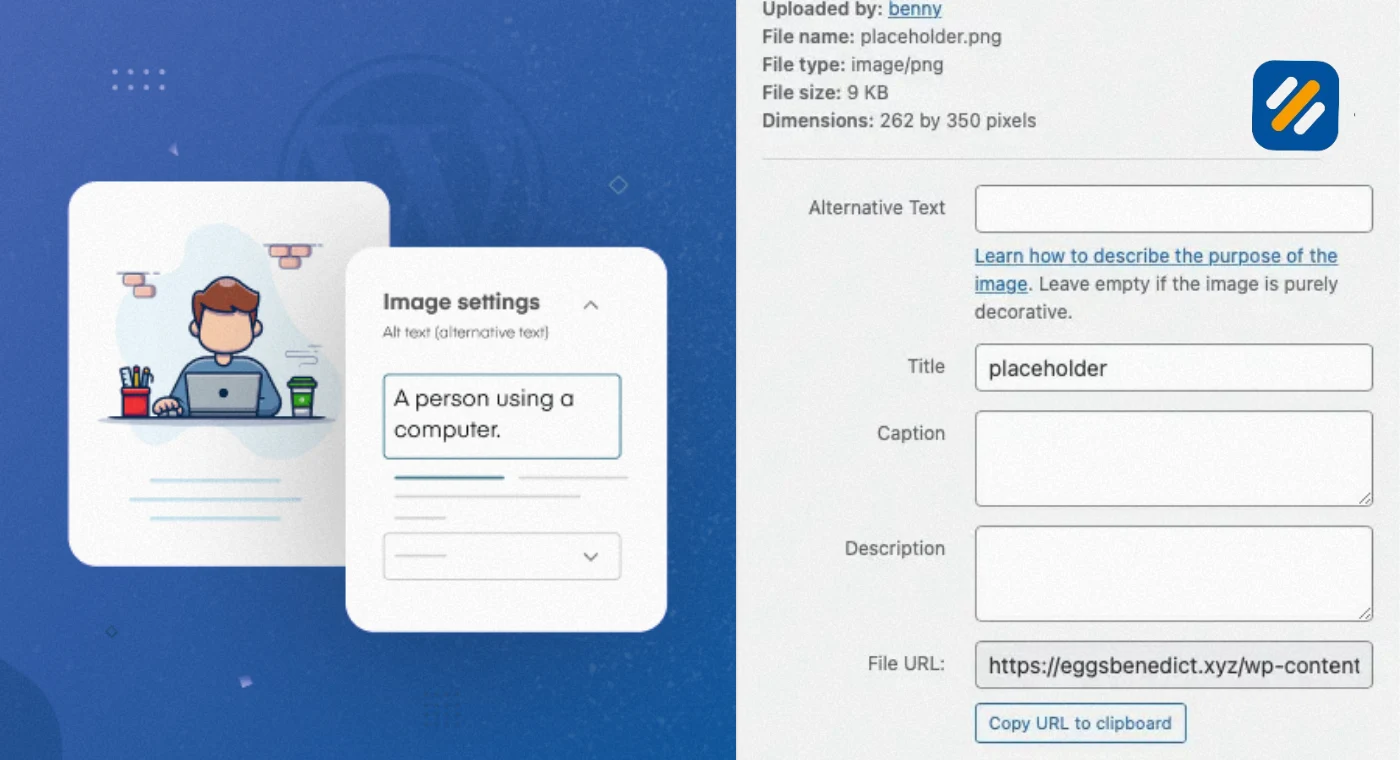
Go to Media then Add New and upload your image. In the Attachment Details panel on the right side, you will see a field labelled "Alternative Text." Fill this in before inserting the image into your post. This populates the alt attribute automatically when the image is placed on the page.
When editing an existing image in a post:
Open the post in the block editor. Click on the image block. In the right sidebar under Block settings you will see the "Alt text (alternative text)" field. Add or update your description here.
Using Rank Math to audit missing alt text:
Rank Math flags images with missing alt attributes in its content analysis panel. When you see the suggestion "Add alt text to image" in your Rank Math score breakdown, click into the post, find the image without alt text, and add it before publishing.
Bulk checking alt text across your whole site:
Use the free version of Screaming Frog SEO Spider to crawl your website. After the crawl completes, go to the Images tab and filter by "Missing Alt Text." This shows every image on your site that has no alt attribute, giving you a complete audit list in one report.
9 3 Expert Tips for Alt Text That Most SEO Guides Never Mention
Expert Tip 1: Write alt text for the user who cannot see, not for the search engine that cannot understand.
The moment you start writing alt text primarily for Google, the quality drops. The best alt text is written to give a visually impaired user a complete understanding of what the image shows and why it is there. When you do that well, the SEO benefit follows automatically because accurate, descriptive alt text naturally contains relevant language.
Expert Tip 2: Use your image file name and alt text together as a reinforcing pair.
Google reads both the image file name and the alt attribute when assessing an image. Most WordPress users upload images with file names like IMG_4852.jpg and then write perfectly good alt text. You are leaving a signal on the table. Rename your image files before uploading them using descriptive, hyphen-separated words like on-page-seo-checklist-rank-math.jpg. Combined with matching alt text, this gives Google two consistent signals instead of one.
Expert Tip 3: Audit your most trafficked pages for alt text first.
If you have an existing website with hundreds of images and no alt text, do not try to fix everything at once. Pull your Google Search Console performance report and identify your top ten pages by impressions. Start your alt text audit there. These are the pages already getting Google's attention. Improving their image alt text gives you the fastest return on the time you invest.
10 Common Alt Text Mistakes That Hurt Your SEO Without You Knowing
These are the mistakes I find most frequently during website audits across all industries:
Using the image file name as alt text. WordPress and some other CMS platforms automatically use the file name as alt text if you leave the field empty. An alt text of "IMG_3847" tells Google and screen reader users absolutely nothing useful.
Writing identical alt text for multiple images. If you have five product photos on a page and they all have alt text of "product image," Google sees five duplicate image descriptions. Each image should have a unique description that reflects what makes that specific image different.
Describing how an image looks rather than what it means. "A blue and white chart" describes the colours. "Bar chart showing month-on-month organic traffic growth for a UK ecommerce site" describes the information. The second version is what Google and your readers actually need.
Adding alt text to every image including purely decorative ones. This creates unnecessary noise for screen reader users who have to listen to descriptions of icons, dividers, and background patterns that carry no informational value. Use empty alt attributes for decorative images.
Treating alt text as an afterthought. Every image on a high-performing page was chosen deliberately to support the content. The alt text should reflect that deliberate choice. Spending thirty seconds thinking about what the image communicates before writing the description makes a measurable difference to quality.
11 Conclusion
Alt text is one of those small details that most website owners think about last and fix least. But after many years of technical SEO audits, I can tell you that the websites consistently winning in Google Image Search all have one thing in common: their alt text is descriptive, accurate, and written for real people rather than search engines.
The rules are not complicated. Describe the image clearly. Include your keyword where it fits naturally. Stay under 125 characters. Leave decorative images with empty alt attributes. Audit your existing images starting with your best-performing pages.
That is it. No tricks. No shortcuts. Just a small habit that compounds into real SEO value across hundreds of images over the lifetime of your website.
Go into your WordPress media library right now and update the alt text on the last five images you uploaded. Then make it a habit for every image from today forward.
Have a question about alt text or want me to review a specific example? Drop a comment below and I will give you personal feedback.
Join 1,000+ business owners and bloggers who get one actionable SEO tip every week — straight to their inbox. Free forever.
Get Free Weekly Tips →