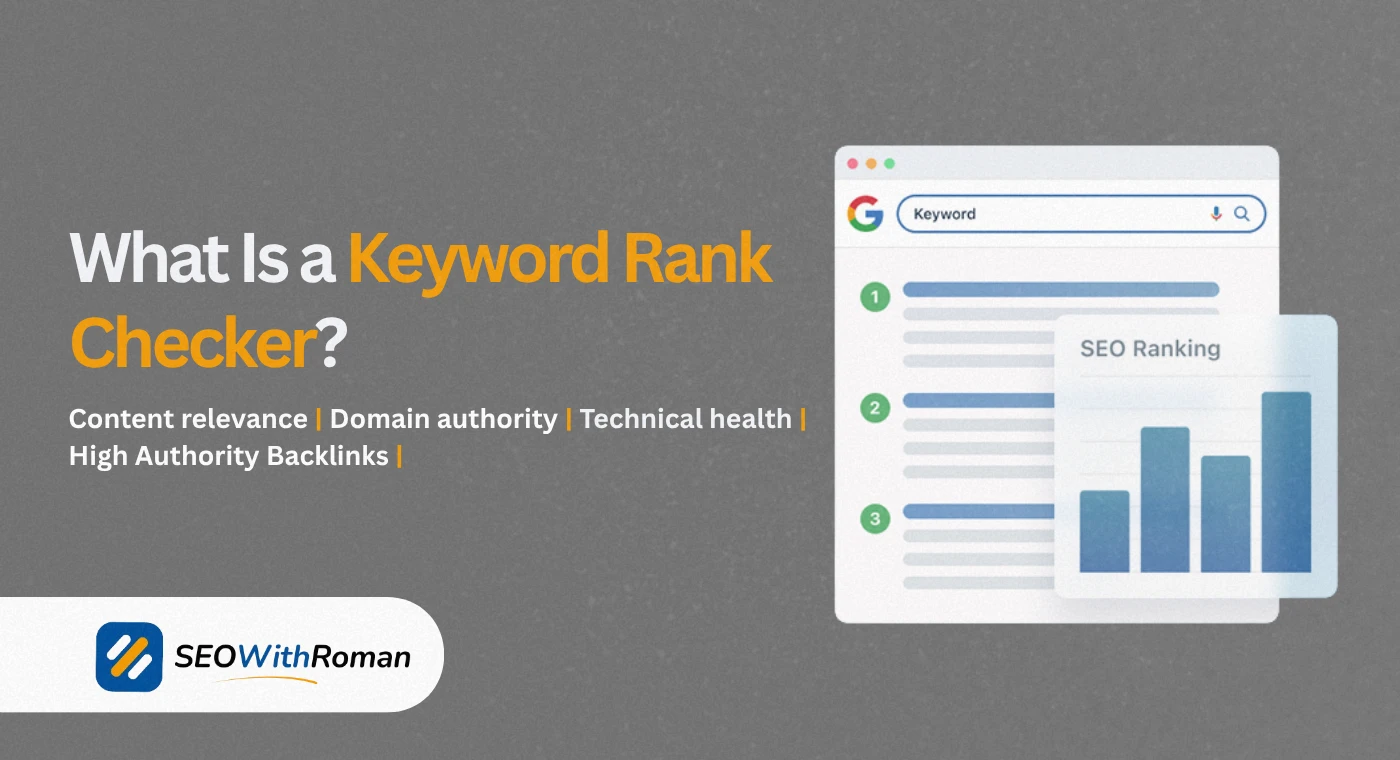
- A search engine ranking tool shows you exactly where your website appears on Google for any keyword, in real time
- Checking rankings manually inside Google gives you personalised results that are unreliable and inconsistent
- The best free search engine ranking tools include Google Search Console, Ahrefs free rank checker, and Seobility ranking checker
- Paid tools like SEMrush, Ahrefs, and SE Ranking add automated daily tracking, competitor comparison, and historical ranking data
- Tracking keyword rankings weekly is the minimum frequency needed to catch ranking drops before they cost you significant traffic
1 What Is a Search Engine Ranking Tool and Why Every Website Owner Needs One
If you have ever typed your own website name into Google to see where it appears, you have already attempted manual rank checking. And if you have done it more than once, you already know the problem. Google personalises your search results based on your location, your search history, your device, and the browser you use. The position you see when you search from your own laptop is almost never the position your actual audience sees.
A search engine ranking tool solves this problem completely. It checks your keyword positions from a neutral, depersonalised viewpoint, showing you the real Google ranking that a fresh user with no prior search history would see for any given keyword in any given country or city.
After many years of managing SEO campaigns for US and UK clients across multiple industries, I have never once relied on manual Google searches to check rankings. The data is too unreliable and too time consuming to be useful at scale. A proper ranking tool gives you accurate data in seconds and tracks changes automatically over time.
Here is what a good search engine ranking tool tells you that manual checking cannot
- Your exact position for every target keyword across desktop and mobile
- How your rankings have changed over the past 7, 30, and 90 days
- Which pages on your site are ranking for which keywords
- How your rankings compare to your direct competitors
- Which keywords are moving up toward page one and which are dropping
Without this data, you are managing your SEO blindly. With it, you know exactly where to focus your time and effort.
2 How Search Engine Ranking Tools Actually Work
Understanding how these tools work helps you use them more intelligently and interpret the data they give you more accurately.
When you enter a keyword and your domain into a search engine ranking tool, the tool sends an automated query to Google from a neutral, non-personalised connection. It then reads the search results page and identifies where your domain appears in the list. This process is repeated for every keyword you are tracking, at whatever frequency your plan allows, daily, weekly, or on demand.
The key difference between a free rank checker and a paid rank tracker is not just cost. It is the depth, frequency, and historical scope of the data:
| Feature | Free Rank Checker | Paid Rank Tracker |
|---|---|---|
| Check frequency | Manual, on demand | Automated daily updates |
| Keywords tracked | One at a time | Hundreds or thousands simultaneously |
| Historical data | None or very limited | Full ranking history with trend graphs |
| Competitor tracking | Not available | Side by side competitor comparison |
| Location targeting | Basic country level | City and postcode level |
| Mobile vs desktop | Sometimes available | Always available separately |
| Reporting | None | PDF and CSV exports, scheduled reports |
| Alerts | None | Email alerts for ranking changes |
For a brand new website just starting SEO, a free rank checker is perfectly adequate for the first six to twelve months. As your keyword portfolio grows and your strategy becomes more sophisticated, a paid tracker becomes genuinely worth the investment.
3 Best Free Search Engine Ranking Tools in 2026
There are dozens of free rank checking options available. After testing them across real client campaigns, these are the ones that consistently deliver accurate and useful data without requiring a credit card.
Google Search Console: The Most Reliable Free Ranking Data Available
Google Search Console is not a traditional rank checker but it is the single most accurate source of ranking data available for any website. Because the data comes directly from Google, there is no estimation or approximation involved.
In GSC, go to Search Results under the Performance section. Enable the Average Position metric. You can now see the average ranking position for every keyword your site has appeared for in Google over the past 16 months.
The limitation of GSC for rank checking is that it shows average positions across all search variations and locations rather than a single precise ranking for one specific search. But for understanding your overall keyword performance trends, it is unmatched and completely free.
Ahrefs Free Keyword Rank Checker
Ahrefs offers a free rank checker at ahrefs.com/keyword-rank-checker that lets you check any domain's ranking for a specific keyword across 170 countries. Enter a keyword and a domain and it shows you the current ranking position, the URL that is ranking, and the estimated monthly search volume for that keyword.
The free version limits you to one check at a time with no historical data, but the accuracy of the data is the same as the paid version because it draws from Ahrefs own crawler database.
Seobility Free Ranking Checker
Seobility's free ranking checker at seobility.net/en/rankingcheck gives you not just your ranking position but the full top 20 SERP results for any keyword, including a preview of how each competing page's title tag and meta description appears in Google. This SERP overview makes it especially useful for competitive analysis alongside rank checking.
The free version allows five checks per day without registration. It supports country and city level localisation and shows both desktop and mobile rankings.
Google Search: The Method You Should Stop Using
Opening a private or incognito browser window and searching your keyword manually is still one of the most common ways beginners check rankings. It is better than a regular browser search because incognito mode removes your personal search history from the equation. But it still does not remove location personalisation or other Google-level filters. Use a proper rank checker instead.
4 Best Paid Search Engine Ranking Tools for Serious SEO
When you are tracking more than twenty keywords, managing multiple websites, or reporting to clients, a paid rank tracking tool becomes essential. These are the tools that professionals use daily.
| Tool | Starting Price | Keywords Tracked | Update Frequency | Best For |
|---|---|---|---|---|
| SEMrush | $139/month | 500+ | Daily | All-in-one SEO with ranking, audit, and competitor data |
| Ahrefs | $129/month | 750+ | Daily | Backlink analysis combined with accurate rank tracking |
| SE Ranking | $65/month | 250+ | Daily or weekly | Agencies and small businesses needing accurate affordable tracking |
| Seobility Premium | $69.90/month | 1,000+ | Daily | Budget-friendly all-in-one with strong ranking monitoring |
| Mangools SERPWatcher | $29/month | 200+ | Daily | Beginners who want clean visual rank tracking at low cost |
| AccuRanker | $129/month | 1,000+ | On demand | Agencies needing the fastest and most accurate rank data available |
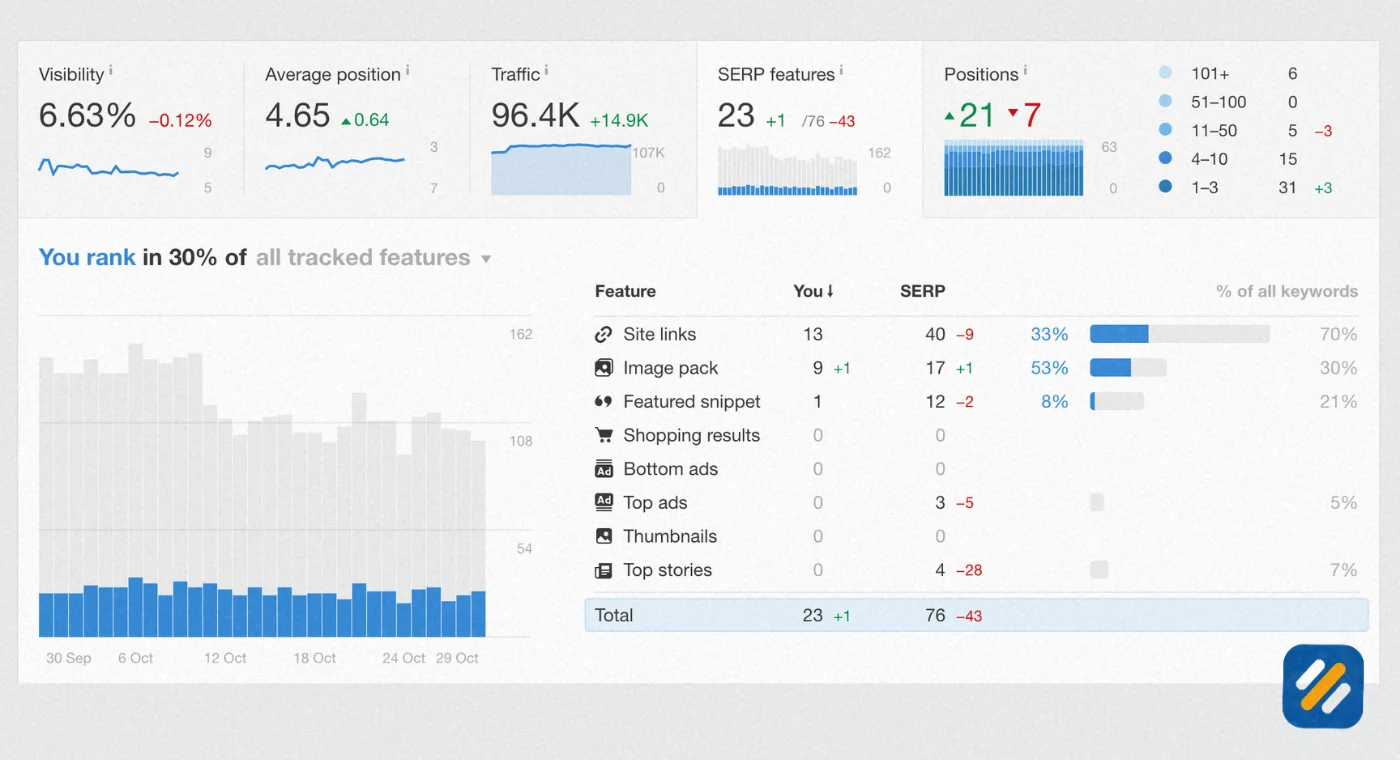
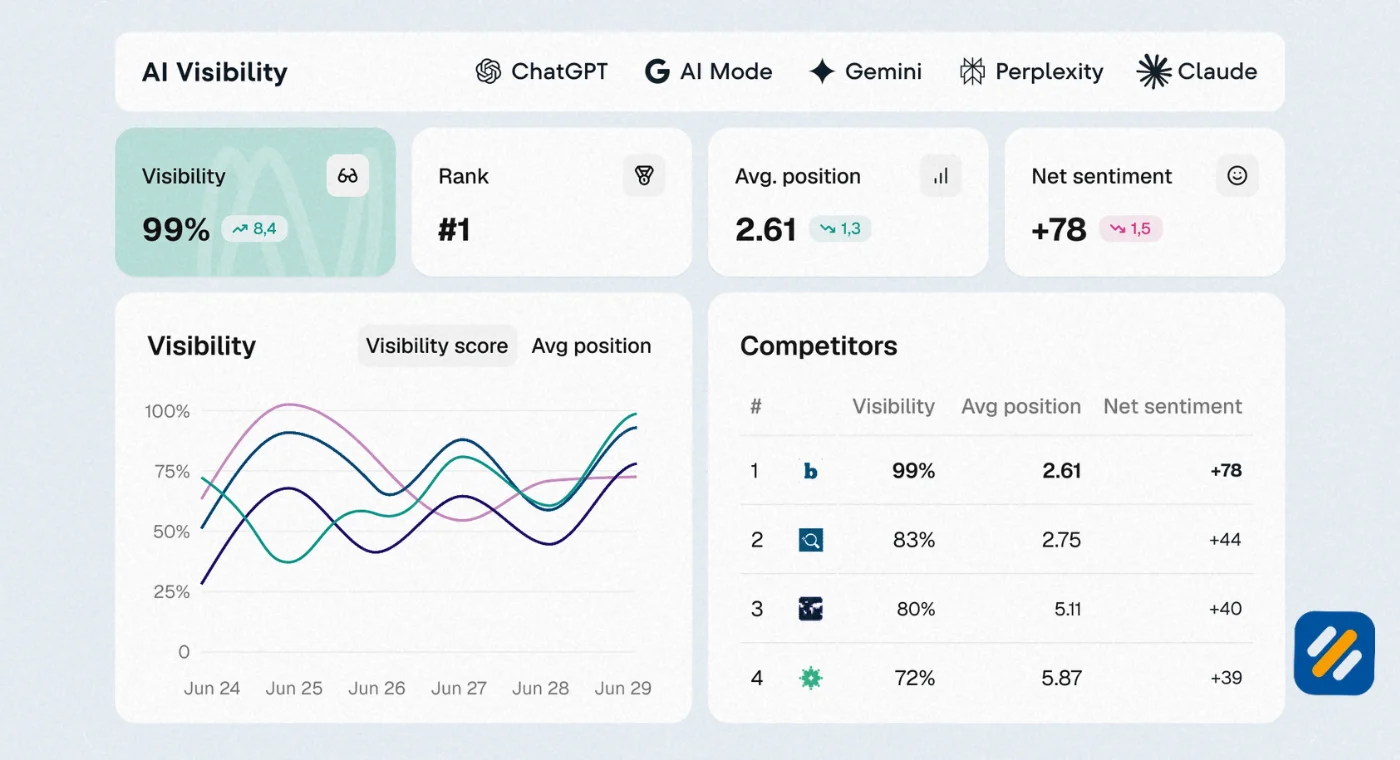
SEMrush Position Tracking is the most widely used paid rank tracker among SEO agencies and in-house teams. You set up a campaign for your domain, add your target keywords, specify your target location down to city level, and SEMrush updates your rankings automatically every day. The visibility score feature gives you a single percentage metric showing your overall search presence across all tracked keywords combined, which is useful for reporting to clients and stakeholders who want a simple number rather than a list of keyword positions.
Ahrefs Rank Tracker combines rank tracking with the platform's industry-leading backlink and keyword research data. The unique feature Ahrefs offers is Share of Voice, which shows what percentage of all possible clicks from your tracked keywords your website is actually capturing. This is a more meaningful metric than raw ranking position because it accounts for the fact that position one gets far more clicks than position five even when both are on page one.
SE Ranking is the tool I recommend most often to small business owners and bloggers who need professional-grade rank tracking without the enterprise price tag. At $65 per month for 250 keywords with daily updates across multiple search engines and locations, it delivers capabilities that would have cost three times as much five years ago.
5 Website Ranking Checker | How to Check Your Rankings Step by Step
Whether you are using a free or paid tool, the process of checking your website rankings correctly follows the same sequence. Here is the exact process I use when doing a ranking check for a new client or a new website:
Step 1: Define your target keywords before checking anything
Write down every keyword you are actively trying to rank for. Include your primary keywords, your secondary keywords, and any long-tail variations you have published content around. Without this list, rank checking becomes reactive rather than strategic.
Step 2: Choose your target location correctly
If your audience is in the US, check rankings on Google.com with the United States as your location. If you target a specific city, use city-level localisation where the tool supports it. Checking US keyword rankings from a Pakistan-based server without location settings produces misleading data.
Step 3: Check desktop and mobile rankings separately
Google maintains separate rankings for desktop and mobile searches. For most industries, mobile now accounts for over 60% of searches. Always check both. A keyword ranking at position 3 on desktop may rank at position 7 on mobile if your site has mobile performance issues.
Step 4: Record your rankings in a tracking sheet
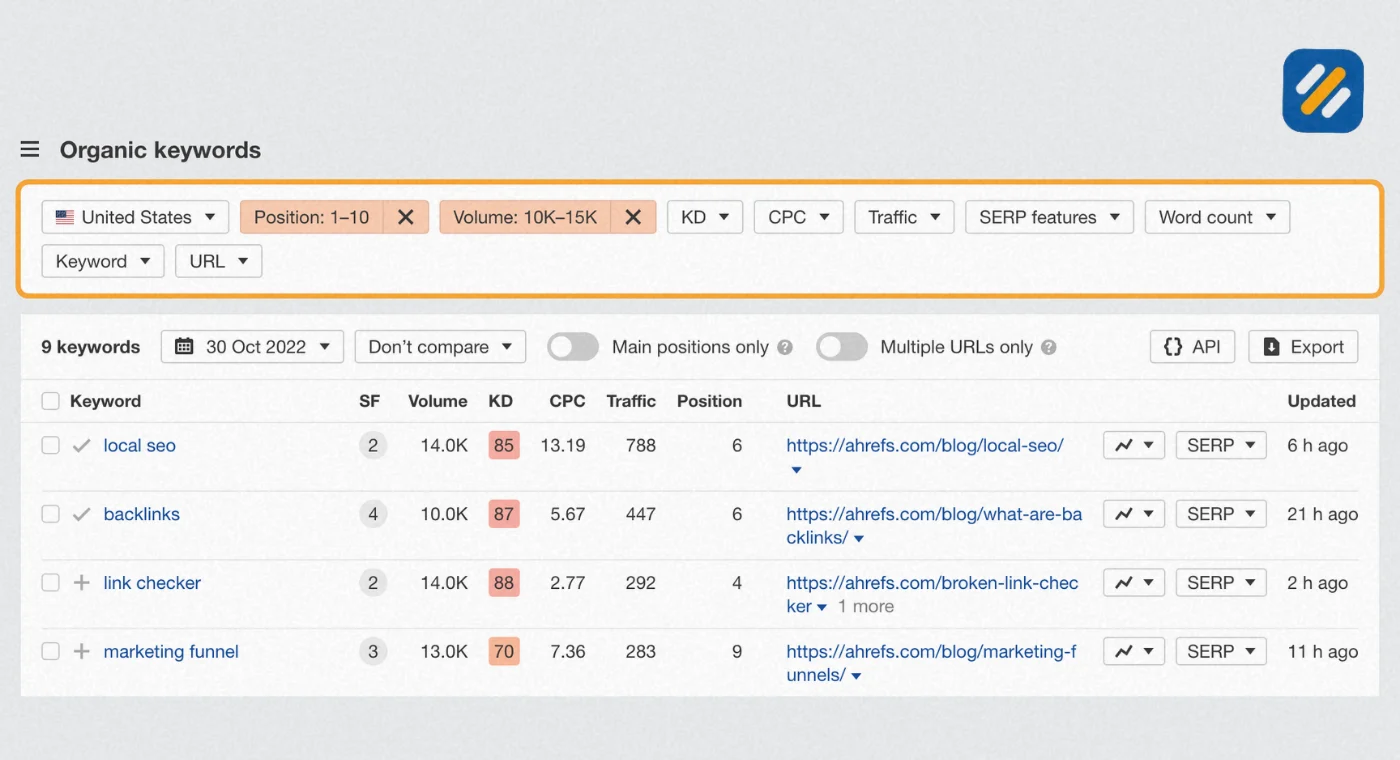
A rank check you do not record is data you will lose. Create a simple spreadsheet with your keywords in column A, your current ranking in column B, and the date in row 1. Update it weekly. Over time this sheet becomes an invaluable record of your SEO progress and helps you identify patterns in when rankings move and why.
Step 5: Identify ranking opportunities from the data
Keywords ranking between positions 5 and 15 are your highest priority targets. These pages are already indexed and trusted by Google. A focused content update, stronger internal linking, or a few additional backlinks can often push them from page two to page one, which typically doubles or triples the traffic that page receives.
6 How to Find Keyword Ranking for Your Website Using Google Search Console
Google Search Console is the most underused free ranking tool available to every website owner. Most beginners connect it to their site and never look at it again. That is a significant missed opportunity.
Here is how to use GSC specifically for keyword ranking analysis
Open GSC and go to Search Results under Performance. Set the date range to the last 90 days. Enable all four metrics: Total Clicks, Total Impressions, Average CTR, and Average Position.
Now click the Pages tab instead of Queries. This shows you which pages on your site are generating the most impressions and clicks from Google. Click any page in the list and then switch to the Queries tab to see exactly which keywords that specific page is ranking for.
This combination of page plus query data is something no third party rank checker can replicate as accurately because it comes directly from Google's own data.
The metric to focus on is Average Position combined with Impressions. A page with high impressions and an average position between 5 and 20 is a prime optimisation target. It is getting seen in Google but not clicked enough, which means improving the title tag, meta description, and content depth can produce significant traffic gains without needing to build more backlinks.
7 Free SEO Keyword Ranking Report | What to Include and How to Build One
If you are managing SEO for a client or building a personal brand blog and want to track progress professionally, a keyword ranking report gives you a clear picture of SEO performance over time.
A complete free SEO keyword ranking report includes these elements
Current ranking positions for all target keywords pulled from your chosen rank checker, recorded with the date.
Movement since last report showing which keywords moved up, which moved down, and which are new entries into the top 100.
Top performing pages showing which URLs on your site are driving the most organic impressions and clicks from Google Search Console.
Keywords entering page one because these represent the clearest proof of SEO progress and should be highlighted prominently in any client report.
Opportunities section listing the three to five keywords closest to page one that deserve priority attention this month.
You can build this report entirely for free using Google Search Console data plus a free rank checker like Seobility or Ahrefs keyword rank checker. Export the data to a Google Sheet, format it clearly, and you have a professional ranking report that communicates SEO progress in terms any business owner can understand.
8 How to Improve Your Search Engine Ranking After You Start Tracking
Tracking your rankings is only the first step. The reason you track them is to identify what to improve. Here is how to turn ranking data into action:
When a keyword drops in ranking: Check whether the page was updated recently, whether Google released an algorithm update around the same time, and whether a competitor significantly improved their page. Use Google Search Console to see whether impressions for that keyword also dropped or just your click through rate.
When a keyword is stuck between positions 5 and 20: This usually means the content needs more depth, better on-page optimisation, or stronger internal linking from related pages on your site. Update the article, add more detail to underserved sections, improve the title tag, and add two to three internal links from higher-authority pages on your site pointing to the ranking page.
When a new page is not ranking at all after 60 days: Check whether it is indexed in Google Search Console. If it is indexed but not ranking, the keyword difficulty may be too high for your current domain authority. Consider targeting a longer-tail variation with lower competition first, build some internal links to the page, and give it more time.
When a keyword moves from page two to page one: This is the moment to strengthen the page further to hold that position. Add FAQ schema markup, improve the introduction, update any outdated statistics, and build at least two or three more internal links pointing to it from related content.
9 3 Expert Tips for Getting More From Your Search Engine Ranking Tool
Tip 1: Track competitor rankings alongside your own from day one.
Most rank tracking tools let you add competitor domains to your tracking campaigns at no extra cost. Seeing your competitors gain or lose rankings for the same keywords you are targeting tells you when the competitive landscape is shifting and gives you early warning to act before traffic drops.
Tip 2: Never judge SEO performance on a single week of ranking data.
Rankings fluctuate daily due to Google's continuous algorithm updates, seasonal search behaviour changes, and competitive activity. A keyword that drops five positions one week often recovers the following week without any intervention. Always look at four to six week trends before drawing conclusions or making content changes based on ranking movement.
Tip 3: Prioritise ranking improvements for pages that already have traffic.
It is tempting to focus entirely on pages that are not ranking yet. But improving a page from position 6 to position 2 for a keyword getting 1,000 monthly searches delivers far more traffic than getting a brand new page from position 50 to position 20 for the same keyword. Use your ranking tool to find your highest-impression pages ranking between positions 4 and 15 and make those your first optimisation priority every month.
10 Conclusion
A search engine ranking tool is not optional for anyone who takes SEO seriously. Without one, you have no reliable way to know whether your content is moving up, standing still, or quietly losing ground to competitors while you focus on creating new articles.
Start with the free tools. Google Search Console for overall performance data. Ahrefs free rank checker or Seobility ranking checker for on-demand spot checks. Record your rankings in a simple spreadsheet every week. Build the habit of reviewing your data before deciding what to write or update next.
When your keyword portfolio grows past twenty to thirty keywords and you need daily automated updates, SE Ranking or Seobility Premium give you professional-grade tracking at a price that makes sense for a growing blog or small business.
The websites that grow fastest in organic search are not always the ones with the best content. They are the ones that track performance data consistently and use it to make smarter decisions every single week.
Start tracking today and you will make better SEO decisions tomorrow.
Have a question about which search engine ranking tool is right for your website? Drop a comment below and I will give you a personal recommendation based on your situation.
Join 1,000+ business owners and bloggers who get one actionable SEO tip every week — straight to their inbox. Free forever.
Get Free Weekly Tips →