- What SERP analysis actually means and why it is different from just checking your ranking
- How to read a modern SERP, including AI Overviews, featured snippets, and other SERP features
- A step by step process for how to do SERP analysis on any keyword
- How to run a proper SERP competitor analysis, not just a rank check
- How to use Moz and MozBar to build a SERP report, including a full walkthrough
- The best free and paid SERP analysis tools compared in one table
1 What Is SERP Analysis?
SERP analysis is the process of studying a search engine results page for a specific keyword to understand what type of content ranks, which SERP features appear, what search intent Google is rewarding, and who your real competitors are for that query. In plain words, SERP analysis meaning comes down to one question: before you spend hours writing something, what does Google already believe the best answer looks like.
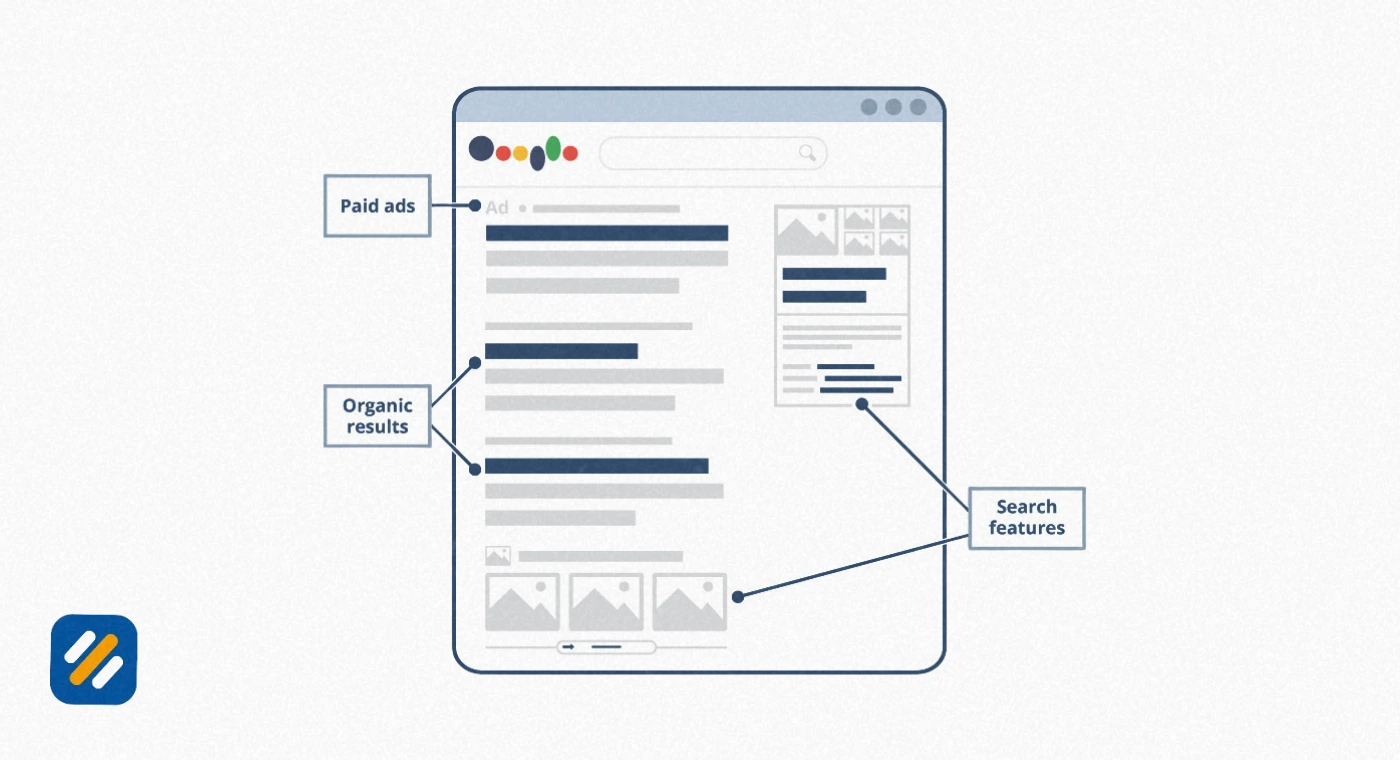
SERP itself stands for Search Engine Results Page, the page you see after typing a query into Google or Bing. Decades ago this was simple, ten blue links and not much else. Today a single results page can include an AI Overview, a featured snippet, a People Also Ask box, a local map pack, an image carousel, and only then the organic listings you are used to competing for.
I run a SERP analysis before I let a client write a single sentence on a new topic. I have watched teams write a beautifully researched 3,000 word guide for a keyword where every top result was a short product comparison page, and the article never ranked no matter how good the writing was. That is not a writing problem. That is a SERP analysis problem, caught too late.
In short: SERP analysis is not about checking where you rank. It is about reading the page Google shows you and reverse engineering what it wants before you commit to a content format, an angle, or a keyword.
2 Why SERP Analysis Matters More in 2026 Than Ever
A few years ago, google serp analysis mostly meant looking at ten organic links and maybe a featured snippet. That world is gone. Search results pages have become layered environments where several formats compete for the same click, and skipping SERP analysis now carries a much higher cost than it used to.
Here is what has changed and why it directly affects your rankings
- AI Overviews now trigger on a large and growing share of informational searches, and once one appears, organic click through rates on that query drop noticeably because part of the answer is already visible before anyone scrolls
- Featured snippets, once the biggest prize in SEO, have declined sharply as AI Overviews take over the same real estate for many query types
- Mobile now accounts for the majority of searches, and mobile SERPs frequently show a different mix of features than desktop for the exact same keyword
- Zero click searches, where the user gets their answer without visiting any website, are rising for simple factual and definitional queries
This is exactly why a proper SERP analysis tool and a repeatable process matter more now than a few years ago. Ranking in position one no longer guarantees clicks if three other elements are sitting above your listing.
3 Anatomy of a Modern Google SERP: The Features You Need to Recognize
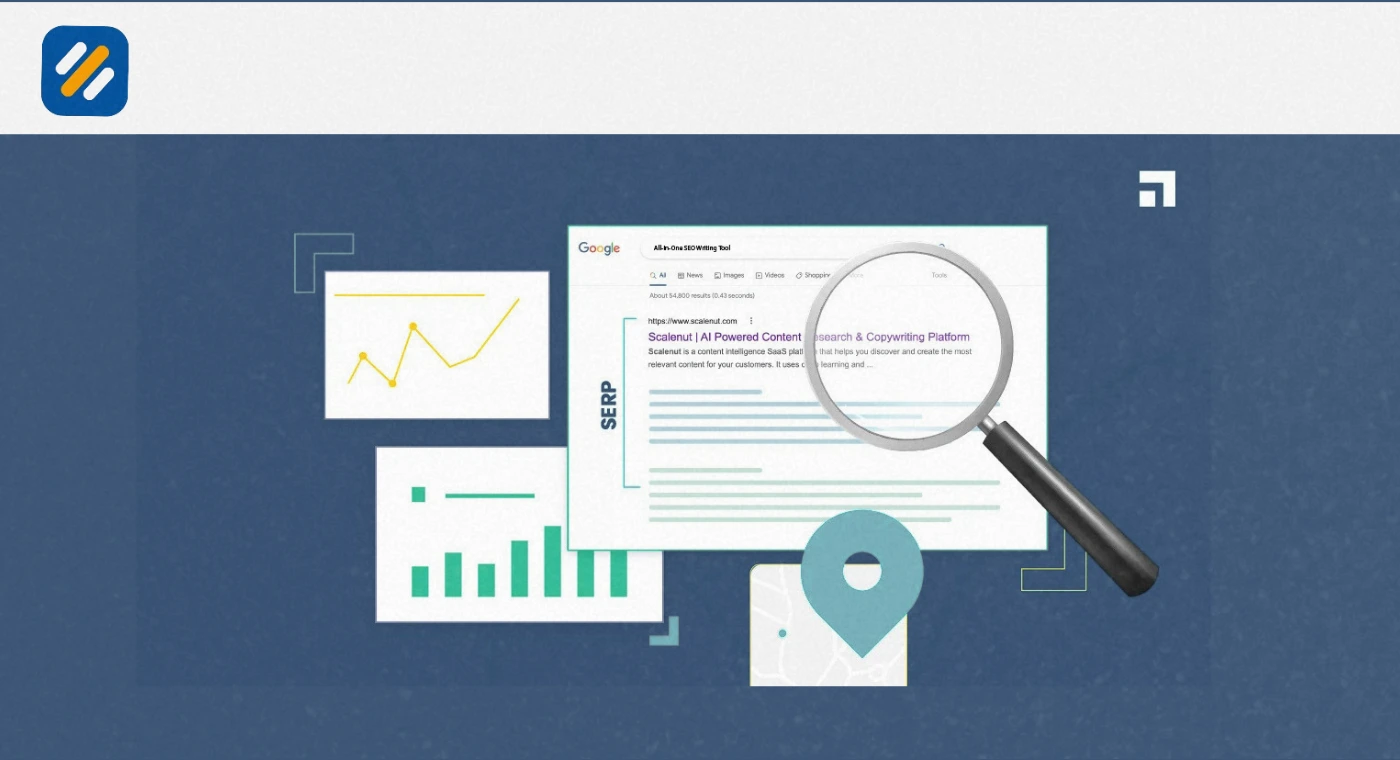
Before you can analyse serp results properly, you need to be able to name what you are looking at. Below is a breakdown of the SERP features you will run into most often, and what each one tells you about the keyword.
| SERP Feature | What It Looks Like | What It Signals |
|---|---|---|
| AI Overview | An AI generated summary at the top, with source links | Google favors a fast, synthesized answer over a single article |
| Featured Snippet | A highlighted box pulling a paragraph, list, or table from a page | The query has one clear, extractable answer |
| People Also Ask | An expandable box of related questions | The topic has several related sub-questions worth covering |
| Local Pack | A map with three local business listings | The query has local or "near me" intent |
| Image or Video Carousel | A horizontal row of thumbnails | Google believes visual or video content serves the query better |
| Knowledge Panel | A fact box on the right side about an entity | The query is tied to a well known person, brand, or place |
| Shopping Results | Product listings with images and prices | The query has strong transactional or buying intent |
Reading this mix correctly is the real skill behind SERP analysis. A keyword loaded with shopping results and product carousels is telling you plainly that a blog post is the wrong format, no matter how well it is written.
4 How to Do SERP Analysis: A Step by Step Process
Here is the exact process I use whenever I need to run a SERP analysis on a new keyword, whether it is for a client site or my own content plan.
Search the keyword the way a real user would: Use incognito mode and, if possible, match the location and device your actual audience uses, since results can shift noticeably between mobile and desktop.
List every SERP feature present: Note whether there is an AI Overview, a featured snippet, a People Also Ask box, images, video, or a local pack, since each one changes what "ranking well" actually requires.
Open the top five to ten organic results: Read them properly rather than skimming titles. Note the content format, the approximate word count, the headings used, and the angle each one takes.
Identify the dominant search intent: Decide whether the query is informational, commercial, navigational, or transactional based on what is actually ranking, not based on what you assumed before you searched.
Check the level of competition: Look at the domain strength of the ranking pages. If every result sits on a website with years of authority and hundreds of backlinks, that keyword needs a different strategy than one where a small blog is ranking.
Find the content gap: Compare the top results against each other and note what none of them cover well. That gap is your opportunity to create something genuinely better rather than another copy of what already exists.
5 SERP Competitor Analysis: Finding Out Who You Are Really Up Against
One of the most common mistakes I see is confusing your business competitors with your SERP competitors. They are often not the same websites at all. Your business rival might be another local agency, but your actual serp competitors for a given keyword could be a Reddit thread, a Wikipedia page, and a review site none of you would normally think about.
The best way to analyze serp competitors is to treat every ranking page as data, not as a rival to resent. For each keyword group you care about, build a simple habit around serp competitor ranking research.
- Search your target keyword and record every domain that appears in the top 10, not just the top 3
- Group them by type: are they blogs, tool pages, retailers, forums, or news sites
- Note which pages appear across multiple related keywords, since repeated appearances point to strong topical authority in that space
- Check how often the same set of competitors shows up for your full keyword list, since a small recurring group is your true competitive set for that topic
Doing this kind of serp competition analysis regularly, not just once, matters because rankings shift. A competitor tool or a serp competitor ranking tool that tracks this automatically saves hours compared to manually rechecking every keyword by hand each month.
Pro Tip: Keep a simple spreadsheet with one row per keyword and one column per competitor domain, marking their position each time you check. Patterns become obvious fast, and you will spot which competitor is quietly gaining ground across your whole niche before it becomes a real problem.
Moz SERP Analysis: Using Moz and MozBar to Analyze the SERP
Moz remains one of the most practical tools for this kind of work, largely because it built its reputation on this exact problem long before most tools existed. Moz's own philosophy, often summarized as owning the SERPs, is about controlling as much of the visible results page as possible for your important keywords, not just chasing the number one organic spot.
Moz competitor analysis inside Moz Pro lets you enter a rival domain and see their top ranking keywords, their best performing pages, and their overall search visibility compared to yours. This kind of moz competitor research is genuinely useful for finding content gaps quickly, since it shows you exactly which of their pages earn the most organic traffic.
6 How to Create a Moz Toolbar SERP Report
MozBar, the free browser extension, is one of the fastest ways to run a lightweight, online serp analysis directly inside your search results. Here is how to build a Moz SEO toolbar SERP report step by step.
- Install the MozBar extension in Chrome and sign in with a Moz account
- Search your target keyword on Google as you normally would
- Click the MozBar icon to turn on the SERP overlay directly on the results page
- Review the Domain Authority and Page Authority scores that now appear next to each ranking result
- Compare linking root domains across the top ten to spot which pages are winning mainly through backlinks versus content strength
- Export the data to a CSV file if you want to build a proper competitive report outside the browser
This moz serp workflow works well as a quick sanity check before you commit real writing time to a keyword, since it tells you almost instantly whether you are dealing with weak competition or an uphill battle.
7 Best SERP Analysis Tools Compared
You do not need every tool on this list. Pick one based on your budget and whether you need enterprise serp analytics or something lighter for a single site.
| Tool | Best For | Notable Feature | Free Option |
|---|---|---|---|
| Moz Pro / MozBar | Competitive research and on-page grading | Domain Authority overlay directly on the SERP | Yes, MozBar is free |
| Ahrefs | Backlink heavy SERP competitor ranking research | SERP overview inside Keywords Explorer | Limited, via Ahrefs Webmaster Tools |
| Semrush | All-in-one keyword and SERP tracking | Sensor tool for daily SERP volatility tracking | Limited free searches |
| SerpApi | Developers building custom SERP tools | Structured JSON data from live search results | Free tier with limited requests |
| Similarweb | Traffic and AI Overview visibility analysis | Zero-click and AI citation tracking | Limited free version |
| Google Search Console | Verifying your own real click and impression data | Free, direct data from Google itself | Completely free |
If you need a genuinely serp analysis free option to start with, Google Search Console combined with MozBar gets you surprisingly far before you need to pay for anything.
8 Monitoring SERP Volatility and Tracking Rankings Across Search Engines
A single SERP analysis is a snapshot. To actually monitor serp performance over time, you need ongoing tracking, because rankings and features both shift constantly, sometimes daily.
Tools that specialize in this space, sometimes described as an enterprise serp analytics or a serp sensor style feature, track how much a results page changes day to day. Semrush's Sensor tool, for example, measures overall SERP volatility across industries, which helps you tell the difference between a genuine algorithm update and normal day to day fluctuation before you panic about a ranking drop.
It is also worth remembering that Google is not the only search engine worth tracking. If a meaningful share of your audience uses Bing, whether through direct search or through Microsoft Copilot pulling from Bing's index, you should also track serps track bing performance, since Bing's ranking factors and SERP features do not always match Google's exactly.
9 SERP Analysis Best Practices and Mistakes to Avoid
Do check the SERP fresh every time, since results for the same keyword can change within weeks as Google tests new features
Do look past the top three results, since positions four through ten often reveal content angles nobody else has tried yet
Do separate your SERP competitors from your business competitors, since they are frequently different sets of websites
Don't assume the top result is automatically the best content, since it may simply be winning through domain strength and backlinks rather than quality
Don't ignore SERP features when planning content, since writing a standard article for a keyword dominated by video results wastes your effort
Don't run a SERP analysis once and consider the job finished, since AI Overviews and other features are added and removed constantly
10 3 Expert Tips for Better SERP Analysis
Tip 1: Screenshot the SERP before you start writing.
SERPs change, sometimes within days. Taking a screenshot the moment you decide to target a keyword gives you a clear record of what you were optimizing against, which is invaluable later when you are trying to understand why a ranking moved.
Tip 2: Analyze the SERP on both mobile and desktop.
I have seen the exact same keyword show a local pack on mobile and no local pack at all on desktop. If you only ever check one device, you are working from an incomplete picture of what you are actually competing against.
Tip 3: Track feature ownership, not just position.
Instead of only asking "am I in position one," ask "how many of the visible features on this SERP do I actually own." A brand that holds the featured snippet, an organic listing, and a strong knowledge panel entry is capturing far more real estate than a single number one ranking would suggest.
11 Conclusion
SERP analysis used to be a nice extra step in the SEO process. In 2026, with AI Overviews, shrinking featured snippets, and results pages packed with competing formats, it has become the step that decides whether the rest of your work pays off at all.
The good news is that you do not need an expensive setup to start. A careful manual search, a free tool like MozBar, and a habit of writing down what you actually see on the page will teach you more about your real competition than any single paid platform can on its own. Add a proper tool once you are tracking enough keywords that manual checks start eating your week.
Pick one important keyword today, run through the six step process in this guide, and compare what you find against what you assumed before you searched. That gap between assumption and reality is usually where the real opportunity is sitting.
Have a question about SERP analysis or which tool fits your budget? Drop a comment below and I will answer it personally.
Join 1,000+ business owners and bloggers who get one actionable SEO tip every week — straight to their inbox. Free forever.
Get Free Weekly Tips →