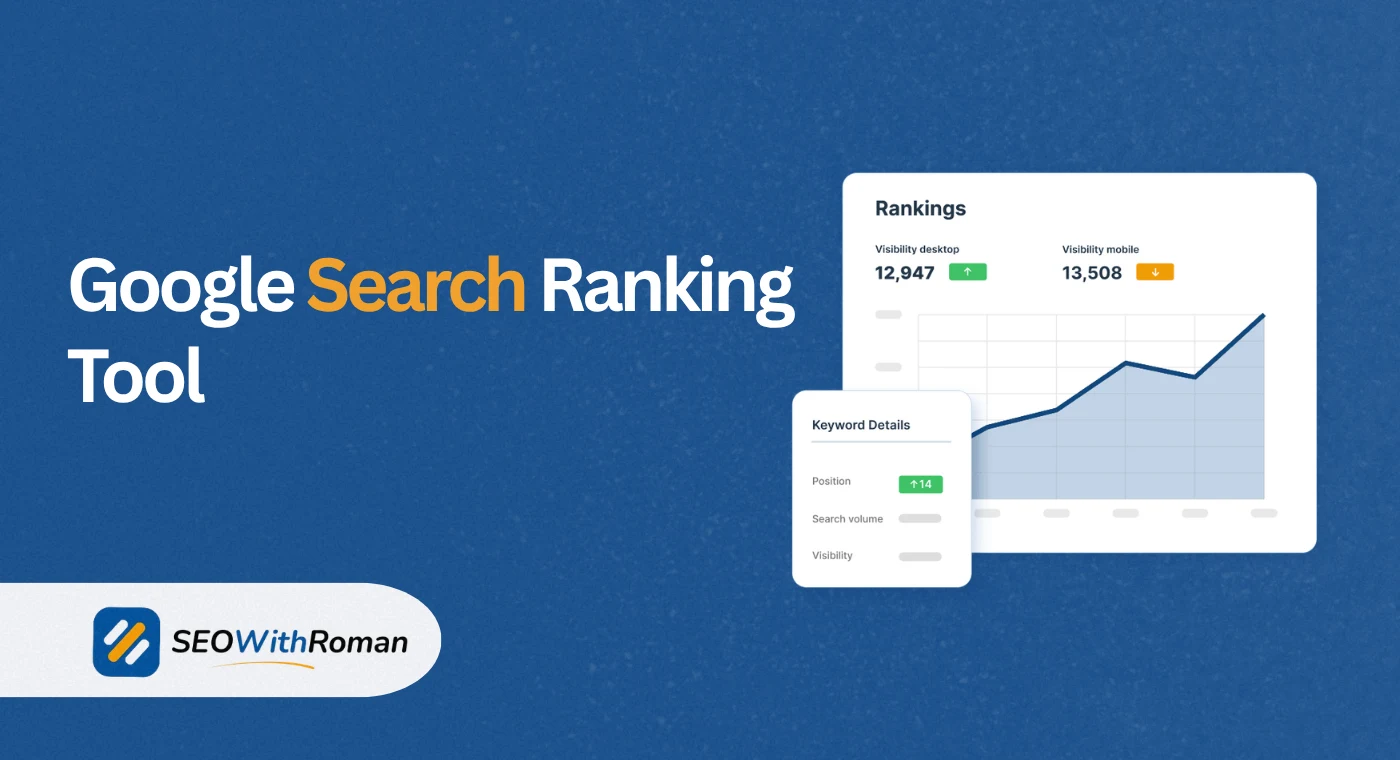
- A Google search ranking tool shows you exactly which position your website holds in Google for any keyword at any time
- Manual ranking checks by searching Google yourself are inaccurate due to personalisation, location, and browser history
- Free tools like Google Search Console, Ahrefs free rank checker, and Semrush give reliable keyword position data without spending a penny
- Tracking keyword rankings over time is more valuable than a single position snapshot because SEO results are measured in trends, not moments
- Rankings fluctuate daily, so checking weekly rather than daily gives a more accurate picture of your true SEO performance
1 What Is a Google Search Ranking Tool and Why Every Website Owner Needs One
If you have ever typed your own website into Google and tried to find it in the results, you already know how unreliable that approach is. Google personalises every search result based on your location, your browsing history, your logged-in account, and dozens of other signals. What you see when you search from your laptop in Lahore is completely different from what a potential customer sees searching from London or New York.
A Google search ranking tool solves this problem. It checks your website's actual position in Google's search results for any keyword, from any location, without the distortion of personalisation. You get the raw, objective ranking position that real searchers see when they look for your services.
In many years of doing SEO for clients across B2b, healthcare, ecommerce, and SaaS industries, I have seen business owners make major strategic decisions based on inaccurate manual ranking checks. They believed they were ranking on page one because that is what they saw on their own computer. In reality, Google was showing them a personalised result that no actual customer ever saw.
A reliable Google rank checker removes that guesswork entirely. It tells you the truth about where you stand, so every SEO decision you make is based on real data rather than assumptions.
2 How Does a Google Search Ranking Tool Actually Work
Understanding how ranking tools retrieve and display data helps you interpret the results correctly and avoid common mistakes when using them.
When you enter your domain and a keyword into a Google search ranking tool, the tool does one of two things depending on its architecture.
Live SERP checking means the tool sends an automated request to Google simulating a real search query from a specific location and device. It reads the search results page, identifies where your URL appears, and returns that position to you. Tools that use live checking give you the most current position data but are limited in how many keywords they can check simultaneously because of Google's rate limits on automated queries.
Database-based checking means the tool maintains a constantly updated index of keyword rankings across millions of websites, updated on a regular schedule ranging from daily to monthly depending on the tool. When you query your domain, it retrieves your position from this database rather than checking Google live. This approach allows tools to track thousands of keywords simultaneously and show historical ranking trends over time.
Most professional rank tracking tools combine both approaches. They maintain a database for ongoing tracking while also offering live SERP checks for on-demand position verification.
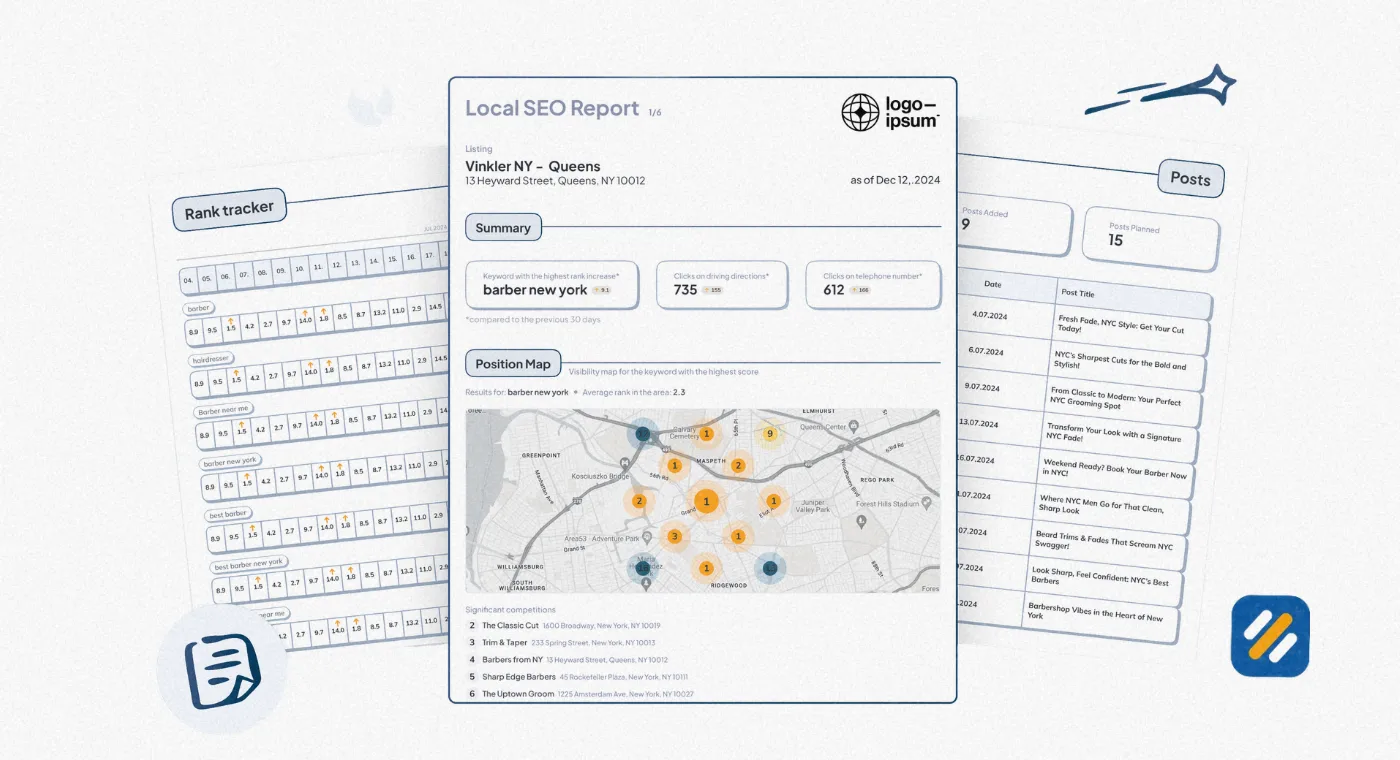
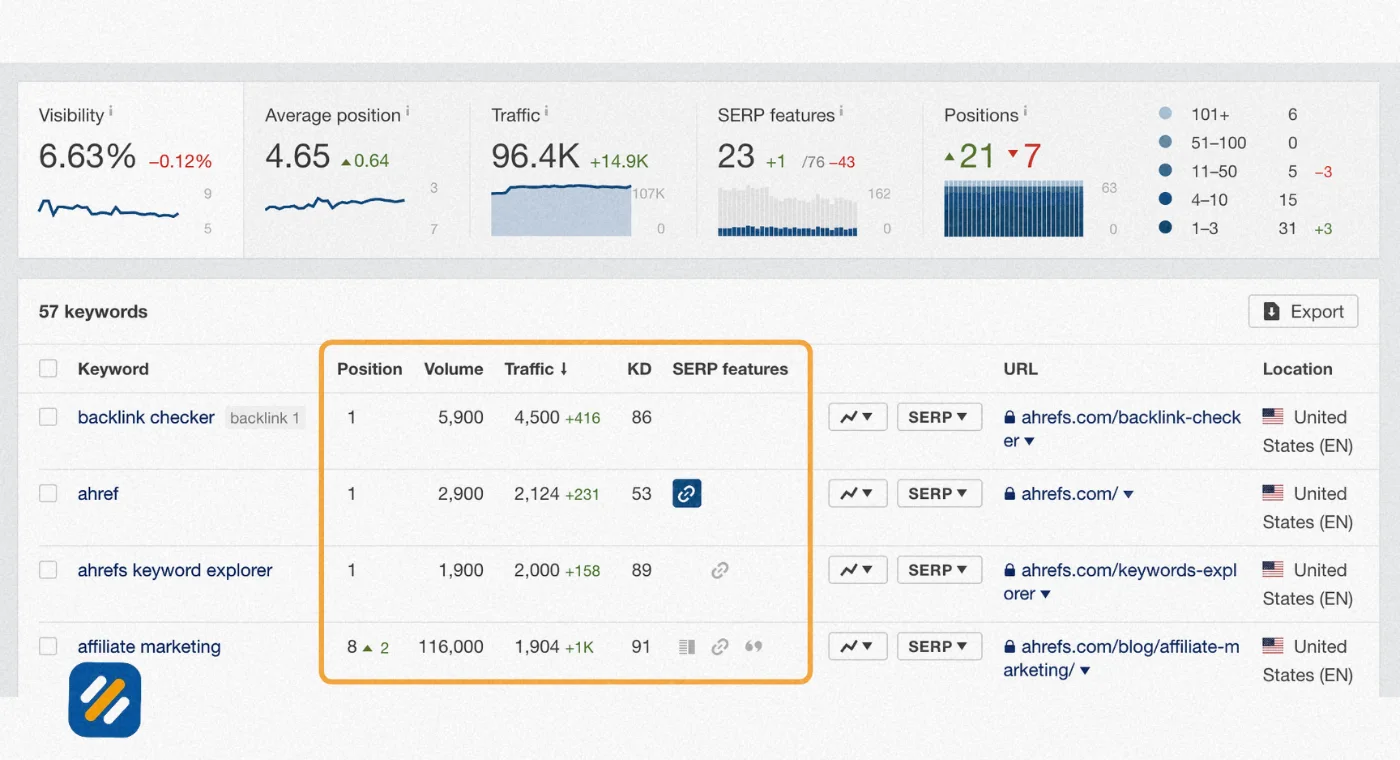
Here is what a typical keyword rank checker shows you for each tracked keyword:
- Current ranking position in Google search results
- Previous ranking position for comparison
- Change in position since the last check, showing movement up or down
- Search volume for that keyword per month in your target country
- Estimated organic traffic your page receives from that keyword
- Whether you appear in any SERP features like featured snippets or People Also Ask
3 Why You Should Never Check Your Google Rankings Manually
This is the section most ranking guides skip entirely. Manual ranking checks feel like the most direct way to see where you stand. They are actually one of the least reliable methods available.
Here is exactly why manual Google searches give you inaccurate ranking data
Search personalisation. Google tailors every search result to the individual user. If you have visited your own website before, Google knows this and is more likely to show your site higher in results for your searches than for a first-time visitor searching the same keyword.
Location targeting. Google detects your physical location and adjusts results accordingly. If you are searching from Lahore and your target audience is in the United States or United Kingdom, you are seeing results filtered for your location, not theirs. The rankings your US customers see could be completely different from what you see.
Signed-in Google account. When you are signed into a Google account, your search history, previously visited sites, and YouTube activity all influence the results you see. Signing out helps but does not eliminate all personalisation.
Device differences. Google uses mobile-first indexing, meaning it evaluates and ranks your website based on its mobile version. Rankings on mobile and desktop can differ meaningfully for the same keyword, and a manual check on your laptop only shows you one picture.
Browser history and cache. Your browser's history influences which results Google emphasises. A site you visit regularly tends to appear higher in your personal results than in an incognito or fresh browser session.
The solution to all of these problems is a dedicated Google search position checker that queries from a neutral location with no personalisation applied.
Free Google Search Ranking Tools — The Best Options in 2026
You do not need to spend money to track your keyword rankings accurately. Here are the best free options available right now, each with a clear explanation of what it does best and where its limitations lie.
4 Google Search Console | The Most Reliable Free Ranking Data Available
Google Search Console is the only ranking tool that gets its data directly from Google itself. Every other tool estimates or scrapes. GSC shows you the actual average position your pages hold for every keyword Google has recorded impressions for your site.
To check your rankings in GSC, go to the Performance report and click on the Queries tab. You will see every keyword your site has appeared for in Google search results, along with your average position, total impressions, clicks, and click through rate.
The limitation of GSC is that it shows average position over a date range rather than your exact position on a specific day. It also only shows data for your own website, not competitors.
Ahrefs Free Keyword Rank Checker
Ahrefs offers a free keyword rank checker at ahrefs.com/keyword-rank-checker that shows your ranking position for any keyword in any of 187 countries without requiring a paid account. Enter your domain and your target keyword and it returns your current position instantly.
The free version is limited to individual keyword checks rather than bulk tracking, but it is extremely accurate and uses Ahrefs' database of approximately 500 million keywords updated monthly.
Semrush Free Version
Semrush provides 10 free searches per day on its free plan, which includes keyword position data for any domain. Enter a competitor's domain to see which keywords they rank for and at what positions. This competitor intelligence angle is what makes Semrush's free version uniquely valuable compared to other free options.
Google Search — Incognito Mode
While not a dedicated tool, searching in incognito mode from a browser removes your personal search history as a variable. It does not remove location personalisation but it gets you significantly closer to what an average searcher sees than a regular logged-in search does.
5 Best Free and Paid Google Rank Checker Tools Compared
| Tool | Cost | Keyword Limit | Location Targeting | Historical Data | Competitor Tracking | Best For |
|---|---|---|---|---|---|---|
| Google Search Console | Free | Unlimited for your site | Limited | 16 months | No | Tracking your own site's performance |
| Ahrefs Free Rank Checker | Free | 1 at a time | 187 countries | No | No | Quick individual keyword checks |
| Semrush Free | Free | 10 per day | Multiple countries | Limited | Yes | Competitor keyword research |
| Ahrefs Rank Tracker | From $29/month | Up to 10,000 | 187 countries | Full history | Yes | Professional rank tracking |
| Semrush Position Tracking | From $139/month | Unlimited | City level | Full history | Yes | Enterprise rank monitoring |
| The HOTH Rank Checker | Free | Unlimited | US focused | No | No | Quick free ranking overview |
| Moz Pro | From $99/month | Up to 300 | Multiple | Full history | Yes | Agency rank reporting |
| AccuRanker | From $129/month | From 1,000 | City level | Full history | Yes | High frequency daily tracking |
6 How to Check Your Google Search Position Step by Step
Here is the exact process I use when checking keyword rankings for a new client website or monitoring an existing SEO campaign:
Step 1: Start with Google Search Console for your own site
Go to search.google.com/search-console and open the Performance report. Set the date range to the last 28 days. Click on Queries to see every keyword your site has ranked for. Sort by Average Position to see your highest-ranking keywords first. Export this data to a spreadsheet and save it as your baseline.
Step 2: Check specific target keywords with Ahrefs free tool
For each of your priority target keywords, go to ahrefs.com/keyword-rank-checker, enter your domain and the keyword, and select your target country. Note the exact position returned. Do this for your top 10 to 20 priority keywords.
Step 3: Check competitor rankings with Semrush free
Enter your main competitor's domain into Semrush's free version. Look at which keywords they rank for that you do not. These are your keyword gap opportunities, meaning topics you should be publishing content about to compete for traffic you are currently missing entirely.
Step 4: Record your baseline data
Create a simple tracking spreadsheet with columns for keyword, current position, target position, monthly search volume, and date checked. This gives you a reference point to measure progress against and helps you identify which pages are improving and which ones need attention.
Step 5: Set a regular checking schedule
Check your rankings weekly, not daily. Daily ranking checks create anxiety over normal fluctuations that resolve themselves within days. Weekly checks smooth out the noise and show you meaningful trends. Monthly reviews of your full keyword portfolio are enough to make strategic decisions about which content to update or which new keywords to target.
7 Understanding Your Google Keyword Position Data | What the Numbers Actually Mean
A ranking position is a number between 1 and beyond 100. But what does each position range actually mean for your traffic and business?
| Ranking Position | What It Means | Average CTR | Action Required |
|---|---|---|---|
| Position 1 | Top result, maximum visibility | 27.6% of all clicks | Maintain and protect |
| Position 2 to 3 | Strong visibility, good traffic | 10 to 15% CTR | Optimise title tag and meta description for more clicks |
| Position 4 to 10 | Page one, meaningful traffic | 2 to 9% CTR | Strengthen content depth and internal links |
| Position 11 to 20 | Page two, very low traffic | Under 1% CTR | Priority for improvement, close to breakthrough |
| Position 21 to 50 | Indexed but rarely seen | Near zero traffic | Content needs significant improvement |
| Position 51 to 100 | Technically ranking but invisible | Effectively zero | Complete content rewrite or new angle needed |
| Not ranking | Page not indexed or ranking below 100 | Zero | Check indexing status in GSC, address technical issues |
The most important positions to focus on as a new website are positions 11 to 20. These are your page two rankings. The pages that rank here are already recognised by Google as relevant to the keyword. A relatively small improvement in content quality, internal linking, or backlink acquisition can push them to page one and produce a meaningful increase in traffic.
I call these "breakthrough candidates" when auditing client websites. Identifying and systematically improving page two rankings is one of the highest ROI activities in SEO, because the groundwork has already been done and you are a small push away from results.
8 What Causes Your Google Rankings to Fluctuate
If you check your rankings daily you will notice positions moving up and down constantly. This is normal. Understanding what causes these fluctuations helps you distinguish between meaningless noise and genuine ranking changes that require action.
Google algorithm updates are the most impactful cause of ranking changes. Google makes thousands of small algorithm adjustments every year and several major updates that can shift rankings significantly for entire categories of websites. When you see a sudden large movement affecting multiple pages simultaneously, an algorithm update is usually the cause.
Competitor activity affects your relative position even when nothing changes on your own website. If a competitor publishes a better article on the same keyword and Google promotes it, your position drops simply because someone else improved. Monitoring competitor movements alongside your own rankings gives you a more complete picture.
Seasonal search behaviour causes rankings to fluctuate for keywords where user intent shifts throughout the year. A keyword that ranks your page highly in January may perform differently in July if the type of content searchers want changes with the season.
Content freshness signals mean that Google periodically re-evaluates older content. A page that was ranking well may slip slightly if it has not been updated in a long time and competitors have published fresher content on the same topic.
SERP feature changes affect how much traffic your ranking actually generates even without your position changing. If Google adds an AI Overview, a featured snippet, or a People Also Ask block above the organic results for your keyword, your clicks can decrease even while your ranking stays the same.
9 Google Rank Tracker vs Google Search Console | Which Should You Use
This is a question I get regularly from small business owners starting their SEO journey. The answer is not either or. They serve different purposes and both are essential.
Google Search Console is your foundation. It shows you data for your own website directly from Google's systems. The data is authoritative, free, and covers every keyword your site has ranked for. The limitation is that it only covers your own site and shows average positions over date ranges rather than exact daily positions.
A dedicated Google rank tracker like Ahrefs Rank Tracker or Semrush Position Tracking adds the capabilities that GSC lacks. It tracks exact daily positions for specific target keywords. It shows competitor rankings side by side with yours. It alerts you when significant ranking changes happen. It tracks rankings separately for desktop and mobile. And it shows SERP features you are winning or losing for each keyword.
For a new website or small business with a limited budget, start with Google Search Console. It gives you everything you need to understand your baseline performance and identify your best ranking opportunities. Once your site is generating regular organic traffic and you have more than 20 to 30 keywords to track, adding a paid rank tracker adds genuine strategic value.
10 SERP Rank Checker for Local SEO | Why Location Matters More Than You Think
If your business serves a specific geographic area, checking your rankings without specifying location gives you incomplete data. Local SEO rankings can vary dramatically between cities, postcodes, and even neighbourhoods for the same keyword.
A searcher in Manchester searching "SEO consultant" sees a completely different set of results than a searcher in London searching the exact same phrase. If your target market is in London and you are checking rankings from Manchester, the data you are seeing has no connection to the customers you are trying to reach.
Here is how to check local rankings correctly:
For Google Search Console, filter your Performance report by country. This shows you the keywords driving impressions and clicks specifically from your target market rather than blending all global data together.
For Ahrefs free rank checker, set the location to the specific country or region you are targeting before checking any keyword. The tool supports hundreds of location combinations at the country level.
For Semrush paid plans, you can track rankings at the city level. This is essential for local service businesses where ranking in one city does not mean ranking in another city ten miles away.
For Google Business Profile rankings specifically, which appear in the local Map Pack at the top of local search results, standard rank checkers do not track these. Use a dedicated local rank tracker or check your Google Business Profile Insights report which shows search queries and impressions from your business listing directly.
11 3 Expert Tips for Getting More From Your Google Search Ranking Tool
These are the tips that go beyond what most ranking guides cover and that I apply consistently when managing SEO campaigns for clients.
Expert Tip 1: Track the Right Keywords, Not All Keywords
Most beginners connect their site to a rank tracker and then try to track every keyword they can find. This creates noise and makes it hard to identify what is actually working. Track only three types of keywords: your primary target keyword for each published article, your most important commercial keywords for your services or products, and five to ten competitor keywords you are actively trying to outrank. Everything else is a distraction until you are generating consistent traffic from your core keyword set.
Expert Tip 2: Focus on Trend Direction, Not Today's Number
A single ranking position is almost meaningless in isolation. What matters is whether your rankings are trending upward, staying flat, or declining over a four to eight week period. A page that moves from position 22 to position 18 to position 14 over three weeks is performing well even though none of those positions generate significant traffic yet. Trend direction tells you whether your SEO work is having the intended effect long before the traffic data confirms it.
Expert Tip 3: Use Ranking Data to Prioritise Content Updates, Not Just New Content
Most website owners use ranking data to decide what new content to create. Experienced SEOs use it primarily to decide what existing content to update. A page ranking between position 5 and 15 for a keyword with 500 or more monthly searches is a higher priority investment than a new article targeting a keyword nobody ranks for yet. Find these pages in your rank tracker, update them with more depth, stronger examples, and better internal links, and watch them move to positions 1 to 5 faster than any new article you could publish.
12 Conclusion
A Google search ranking tool is not a vanity metric dashboard. It is the most direct window into how your SEO is performing and where your next opportunities are hiding.
The position your website holds for your target keywords determines how much free organic traffic your business receives every single day. Position one and two receive the overwhelming majority of clicks. Everything from position three downward receives progressively less. Beyond page one, the traffic is effectively zero.
Start with Google Search Console. Connect it today if you have not already. Export your keyword positions. Find the keywords where you are ranking on page two and make those your first priority for improvement. Then track your progress weekly and make decisions based on trends, not daily fluctuations.
Rankings are the scoreboard of your SEO effort. The team that reads the scoreboard correctly and adjusts strategy based on what it shows is the team that wins over time.
Have a question about checking or improving your Google search rankings? Leave a comment below and I will answer it personally.
Join 1,000+ business owners and bloggers who get one actionable SEO tip every week — straight to their inbox. Free forever.
Get Free Weekly Tips →