- What Google AI Mode actually is, in plain English, and how it differs from the search box you grew up with
- How Google AI Mode works behind the scenes, including query fan-out and passage level retrieval
- How to try Google AI Mode on desktop, Android, and iPhone, and what to do when it does not show up
- What Google AI Mode Deep Search does, when it is worth the wait, and when it is overkill
- How AI Mode compares with AI Overviews, Gemini, and classic Google Search
- What all of this means for SEO, and a practical checklist for getting your content cited
1 What Is Google AI Mode
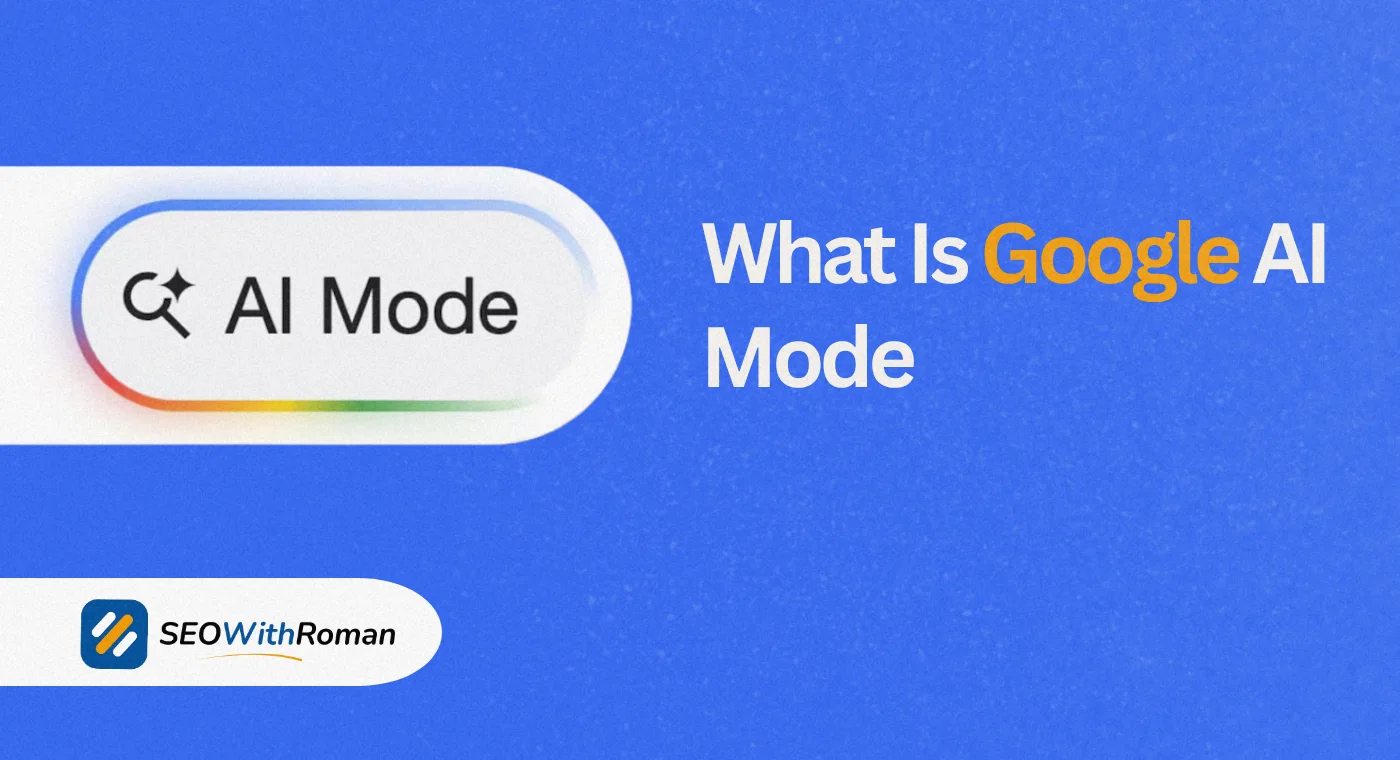
Google AI Mode is a conversational search experience built into Google Search and powered by Google’s Gemini models. Instead of handing you ten blue links and leaving you to piece the answer together, it reads across many sources, writes a single synthesized answer, attaches links so you can check the facts, and lets you keep asking follow-up questions in the same thread.
Think of the difference like this. Classic Google is a very fast librarian who points at shelves. Google AI Mode is more like a research assistant who walks to the shelves, pulls several books, reads the relevant pages, and comes back with a short briefing and a stack of bookmarks. You still decide what to trust, but the legwork is done.
You can type to it, speak to it, or show it a photo. It also accepts things like PDFs and web addresses in supported experiences, which makes it useful for the messy, multi-part questions that never fit neatly into a three word search.
A quick note on spelling, because the search data shows people hunting for this feature in odd ways. Queries like “ai mdoe,” “ia mode,” “al mode,” “mode ai,” “ai.mode,” “ai mode google,” and even “google mode” all point at the same thing. If you were looking for the shortcut, the address is simply google.com/ai. And if you searched “is google ai” wondering whether Google Search itself is artificial intelligence, the honest answer is that Google has used machine learning in ranking for years, but AI Mode is the part where a generative model writes the answer for you.
Quick answer for the impatient: What is AI Mode Google Search offering, in one line? It is a Gemini powered, chat style way to search that breaks your question into smaller searches, combines the findings into one cited answer, and remembers the conversation so you can refine it.
2 How Google AI Mode Works Behind the Scenes
Most explainers stop at “it uses AI.” That tells you nothing. Here is what actually happens when you press enter.
Step one, query fan-out. Google AI Mode does not run your question as a single search. It splits the question into subtopics and runs many searches at the same time across multiple data sources. Ask about planning a long weekend in Lisbon with two kids, and it may quietly search for family friendly neighborhoods, weather in your travel month, child friendly restaurants, and transport options all at once.
Step two, reasoning and synthesis. A Gemini model reads what came back, weighs the sources against each other, and writes one answer. This is the part classic search never did, because classic search stopped at ranking pages.
Step three, passage level retrieval. Rather than treating a page as one big unit, the system can lift out a single paragraph, list, or sentence that answers one piece of your question. This is why a well written section buried halfway down a long guide can get cited even when the page as a whole is not the top ranked result.
Step four, context memory. Your follow-up question is answered with everything you already said in mind. The second answer is the first search narrowed, not a fresh start.
| Stage | What Google AI Mode does | Why it matters to you |
|---|---|---|
| Understand | Reads intent, not just keywords | Long, specific questions work better than short ones |
| Fan out | Runs many related searches in parallel | One question can pull in angles you did not think of |
| Retrieve | Pulls passages from many pages | Small, self-contained sections get surfaced |
| Synthesize | Writes one answer with source links | You get a briefing, plus the links to verify it |
| Remember | Keeps the thread for follow-ups | Each question gets sharper instead of resetting |
This has a practical effect on how you should type. We trained ourselves for twenty years to compress questions into a few words, because that is what worked. AI Mode rewards the opposite habit. Compare “good laptop” with “lightweight laptop for video editing under 1,200 dollars with a good battery and a matte screen.” The second gives the system four real requirements to chase.
3 Google AI Mode vs AI Overviews vs Gemini vs Regular Search
People confuse these four constantly, partly because they all run on Google’s AI technology. Here is the clean separation.
| Feature | Where it appears | What you see | Best for |
|---|---|---|---|
| Regular Google Search | The standard results page | A ranked list of links | Finding a specific site, a quick fact, a local business |
| AI Overviews | At the top of many regular results, unprompted | A short AI summary above the links | A fast snapshot without leaving the results page |
| Google AI Mode | Its own tab, google.com/ai, and the Google app | A full cited answer with follow-ups | Research, comparisons, planning, multi-part questions |
| Gemini app | gemini.google.com and the Gemini mobile app | A chatbot, not a search page | Drafting, brainstorming, coding, working with files |
The simplest way to remember it: AI Overviews are a preview, Google AI Mode is the full conversation, and Gemini is a general assistant that is not tied to search results. Google has also been connecting them. In 2026 you can ask a follow-up from an AI Overview and land in AI Mode to continue the thread.
One more difference that matters for site owners: because AI Mode synthesizes, a user may get their answer without clicking anything. That is the reason the SEO section later in this guide exists.
4 How to Try Google AI Mode (Desktop and Android)
You no longer need to join a waitlist or switch on a Search Labs experiment just to use the core feature. Google has rolled it out widely, although the exact list of countries, languages, and extras still varies, so check Google’s help page for your region.
There are three simple ways in
1: Go straight to the address. Open google.com/ai in any browser.
2: Start from a normal search. Search on google.com and tap the AI Mode tab or button under the search bar.
3: Use the Google app. On the home screen, tap AI Mode.
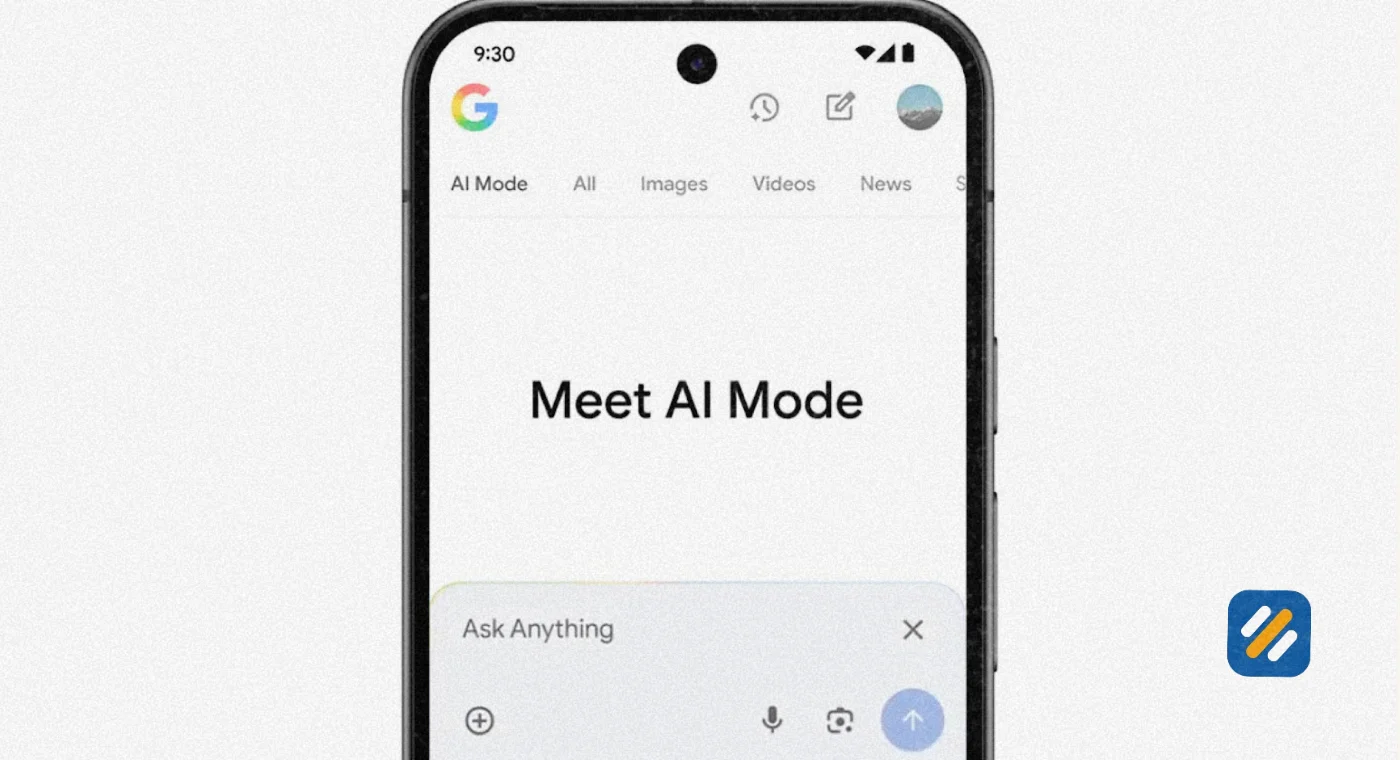
Once you are in, type or speak your question into the Ask anything bar, read the answer, and use follow-ups to narrow it down. You can switch back to standard results at any point, which is a genuine advantage over a pure chatbot. If the answer starts to drift, you are one tap from the regular list of links.
If Google AI Mode is not showing up, work through this checklist:
- Confirm you are signed in to your Google account
- Update the Google app or your browser
- Try google.com/ai directly instead of looking for the tab
- Check whether you are on a work or school account, since an administrator can switch off parts of Search and some features need a personal account
- Remember that some advanced options depend on your plan and region
5 Google AI Mode on iPhone
This is one of the most searched questions around the feature, so here is a clear answer. Google AI Mode works on iPhone through the Google app, and it also works in a mobile browser at google.com/ai.
How to use it on iPhone
- Install or update the Google app from the App Store
- Sign in with your Google account
- Tap AI Mode on the app’s home screen, or run a search and tap the AI Mode tab beneath the search bar
- Type, tap the microphone to speak, or use the camera icon to search with a photo
A few iPhone specific habits make it better. Dictation is faster than thumb typing for long questions, and AI Mode loves long questions. The camera is also where the feature shines on a phone. Point it at a plant, a cable, a menu in another language, or a product label and ask a question about what you see. As of this writing, the Google app is where the camera and live voice options are most complete, so if you only use Safari you may see fewer options.
Two cautions. First, the Gemini app is a separate download, so if you search the App Store for “AI Mode” you will not find a standalone app of that name. Second, history and personalization depend on your account settings, so if you want past conversations saved, make sure the relevant activity settings are on. If you would rather not keep a record, you can manage or delete that activity in your Google account.
6 Google AI Mode Deep Search: What It Is and When to Use It
Deep Search is the heavy duty research version of Google AI Mode. A normal answer arrives in seconds. Deep Search runs a much larger batch of searches, reasons across the results, and returns a long, fully cited report after a few minutes. Reports describe it as capable of issuing hundreds of searches for a single question.
Use it when the question is a project, not a lookup
| Good fit for Deep Search | Poor fit for Deep Search |
|---|---|
| Comparing six project management tools for a five person team | What time a shop closes |
| Background research before a client meeting | A single fact you already half know |
| Weighing the pros and cons of a major purchase | Navigating to a site you use daily |
| Building a first draft of a literature overview | Anything that needs a human expert’s judgment |
Treat the output as a well sourced first draft, not a verdict. Open the cited links for any claim that matters, especially numbers, medical points, legal points, or financial points. Also keep in mind that access and usage limits for advanced features can depend on your Google plan and region, so what you see may differ from what a friend sees.
A tip that most guides skip: ask Deep Search to separate what the sources agree on from what they disagree on. That single instruction turns a wall of text into something you can actually act on.
7 Other Google AI Mode Features Worth Knowing
AI Mode has grown well past a chat box. These are the features you are most likely to run into.
| Feature | What it does | Worth knowing |
|---|---|---|
| Search Live | Voice conversation with Search, with camera input in supported apps | Mostly a mobile experience |
| Personal Intelligence | Tailors answers using your activity and, if you connect them, apps like Gmail, Calendar, and Photos | Optional, and you can disconnect at any time |
| Canvas | A workspace beside the chat for drafts, plans, study guides, and small tools | Saved to your AI Mode history |
| Image creation and editing | Generates or edits images from a prompt or upload | Availability depends on age, plan, and region |
| Pro model with generative layouts | Heavier reasoning, plus interactive visuals and calculators | Usually tied to a paid Google AI plan with daily limits |
| Agentic tasks | Helps with things like finding reservation slots through partners | Rolling out in stages, so check current availability |
The agentic piece deserves a moment. It is the clearest signal of where Google is heading: from answering your question to helping finish the task. A reservation request such as a table for eight on Saturday with outdoor seating can be matched against live availability, leaving you to confirm the details.
8 Where Google AI Mode Helps and Where It Falls Short
Honest reviews are rare in this space, so here is a balanced one.
| Where it helps | Where it falls short |
|---|---|
| Multi-part questions that would take many tabs | Quick facts, where regular search is faster |
| Comparing products or options side by side | Fresh breaking news, where details may lag |
| Planning trips, projects, and purchases | Highly specialized topics where sources are thin |
| Following up without repeating yourself | Any answer you do not verify before acting on it |
The biggest risk is the one all generative tools share: a confident sounding answer is not the same as a correct one. Click through to the sources for anything with real consequences. A second risk is quieter. Because the answer is already written, it is tempting to stop thinking. Use the response as a map, not as the destination.
9 What Google AI Mode Means for SEO
This is the section site owners actually came for, so let me be direct about what is known and what is guesswork.
What Google has said. Google has stated that no special markup or extra technical requirements are needed to appear in its AI search features. The fundamentals still apply: pages must be crawlable and indexable, content must be helpful and original, and the site must be technically sound. That matches the E-E-A-T framework, which asks for real experience, expertise, authoritativeness, and trust.
What follows logically from how the system works.
- Because of query fan-out, a page can be pulled in for questions you never targeted directly, as long as one section answers them well
- Because of passage level retrieval, individual sections need to make sense on their own
- Because the answer is synthesized, vague or generic content gets crowded out by pages that add something concrete
What nobody can promise you. Nobody outside Google can guarantee a citation. Be wary of anyone selling a secret formula for AI Mode rankings.
A practical checklist to get your content cited
Answer first. Put the direct answer in the first one or two sentences under each heading, then add the detail
Make sections stand alone. Each section should be understandable if lifted out of the page
Cover the fan-out. List the sub-questions a reader would ask next and give each its own heading
Be specific. Names, numbers, dates, and examples give a model something worth quoting
Show real experience. Original photos, test results, and first-hand notes are hard to fake and easy to trust
Name your entities clearly. Spell out brands, people, products, and places consistently so machines can connect them
Keep the technical basics clean. Fast pages, clean structure, and sensible schema markup remove friction
Measure the right thing. Watch impressions and clicks in Google Search Console rather than a single keyword position. Google has said AI Mode activity feeds into Search Console performance data, though it may not be split out as a separate filter, so check your own account
10 Tools and Trusted Sources
| Resource | What it helps with | Link |
|---|---|---|
| Google AI Mode overview | Google’s own description of the feature | search.google/ways-to-search/ai-mode/ |
| Google Search Help, AI Mode | Official how-to and supported features | support.google.com/websearch/answer/16011537 |
| Google Search Central, AI features | Guidance for site owners on AI search features | developers.google.com/search/docs/appearance/ai-features |
| Search Live help page | How voice and camera search work | support.google.com/websearch/answer/16329036 |
| Personal Intelligence help page | How connected apps and personalization work | support.google.com/websearch/answer/17212611 |
| Google I/O 2026 Search announcement | Google’s own update on AI Mode growth and features | blog.google/products-and-platforms/products/search/search-io-2026/ |
| Google Search Console | Track your own impressions and clicks | search.google.com/search-console |
11 Three Expert Tips for Using Google AI Mode Better
Tip 1: Overshare in your first question. Give budget, constraints, and context up front. Each detail becomes something the system can search for, so you reach a useful answer in one turn instead of three.
Tip 2: Run your own brand through it. Ask Google AI Mode questions your customers would ask, then note which sources get cited and which of your pages never appear. That gap list is a better content plan than most keyword reports.
Tip 3: Verify before you act. Use the answer to orient yourself, then open at least two cited sources for anything involving money, health, or legal decisions.
12 Conclusion
Google AI Mode is not a gimmick bolted onto search. It is a different way of getting answers, built around long questions, many parallel searches, and a conversation that remembers what you said. For everyday users, the win is fewer tabs and faster research. For site owners, the lesson is just as clear: the content that gets picked up is specific, well structured, and written by someone who knows the topic.
Try it on a question that has been annoying you this week, then compare the answer with regular search. You will learn more from ten minutes of hands-on testing than from any article, this one included.
Have a question about Google AI Mode or how to get your site cited in it? Drop a comment below and I will take a look personally.
Join 1,000+ business owners and bloggers who get one actionable SEO tip every week — straight to their inbox. Free forever.
Get Free Weekly Tips →