- What the Google Rich Results Test actually checks, and what it does not
- The real difference between a rich result, a rich snippet, and structured data
- How to run the test yourself, step by step, with a real example
- The exact difference between the Rich Results Test and a schema validator
- How to get your website eligible for rich results, and what blocks eligibility
- Which rich result types Google still supports in 2026, and which ones it quietly dropped
1 What Is Google Rich Results Test
Google Rich Results Test is a free tool built by Google that checks whether a web page’s structured data, also called schema markup, qualifies that page to show an enhanced search result, known as a rich result, instead of a plain blue link.
In plain terms, it answers one specific question: if I search for this page right now, could Google show something extra next to it, like star ratings, a recipe photo, an FAQ dropdown, or event dates, based on the code hidden in the page. You paste in a URL or raw code, and within seconds the tool tells you exactly which rich results your page currently qualifies for, and lists every error stopping you from qualifying for more.
I run this tool on every client site before and after any schema update, because it is the fastest way to catch a typo in structured data before it quietly costs weeks of missed visibility. A single misspelled property name in a review schema block once cost a client their star rating snippet for almost a month before we caught it, purely because nobody re-ran the test after a site migration.
Quick answer if you are short on time: The Google Rich Results Test is Google’s official tool at search.google.com/test/rich-results. It reads your page’s structured data and tells you which rich results, like stars, FAQs, or product prices, your page currently qualifies to show in search.
2 What Is a Rich Result (And How Is It Different From a Rich Snippet)
Before this tool makes sense, you need to understand what it is actually testing for. A rich result is an enhanced search listing that includes extra visual or interactive elements beyond the standard title, URL, and description, things like star ratings, product prices, recipe cook times, or an expandable FAQ section.
Here is a piece of terminology history most articles skip entirely. Google used to call these rich snippets, and separately had rich cards and enriched results as related but distinct terms. In 2018, Google officially folded all three terms under one umbrella name, rich results, to simplify things. This is exactly why you will still see people search for rich snippet testing tool or google rich snippet testing tool even today, the old name simply stuck around in everyday use long after Google renamed the category.
So when someone asks you to check rich snippets on their site today, they usually mean the exact same thing as checking rich results, the terms are used interchangeably in casual conversation even though Google’s current official term is rich results.
3 Why Rich Results Actually Matter for SEO
Rich results matter because they change how much space and attention your listing takes up on a search results page, without you needing to improve your actual ranking position first.
A plain blue link competes purely on position. A rich result competes on visual presence too. Independent data cited in Google’s own structured data documentation found that Rotten Tomatoes saw a 25 percent higher click-through rate on pages carrying structured data compared to pages without it, simply because the enhanced listing stood out more on the page.
Beyond clicks, rich results also feed into how AI Overviews and other generative search features select which pages to summarize and cite. Clean, valid structured data gives these systems an unambiguous, machine-readable description of your content, which makes your page easier to correctly interpret and quote, separate from any benefit to the classic blue link search result.
4 How the Google Rich Results Test Tool Actually Works
Under the hood, the tool does three things in sequence every time you run it. First, it fetches the live, rendered version of your page, including anything added by JavaScript, since Google crawls rendered pages, not just raw HTML. Second, it scans that rendered page for structured data written in one of three formats Google supports, JSON-LD, Microdata, or RDFa. Third, it checks whatever it finds against Google’s specific required and recommended properties for each schema type, then reports exactly which rich results your page is eligible for and which properties are missing or invalid.
This last part is the detail most beginners misunderstand. Having structured data on your page does not automatically mean the test will approve it. Each schema type, Product, Review, FAQPage, Recipe, and so on, has its own required properties. Miss even one required field, and the entire rich result type becomes ineligible, even if everything else on the page is correct.
5 How to Use Google’s Rich Results Test (Step by Step)
Running Google’s rich results test yourself takes less than a minute once you know the two ways to do it.
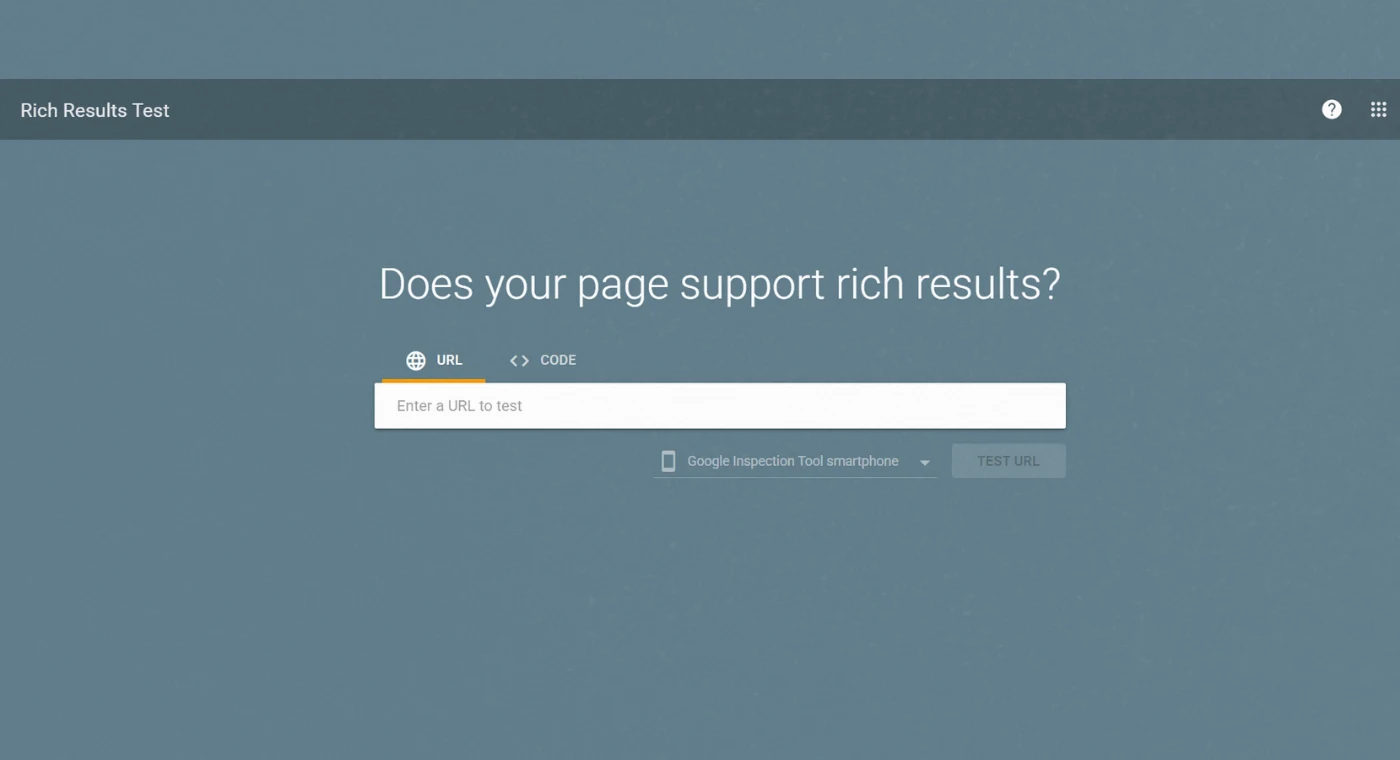
1: Go to the official tool. Visit search.google.com/test/rich-results directly, since several copycat tools exist that are not run by Google itself.
2: Choose URL or Code. Paste a live page’s URL if it is already published, or paste raw HTML directly if you are testing changes before they go live.
3: Click Test URL or Test Code. The tool fetches and renders the page exactly the way Googlebot would see it, which can take a few seconds longer than a normal page load.
4: Review the eligible rich results. Any rich result type your page qualifies for appears at the top, often with a preview of how it could look in search.
5: Check the issues tab. Any errors or warnings blocking a specific rich result type are listed here, each one naming the exact missing or invalid property.
6: Fix the flagged code, then re-test. Update your schema markup, republish the page, and run the test again to confirm the fix actually resolved the issue, since caching can sometimes make a fixed page appear unchanged for a few minutes.
6 Rich Results Test Example (Walking Through a Real Check)
Seeing an actual example makes this far easier to understand than a description alone. Imagine testing a recipe blog post for “classic banana bread.”
You paste the live URL into the tool. Within a few seconds, the tool reports that the page is eligible for the Recipe rich result, showing a preview with the dish photo, a star rating pulled from the page’s review schema, total cook time, and calorie count, exactly as it would appear in a real Google search result.
Now imagine the same page is missing the required “recipeIngredient” property in its schema code. The tool would instead show a red error under the Issues tab, specifically naming recipeIngredient as a missing required field, and the Recipe rich result preview would not appear at all until that single property is added back into the code. This is the exact level of specificity that makes the tool so useful, it does not just say something is broken, it tells you precisely which property broke it.
7 Schema Validator vs Rich Results Test: What’s the Difference
This confuses even experienced marketers, so it deserves its own clear explanation. These are two different tools built for two different jobs, and using the wrong one for your situation wastes time.
| Tool | What It Checks | Best Used For |
|---|---|---|
| Google Rich Results Test | Whether your markup qualifies for a specific rich result Google actually displays | Checking eligibility for stars, FAQs, recipes, products, and other visible search features |
| Schema Markup Validator (validator.schema.org) | Whether your structured data is technically valid against the full schema.org vocabulary | Checking schema types that do not trigger a rich result, like Organization or WebSite markup |
Here is the history behind this split. Google originally ran a single tool, the Structured Data Testing Tool, that validated structured data broadly. In 2020, Google retired that tool and replaced it with the Rich Results Test, which only reports on schema types tied to an actual visible search feature. The old, broader validation function did not disappear, it was handed over to the schema.org community and now lives on as the Schema Markup Validator.
In practice, use the schema validator first to confirm your code is technically correct and bug free, then run the Google Rich Results Test tool to confirm Google specifically will reward that code with a visible rich result. Markup can pass the schema validator perfectly and still show zero eligible rich results in Google’s tool, because not every valid schema type maps to a visible search feature.
8 Types of Rich Results Google Currently Supports
Google adds and quietly retires rich result types more often than most SEO content accounts for. Here is an accurate, current snapshot.
| Rich Result Type | Status in 2026 | What It Shows |
|---|---|---|
| Product | Active | Price, availability, and star ratings |
| Review snippet | Active | Star ratings beneath a search listing |
| Recipe | Active | Cook time, calories, and a photo carousel |
| Event | Active | Dates, location, and ticket availability |
| Breadcrumb | Active | A page’s site hierarchy shown in the URL line |
| Article | Active | Publish date and headline formatting in some surfaces |
| Job Posting | Active | Salary, location, and application details |
| FAQPage | Deprecated for most sites, May 2026 | Previously showed expandable question and answer dropdowns |
| HowTo | Deprecated, September 2023 | Previously showed numbered step by step instructions |
The FAQ and HowTo deprecations surprise a lot of site owners who built content strategies around them years ago. The underlying schema markup is not harmful to keep, and it can still support AI Overview visibility and general content clarity, but it no longer produces the visible dropdown rich result it once did for most websites.
9 How to Get Your Website Eligible for Rich Results
Getting your pages eligible for rich results comes down to a repeatable process, not a one time trick.
Identify which rich result fits your content. A product page should target Product and Review schema, a recipe post should target Recipe schema, there is no universal schema that fits every page type
Check Google’s required properties for that type. Google’s own structured data documentation lists exactly which fields are mandatory versus optional for each schema type
Write the schema in JSON-LD format. Google explicitly recommends this format over Microdata or RDFa for ease of implementation and maintenance
Make sure the markup matches the visible page content. Marking up a five star rating that does not actually appear anywhere on the page violates Google’s guidelines and can get the rich result denied or revoked
Test before and after publishing. Catching an error before a page goes live saves the index and re-crawl time it takes Google to notice and reward a fix later
10 Common Errors the Rich Results Test Flags (And How to Fix Them)
Missing required property: the most frequent error, fixed by adding the specific field the tool names in its error message
Invalid value type: happens when a field expects a number but receives text, or expects a date in a specific format and receives something else
Markup does not match visible content: the schema claims something the actual page content does not support, which needs either the content or the markup corrected to match
Blocked by robots.txt or noindex: the page’s structured data may be perfect, but Google cannot award a rich result to a page it is told not to index in the first place
Render blocked JavaScript injected markup: if your schema is added by a script that fails or loads too slowly, the tool, and Google itself, may never see it
11 Rich Results Test Online: Free Tools Worth Knowing
The official Google tool is free and requires no account, but a few supporting free tools are worth bookmarking alongside it.
Google’s Rich Results Test: the only tool that tells you definitively whether Google itself will award a specific rich result
Schema Markup Validator: confirms your raw schema.org syntax is technically correct before you even worry about rich result eligibility
Google Search Console’s Rich Results report: unlike the standalone test, which checks one URL at a time, this report inside Search Console shows rich result errors across your entire site at once, which is essential once you have more than a handful of pages using structured data
Browser developer tools: manually inspecting a page’s source code for the schema script tag is a useful manual check when something seems off between what you published and what the test is reading
12 Common Mistakes People Make When Testing Structured Data
Testing staging pages instead of live ones: a password protected or noindex staging URL will never return accurate results
Assuming a passing test guarantees the rich result will show: eligibility is necessary but not sufficient, Google still decides case by case whether to actually display the enhancement for a given search
Forgetting to re-test after a site migration: a theme change or CMS switch frequently strips or breaks schema markup silently, with no visible change to the page itself
Only testing the homepage: structured data eligibility is evaluated per page, so testing one page tells you nothing about the rest of your site
Ignoring warnings because the page still shows as eligible: warnings do not block the current rich result, but they often signal missing information that would strengthen or expand it
13 Tools and Trusted Sources for Further Research
| Resource | What It Helps With | Link |
|---|---|---|
| Google Rich Results Test | Official tool for checking rich result eligibility | search.google.com/test/rich-results |
| Schema Markup Validator | Validates structured data against the full schema.org vocabulary | validator.schema.org |
| Google Search Central, Structured Data | Official documentation on every supported schema type and its required properties | developers.google.com/search/docs/appearance/structured-data |
| Schema.org | The official shared vocabulary for all structured data types | schema.org |
| Google Search Console | Site-wide monitoring of rich result errors across every indexed page | search.google.com/search-console |
14 Three Expert Tips for Working With Rich Results
Tip 1: Bookmark the Search Console report, not just the standalone test. The standalone Rich Results Test is great for one off checks, but Search Console’s site wide report is what actually catches a schema break across dozens of pages before it quietly costs you weeks of lost visibility.
Tip 2: Never copy another site’s schema code directly. I have seen sites copy a competitor’s JSON-LD block wholesale, which often carries that competitor’s business name, address, or product details hidden inside the code, creating confusing or outright false structured data on the new site.
Tip 3: Re-test after every major site update, not just schema changes. A theme update, a plugin change, or a CMS migration can silently strip structured data even when nobody touched the schema code directly, so make retesting part of your standard post launch checklist, not just something you do when something looks broken.
15 Conclusion
Google Rich Results Test is one of the few SEO tools that gives you a direct, specific answer instead of a vague score. It tells you exactly which enhanced search features your page currently qualifies for, and exactly which property is missing when it does not. Understanding the difference between this tool and the broader schema validator, and knowing where Search Console’s site wide report fits in, turns a confusing cluster of similar sounding tools into a clear, repeatable testing workflow.
Structured data is not a set it and forget it task. Rich result types get added and quietly deprecated, site updates silently break markup, and Google’s required properties shift over time. Building a habit of testing before and after every major change is what separates sites that keep their rich results working for years from sites that lose them without ever noticing.
Have a question about your own structured data, or want a second opinion on a schema error you cannot figure out? Drop a comment below and I will take a look personally.
Join 1,000+ business owners and bloggers who get one actionable SEO tip every week — straight to their inbox. Free forever.
Get Free Weekly Tips →