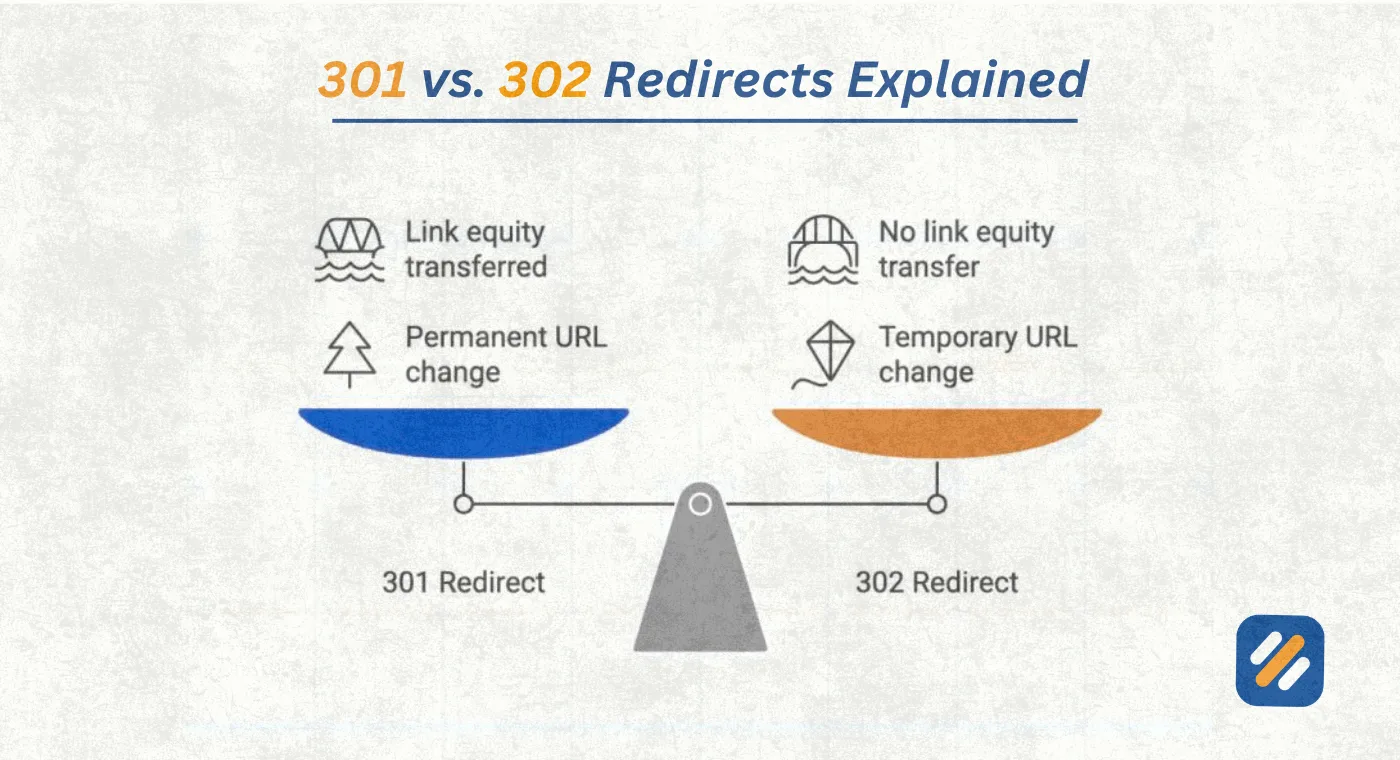
- A 301 redirect tells Google the move is permanent and transfers ranking signals and link equity to the new URL
- A 302 redirect tells Google the move is temporary and preserves the original page's ranking ability
- Using the wrong redirect type can cause you to lose backlink value, ranking signals, and referring domain equity permanently
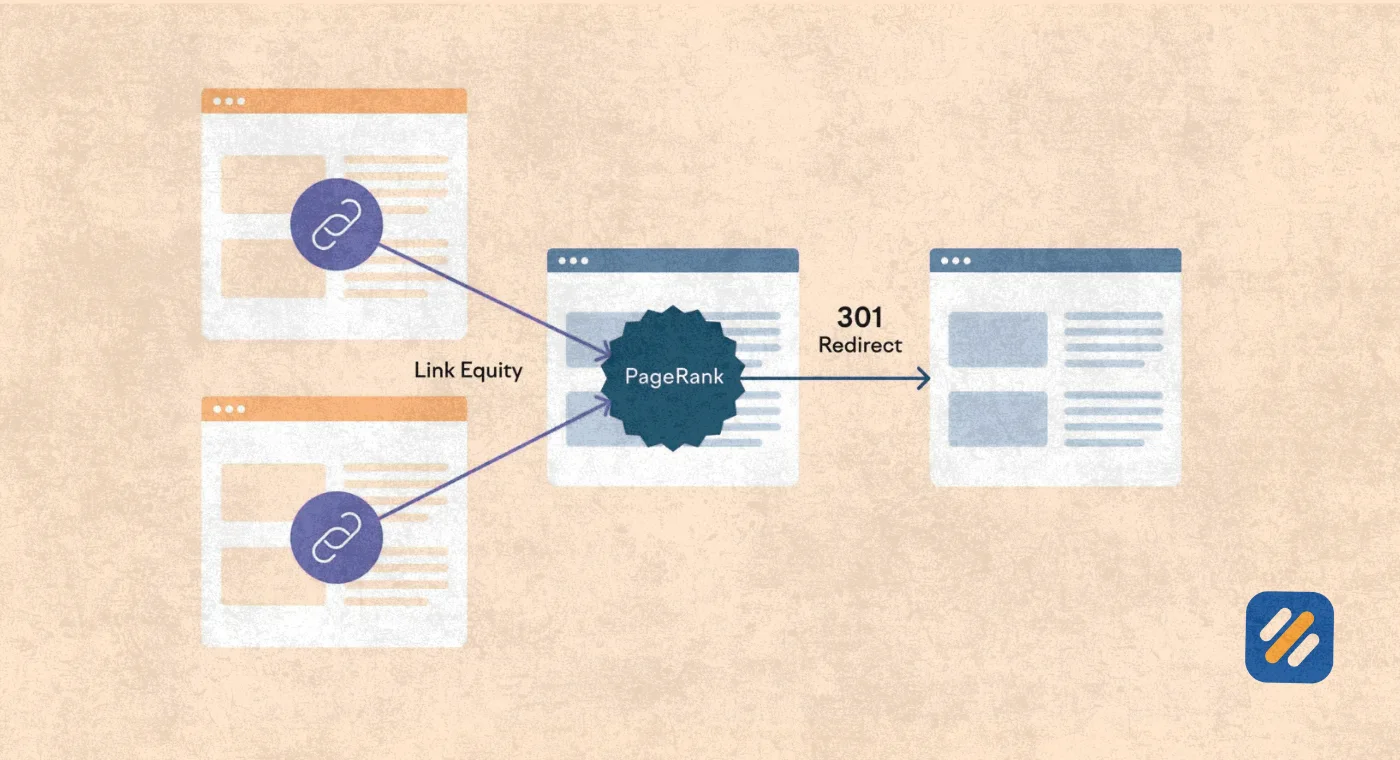
- Dofollow backlinks pointing to a 301 redirected URL pass PageRank through to the destination page
- The best type of redirect for SEO in almost every permanent situation is always a 301, not a 302
1 What Is a Redirect and Why Getting It Wrong Destroys Your SEO
Every time a URL changes on your website, something has to tell the browser and Google where the content has moved. That something is an HTTP redirect. Get it right and your rankings, backlink value, and user experience stay intact. Get it wrong and you can silently lose months of SEO work overnight without a single warning in your analytics.
A redirect is an instruction sent from your web server to a browser or search engine bot saying "the content you are looking for is now at this new address." The browser follows that instruction automatically and the user lands on the new page without manually doing anything.
The problem is that not all redirects are created equal. Two of the most commonly used redirect types, the 301 and the 302, behave completely differently in terms of how Google handles them, how they affect your rankings, and critically, how they treat the backlinks and referring domains that your pages have built up over time.
In many years of technical SEO work across B2b, ecommerce, and SaaS websites, I have seen otherwise well-optimised websites lose significant ranking positions simply because a developer implemented a 302 redirect when a 301 was needed. The rankings did not drop dramatically overnight. They eroded slowly over weeks, which made the cause almost impossible to diagnose without a proper audit.
Understanding the difference is not optional if you want to protect your website's SEO investment.
2 What Is a 301 Redirect and What Does It Tell Google
A 301 redirect is a permanent redirect. The number 301 refers to the HTTP status code the server sends back when a browser requests the original URL. That status code tells the browser and Google: "This page has moved permanently. Update your records and go to the new address."
Here is what makes a 301 redirect the most important redirect type in SEO. When Google's crawler encounters a 301, it understands that the original page is gone for good. It then does three things that are critical for your rankings:
First, it transfers the ranking signals accumulated by the original URL to the destination URL. If the original page was ranking on page one for a keyword, that ranking ability follows the redirect to the new page.
Second, it passes PageRank through the redirect. PageRank is Google's measure of a page's authority based on the quantity and quality of backlinks pointing to it. A 301 redirect allows that PageRank to flow from the old URL to the new one.
Third, it eventually deindexes the original URL and replaces it in search results with the destination URL. This process takes time, typically several weeks to a few months depending on how frequently Google crawls your site.
When to use a 301 redirect
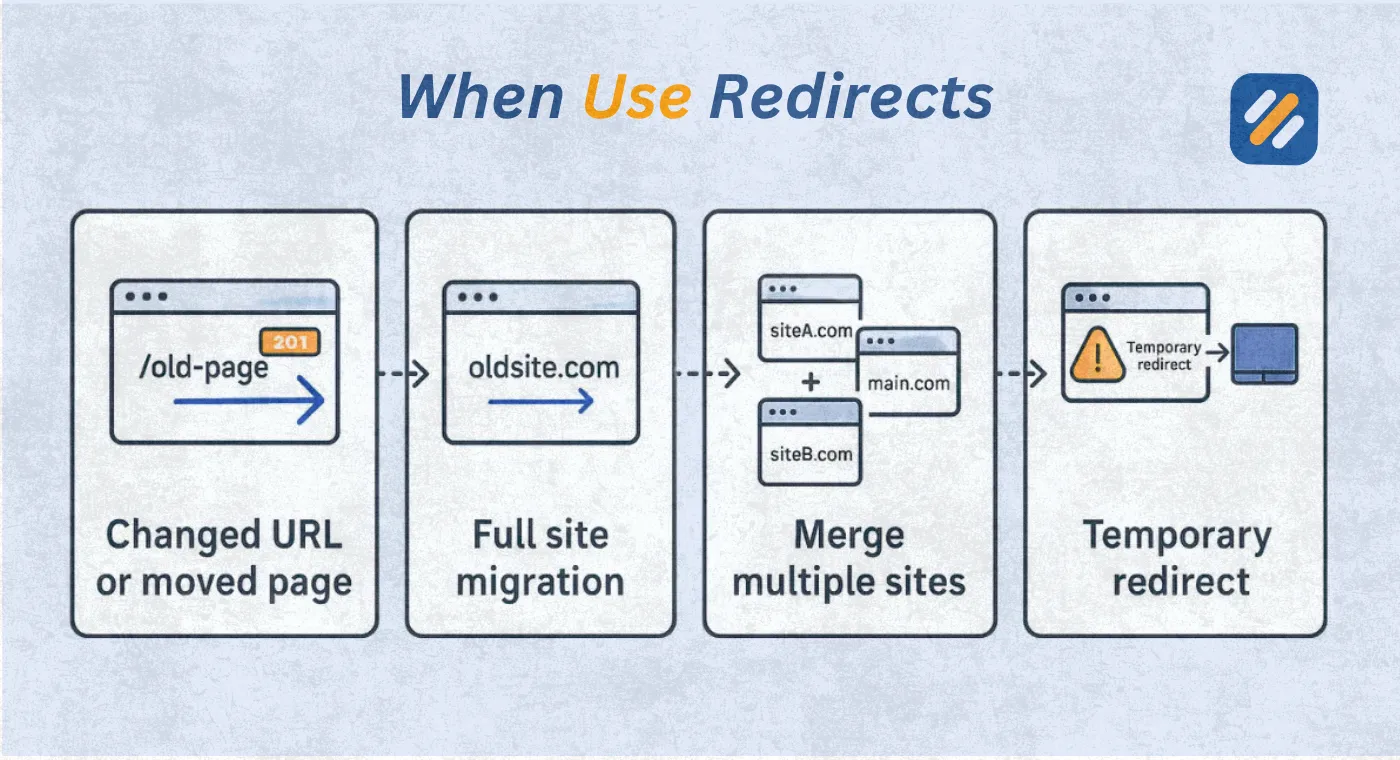
- When you permanently change a page's URL
- When you migrate your entire website to a new domain
- When you delete a page that has a relevant replacement
- When you consolidate two similar pages into one
- When you fix a typo in a URL that already has backlinks pointing to it
- When you move your site from HTTP to HTTPS
3 What Is a 302 Redirect and When It Actually Makes Sense
A 302 redirect is a temporary redirect. Its HTTP status code tells browsers and Google: "This page has moved temporarily. Keep the original URL in your index because it will be back."
This distinction matters enormously for SEO. Because Google interprets a 302 as temporary, it behaves very differently from a 301. It does not transfer ranking signals to the destination URL. It does not pass PageRank in the same way. And it does not deindex the original URL, because it expects that URL to become active again in the future.
This is actually the correct and desirable behaviour when used in the right situations. If you are running an A/B test on a landing page, you do not want Google to transfer your main page's rankings to your test variant. A 302 protects your original page's SEO while letting you test freely.
When to use a 302 redirect
- During website maintenance when a page will return shortly
- When running split tests or A/B tests on important pages
- During temporary seasonal promotions that will end on a specific date
- When testing a new design or feature with live traffic before making it permanent
- When temporarily taking a page offline for legal or compliance review
The critical rule here is temporary means temporary. If you leave a 302 redirect in place for more than six months, Google may start treating it as a permanent redirect anyway. At that point you lose the protection the 302 was supposed to provide.
4 301 vs 302 Redirect | The Complete Side by Side Comparison
| Factor | 301 Permanent Redirect | 302 Temporary Redirect |
|---|---|---|
| What it signals to Google | Page has moved permanently | Page has moved temporarily |
| PageRank transfer | Yes, passes link equity to destination | No, preserves equity on original URL |
| Ranking signal transfer | Yes, rankings follow to new URL | No, original URL keeps its rankings |
| Browser caching | Yes, browser caches the redirect | No, browser rechecks server each visit |
| Original URL deindexed | Yes, eventually replaced by destination | No, original URL stays indexed |
| Dofollow backlink equity | Flows through to destination URL | Stays on original URL |
| Referring domain credit | Transfers to destination over time | Stays attributed to original URL |
| Best for | Permanent URL changes, migrations | Testing, maintenance, promotions |
| Risk if used incorrectly | None if used for permanent moves | Massive, can permanently lose ranking signals |
| Reversibility | Difficult due to browser caching | Easy, just remove the redirect |
| SEO recommendation | Use for all permanent changes | Use only for genuinely temporary situations |
5 How to Add 301 and 302 Redirects on a Custom-Base Website
If your website is not built on WordPress and you are working with a custom HTML or PHP site, you cannot use plugins to manage redirects. But the good news is that implementing redirects on a custom website is straightforward once you understand two simple methods.
Method 1: Using the .htaccess File (Apache Servers)
The .htaccess file is a configuration file that sits in the root directory of your website. It is the most reliable and SEO-friendly way to implement redirects on any Apache-hosted custom website.
To add a 301 permanent redirect, open your .htaccess file using your hosting file manager or FTP client and add this code:
# 301 Permanent Redirect — use for permanent page moves
Redirect 301 /old-page/ https://www.yourwebsite.com/new-page/
# 302 Temporary Redirect — use for temporary moves only
Redirect 302 /old-page/ https://www.yourwebsite.com/new-page/
# Redirect entire old domain to new domain (301)
Redirect 301 / https://www.yournewdomain.com/
# Redirect HTTP to HTTPS permanently (301)
RewriteEngine On
RewriteCond %{HTTPS} off
RewriteRule ^(.*)$ https://%{HTTP_HOST}%{REQUEST_URI} [L,R=301]
Replace /old-page/ with your actual old URL path and replace the destination with your actual new URL. Save the file and test immediately by visiting the old URL in your browser.
Method 2: Using PHP Header Redirect
If your custom website runs on PHP, you can add redirects directly inside any PHP file. This method works on any PHP-based website regardless of the server type.
<?php
// 301 Permanent Redirect
header("HTTP/1.1 301 Moved Permanently");
header("Location: https://www.yourwebsite.com/new-page/");
exit();
?>
<?php
// 302 Temporary Redirect
header("HTTP/1.1 302 Found");
header("Location: https://www.yourwebsite.com/new-page/");
exit();
?>
Place this code at the very top of the PHP file for the old page, before any HTML output. The exit() function is critical. Without it, the rest of the page code will continue executing even after the redirect header is sent.
Method 3: Using HTML Meta Refresh (Last Resort Only)
This method should only be used when you have no access to server files or PHP. It is not recommended for SEO because it does not pass link equity reliably and Google does not treat it the same as a proper server-side redirect.
<!-- HTML Meta Refresh Redirect — not recommended for SEO -->
<head>
<meta http-equiv="refresh" content="0; url=https://www.yourwebsite.com/new-page/">
</head>
The number 0 is the delay in seconds before the redirect fires. Keep it at 0 for an instant redirect.
6 Quick Reference: Which Method to Use
| Website Type | Best Redirect Method | SEO Friendly |
|---|---|---|
| Custom HTML on Apache server | .htaccess file | Yes, fully |
| Custom PHP website | PHP header redirect | Yes, fully |
| Custom HTML on Nginx server | Nginx config file | Yes, fully |
| WordPress | Redirection plugin or Rank Math | Yes, fully |
| Shopify | Built in redirect manager | Yes, fully |
| No server access available | HTML meta refresh | Partial, not ideal |
Important Rules Before Adding Any Redirect Code
- Always back up your .htaccess or PHP file before editing
- Test every redirect immediately after adding it using httpstatus.io to confirm the correct status code is being returned
- Never create a redirect that points back to itself or you will create a redirect loop that takes your page completely offline
- For .htaccess redirects, make sure RewriteEngine On appears before any RewriteRule lines or the rules will not execute
7 How to Add 301 and 302 Redirects on a WordPress Website
For most SEO professionals and small business owners working on WordPress, there are two reliable approaches to implementing redirects without touching server configuration files directly.
Method 1: Using the Redirection Plugin
The Redirection plugin by John Godley is free, used by over two million WordPress websites, and lets you manage 301 and 302 redirects through a simple dashboard. After installing the plugin, go to Tools then Redirection. Click Add New, enter the source URL and destination URL, select whether you want a 301 or 302 from the HTTP code dropdown, and save.
The plugin also logs 404 errors in real time, making it easy to spot broken URLs that need redirects as they appear.
Method 2: Using the .htaccess File
For WordPress websites hosted on Apache servers, you can add redirect rules directly to the .htaccess file in your root directory. The format for a 301 redirect is:
Redirect 301 /old-page/ https://yourwebsite.com/new-page/
The format for a 302 redirect is:
Redirect 302 /old-page/ https://yourwebsite.com/new-page/
Always back up your .htaccess file before making changes. A formatting error in this file can take your entire website offline.
Method 3: Using Rank Math SEO Plugin
If you already use Rank Math, its free version includes a built-in 301 redirect manager under Rank Math then Redirections. This is the most convenient option if Rank Math is already your active SEO plugin, as it keeps all your redirect management in one place alongside your other SEO settings.
8 How 301 and 302 Redirects Affect Dofollow Backlinks and Referring Domains
This is the section that most redirect guides skip over entirely. And it is the section that matters most if you have spent any time or money building backlinks to your website.
What is a dofollow backlink?
A dofollow backlink is a link from another website that passes ranking authority, called PageRank or link equity, from the linking page to your page. It is the default type of backlink. When someone links to your content without adding a nofollow tag, that link is dofollow and it actively contributes to your page's authority in Google's eyes.
A nofollow backlink, by contrast, contains a rel="nofollow" attribute that tells Google not to pass PageRank through the link. Nofollow links do not contribute to your page's authority in the same way.
What happens to dofollow backlinks when you use a 301 redirect?
When you set up a 301 redirect from an old URL to a new URL, the dofollow backlinks pointing to the old URL begin transferring their link equity to the new destination URL. This transfer is not instant. Google needs to recrawl both the old and new URLs, process the redirect, and update its index. This typically takes between two and eight weeks depending on your site's crawl frequency.
The end result is that the destination URL inherits the backlink authority from the old URL. If you had 50 dofollow backlinks from 30 different referring domains pointing to the old URL, those 30 referring domains and their associated link equity eventually contribute to the authority of the new URL.
What happens to dofollow backlinks when you use a 302 redirect?
When you use a 302 redirect, Google does not transfer link equity to the destination URL. The dofollow backlinks pointing to your original URL keep their equity attributed to that original URL. This is the correct behaviour when you genuinely intend to restore the original page later.
The dangerous scenario is when a developer uses a 302 redirect for a permanent move, intending it to work like a 301. In this situation, your backlinks and referring domain equity stay frozen on the original URL, which is going nowhere. Your new destination URL builds zero authority from those existing backlinks. You have effectively orphaned your entire backlink profile.
What about referring domains specifically?
A referring domain is any unique website that links to your page at least once. Referring domains are one of the most important signals of domain authority because they indicate how many separate, independent sources consider your content worth linking to.
With a proper 301 redirect, the referring domain credit gradually transfers to your destination URL. With a 302, it does not. This is why getting the redirect type right matters not just for individual backlinks but for your overall domain authority trajectory.
9 Real World Scenarios | Which Redirect to Choose in Every Situation
| Situation | Correct Redirect | Why |
|---|---|---|
| Moving your website from HTTP to HTTPS | 301 | Permanent move, transfer all link equity to secure URLs |
| Rebranding your business to a new domain | 301 | Permanent domain change, preserve all ranking signals |
| Changing a blog post URL to fix a typo | 301 | Permanent URL change, protect existing backlinks |
| Running a Black Friday sale page for 2 weeks | 302 | Temporary promotion, preserve main page rankings |
| Taking a page offline for maintenance for 24 hours | 302 | Short-term, page will return |
| Merging two similar blog posts into one | 301 | Permanent consolidation, combine link equity |
| A/B testing a new landing page design | 302 | Temporary test, do not transfer ranking signals |
| Deleting a product that has been discontinued | 301 to closest alternative | Permanent deletion, recover backlink value |
| Moving blog content to a new subfolder | 301 | Permanent structural change, preserve all authority |
| Testing a new checkout flow with live users | 302 | Temporary test, protect main checkout page rankings |
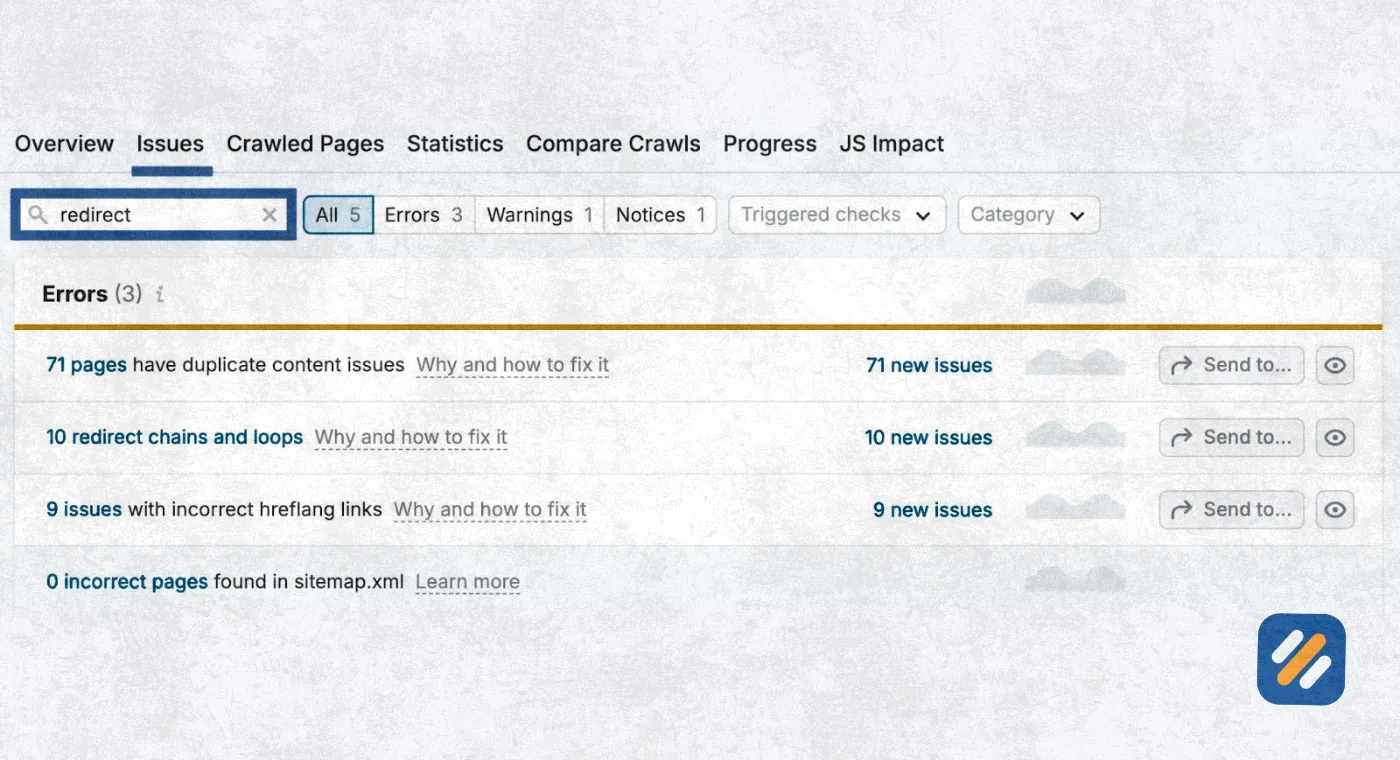
10 The Most Dangerous Redirect Mistakes That Kill SEO Rankings
After six years of auditing client websites, these are the redirect mistakes I find most frequently and the ones that cause the most damage:
Mistake 1: Using 302 for permanent moves
This is the most common and most damaging mistake. A developer implements what is intended to be a permanent redirect but uses a 302 code. Google keeps the original URL indexed and does not transfer ranking signals to the new page. The business wonders why their new page is not ranking despite having strong content.
Mistake 2: Redirect chains
A redirect chain happens when URL A redirects to URL B, which redirects to URL C, which finally reaches the destination. Every hop in the chain loses a percentage of the link equity being passed. A chain of three or more redirects can cause significant PageRank dilution and also slows down page loading, which hurts user experience and Core Web Vitals scores.
Mistake 3: Redirect loops
A redirect loop is when URL A redirects to URL B and URL B redirects back to URL A. Neither users nor Google can reach the destination. The page becomes completely inaccessible.
Mistake 4: Redirecting everything to the homepage
When removing multiple old pages, some site owners redirect all of them to the homepage. Google recognises this as a soft 404 pattern and does not pass link equity through these redirects. Each old URL should redirect to the most topically relevant live page on the site.
Mistake 5: Forgetting to update internal links after a 301
Even with a perfect 301 redirect in place, internal links should still be updated to point directly to the new URL. Internal links pointing to redirected URLs waste crawl budget and create unnecessary redirect hops for Googlebot.
11 3 Expert Tips on Redirects From an SEO Specialist
Tip 1: Audit your redirects every six months
Redirect chains and loops accumulate silently over time, especially after plugin updates or theme changes. Run a Screaming Frog crawl every six months specifically looking for redirect chains longer than one hop and fix them by updating each redirect to point directly to the final destination URL.
Tip 2: Check your 302s before they turn six months old
Google may start treating a 302 as a permanent redirect after six months. Set a calendar reminder for every 302 you implement. If the situation it was created for is still ongoing at the six-month mark, either make it a 301 or restore the original page.
Tip 3: Always redirect deleted pages with backlinks to a relevant live page
Before deleting any page from your website, check its backlink profile in Ahrefs free Webmaster Tools or Google Search Console. If the page has any external backlinks pointing to it, set up a 301 redirect to the most topically relevant live page before deletion. Never let a page with backlinks become a 404 when a redirect can recover that equity.
12 Need Help Implementing Redirects Correctly on Your Website?
Redirects look simple on the surface. In practice, a single wrong decision between a 301 and a 302 can cost you months of ranking progress and years of accumulated backlink authority.
Getting it right requires understanding not just which redirect code to use but how that choice interacts with your entire backlink profile, your referring domain authority, your internal link structure, and Google's crawl behaviour on your specific website.
If you are planning a website migration, a URL restructure, a domain rebrand, or simply need a full redirect audit to find and fix existing problems, this is exactly the kind of technical SEO work I handle for clients.
With many years of hands-on experience working on B2b, ecommerce, SaaS, and local business websites in the US and UK markets, I have managed hundreds of redirect implementations without a single significant ranking loss.
Get in touch through the Contact page and tell me what you are working on. I will let you know exactly how I can help.
13 Conclusion
The difference between a 301 and a 302 redirect is not just a technical detail for developers to worry about. It is a business decision that directly affects your Google rankings, your backlink equity, your referring domain authority, and ultimately the organic traffic your website earns every single day.
The rule is straightforward. Permanent move means 301. Temporary move means 302. But the consequences of mixing them up are anything but straightforward, which is why understanding the full picture matters before you touch a single redirect on your website.
If you found this guide useful, leave a comment below with any redirect questions you are currently dealing with. I answer every one personally.
Join 1,000+ business owners and bloggers who get one actionable SEO tip every week — straight to their inbox. Free forever.
Get Free Weekly Tips →