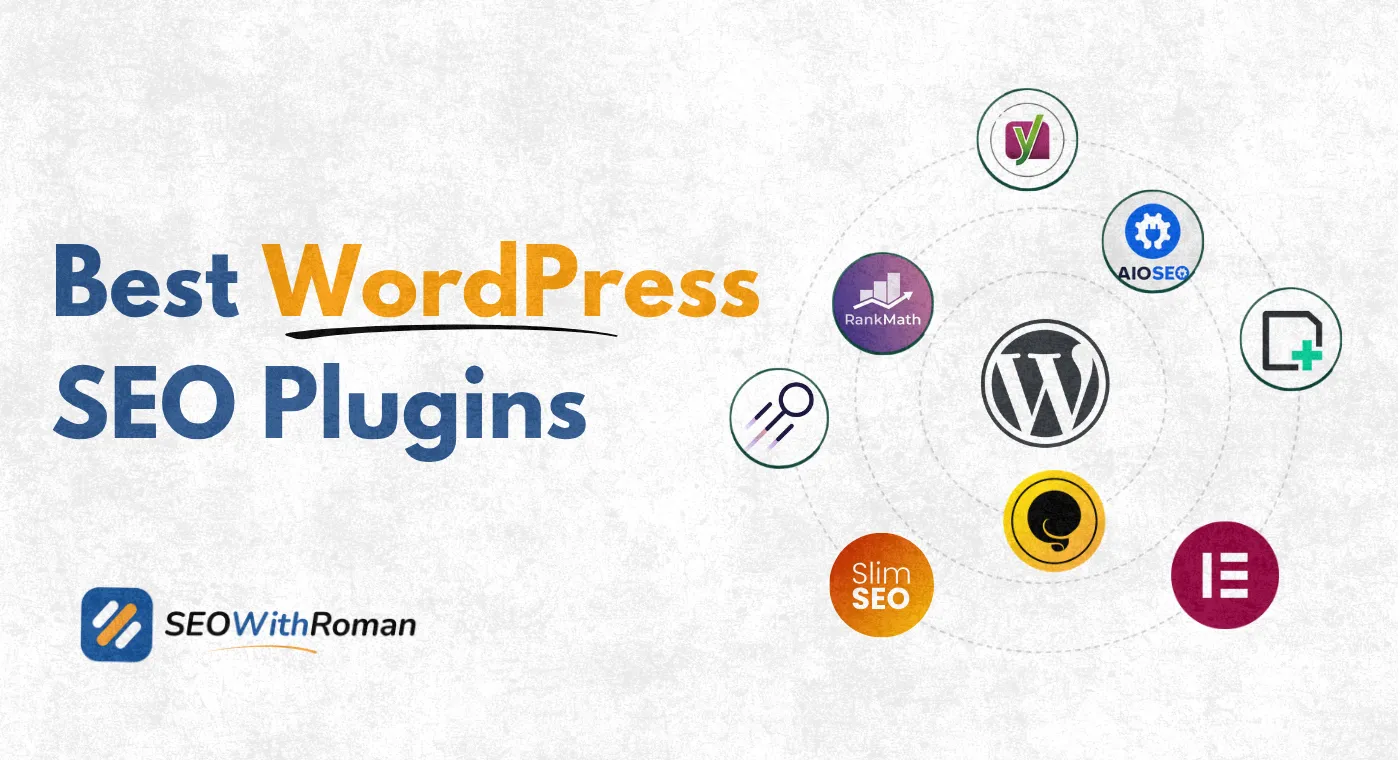
- WordPress does not come with built-in SEO features, you need a dedicated SEO plugin to optimise your site properly
- Never install more than one WordPress SEO plugin at the same time, they will conflict and create duplicate SEO data
- Rank Math is the best free SEO plugin for WordPress, based on features available without paying
- The right WordPress SEO plugin depends on your budget, your technical level, and which features you actually need
- A good WordPress SEO plugin handles title tags, meta descriptions, XML sitemaps, schema markup, and Google Search Console integration from one dashboard
1 Why WordPress Needs an SEO Plugin in the First Place
Out of the box, WordPress is a content management system, not an SEO platform. It has no built-in way to edit your meta title, write a meta description, generate an XML sitemap, add schema markup, or control how Google crawls your pages.
Without an SEO plugin, every page you publish is essentially invisible to Google's optimisation signals. Google can still crawl your site. But you have no control over what it reads, how your pages appear in search results, or whether your content is properly structured for ranking.
This is the gap that WordPress SEO plugins fill. They add a layer of SEO control directly inside your WordPress dashboard so you can optimise every page and post without touching a single line of code.
In many years of working on WordPress websites for clients across B2b, healthcare, SaaS, and ecommerce, I have installed and tested every major SEO plugin on real websites with real traffic. The differences between them matter more than most beginners realise, and choosing the wrong one early creates a painful migration process later.
This guide gives you my honest assessment of every plugin worth considering in 2026, who each one is best for, and which one I personally recommend for a new website starting from scratch.
2 The One Rule You Must Know Before Installing Any WordPress SEO Plugin
Before we get into the plugins themselves, there is one rule that every beginner must understand.
Pro Tip: Never install more than one WordPress SEO plugin at the same time
Rank Math and Yoast SEO cannot run together. AIOSEO and SEOPress cannot run together. Any two full-featured SEO plugins running simultaneously will both try to write SEO data to your page headers. The result is duplicate title tags, duplicate meta descriptions, conflicting sitemap files, and confused search engines that do not know which data to trust.
Pick one plugin | Set it up properly | Stick with it
The only exceptions are specialised tools that perform one function and do not conflict with your main SEO plugin, such as a redirect manager, a schema plugin, or a site speed plugin. These are not SEO plugins in the full sense and can run alongside your main choice safely.
3 Best WordPress SEO Plugins in 2026 | Full Comparison Table
| Plugin | Best For | Free Version | Paid Version | Active Installs | My Rating |
|---|---|---|---|---|---|
| Rank Math | Best overall free features | Yes, very generous | From $6.99/month | 3 million+ | 5/5 |
| Yoast SEO | Beginners who want simple guidance | Yes, solid basics | From $99/year | 10 million+ | 4/5 |
| AIOSEO | Sites needing Link Assistant and E-E-A-T tools | Yes, limited | From $49.60/year | 3 million+ | 4.5/5 |
| SEOPress | Budget-conscious sites wanting premium features | Yes | From $49/year | 300,000+ | 4/5 |
| The SEO Framework | Speed-focused minimalists | Yes, fully featured | From $84/year | 400,000+ | 3.5/5 |
| Squirrly SEO | Complete beginners who want AI-guided setup | Yes, limited | From $20.99/month | 100,000+ | 3.5/5 |
| Slim SEO | Ultra-lightweight sites needing zero configuration | Yes, fully featured | Free core | 100,000+ | 3/5 |
4 Rank Math | The Best Free WordPress SEO Plugin
Rank Math is the plugin I recommend to every new website owner in 2026. It gives you more in its free version than most plugins offer in their paid tiers.
Rank Math launched in 2018 and has grown to over three million active installs. Its growth comes from one simple reason: it made features that used to cost money available for free. When it launched, it immediately offered built-in schema markup, Google Search Console integration, and a rank tracker in its free version, all features that competitors charged for.
What the free version includes:
- On-page SEO analysis with a 100-point content score for every post and page
- Meta title and meta description editor with live snippet preview
- XML sitemap generation with full control over included and excluded content
- Google Search Console integration showing ranking data inside your WordPress dashboard
- 20 plus built-in schema types including Article, FAQ, HowTo, Product, and Review
- Keyword rank tracker showing your position for up to 5 keywords per post
- 404 error monitor showing broken URLs visitors are hitting
- Redirect manager for setting up 301 redirects without a separate plugin
- Internal linking suggestions as you write
- Google Analytics 4 integration
What requires Rank Math Pro:
- Rank tracker for unlimited keywords
- Content AI for AI-powered optimisation suggestions
- Advanced schema builder
- Google Trends data integration
- WooCommerce SEO advanced module
- Rank Math Pro costs from $6.99 per month making it the most affordable premium option
My honest experience with Rank Math:
I use Rank Math on my websites and have installed it on multiple client websites. The setup wizard is the most intuitive of any SEO plugin I have used. The content score system gives beginners a clear target to aim for rather than vague guidance. And the fact that schema markup, redirect management, and rank tracking are all built into the free version eliminates the need for three separate plugins.
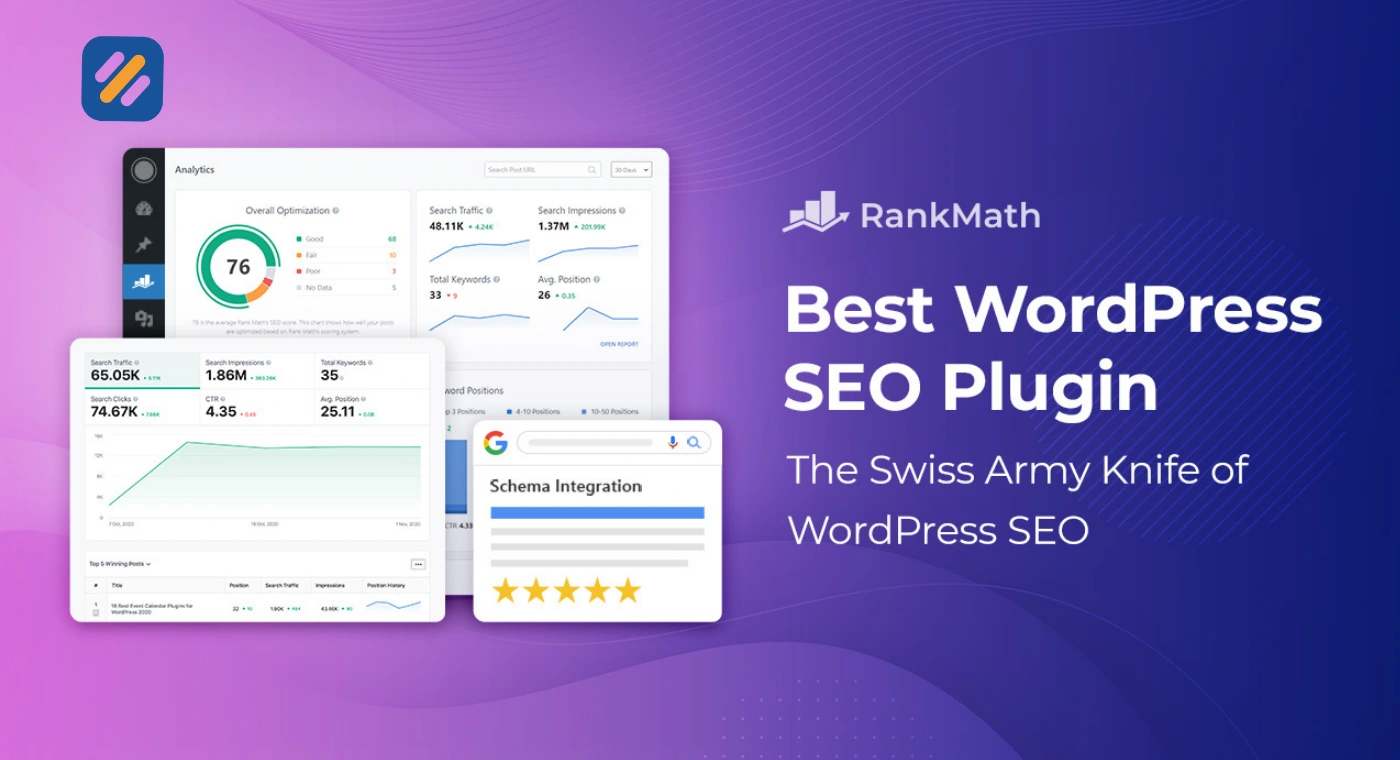
The one limitation is that Rank Math's free version caps keyword tracking at five keywords per post. For a new website just starting out, this is not a real constraint. But for sites with hundreds of optimised pages, upgrading to Pro becomes worthwhile.
5 Yoast SEO | The Most Installed Plugin That Is No Longer the Best Option
Yoast SEO has over ten million active installs making it the most widely used SEO plugin in the WordPress ecosystem. For most of the 2010s it was the undisputed default choice for anyone building a WordPress website.
In 2026 it is still a solid plugin. But it is no longer the best choice for new websites, and here is why.
Yoast's free version gives you the basics. Title tag and meta description editor, XML sitemap, readability analysis, and Open Graph metadata for social sharing. These are the fundamentals and Yoast handles them reliably.
The problem is what Yoast locks behind its premium tier. Redirect management, internal linking suggestions, and advanced schema markup are all paid features in Yoast. Rank Math offers all three in its free version.
Where Yoast still genuinely excels:
The readability analysis is Yoast's standout feature that competitors have not fully matched. It analyses your writing for sentence length, passive voice, paragraph structure, and transition words. For bloggers and content writers who want real-time writing guidance, not just SEO guidance, this is genuinely useful.
Yoast Premium costs $99 per year for one site. It is not bad value, but when Rank Math Pro starts at $6.99 per month for more features, the price-to-value comparison becomes difficult to justify for a new website.
Who should choose Yoast over Rank Math:
You are migrating from Yoast on an established site and do not want the complexity of switching. Your team members are already trained on Yoast's interface. You specifically value the readability analysis more than the additional technical features Rank Math provides.
6 AIOSEO | Best WordPress SEO Plugin for E-E-A-T and Internal Linking
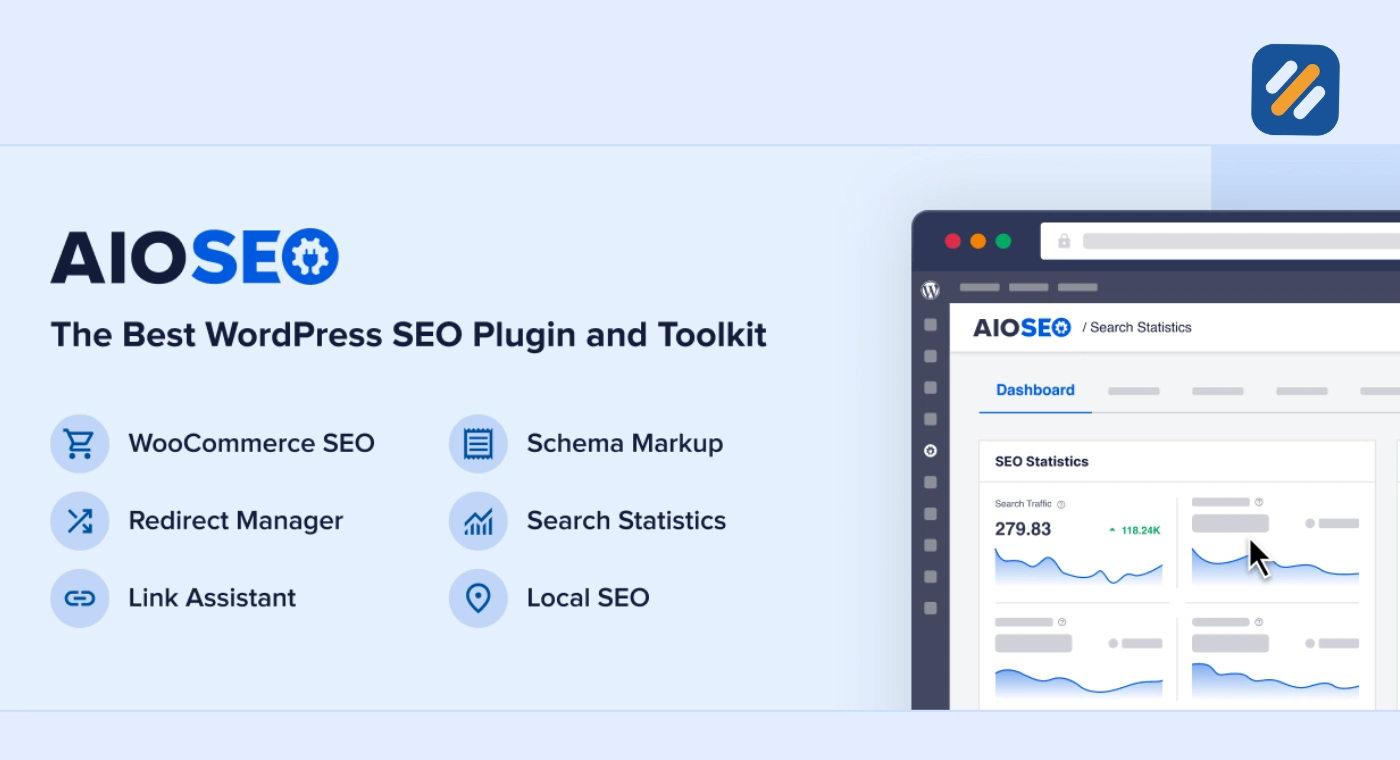
All in One SEO has been around since 2007 making it one of the oldest WordPress SEO plugins in existence. It has gone through significant development in recent years and its current feature set is genuinely impressive.
The standout feature that makes AIOSEO worth considering over competitors is the Link Assistant. This tool scans your entire content library and surfaces internal linking opportunities you are missing. It shows you which pages on your site could link to each other based on topical relevance and lets you add those links in bulk without opening each post individually.
For a website with fifty or more articles, this is a significant time saving feature. Internal linking is one of the highest ROI SEO activities on any content-driven website and doing it manually across hundreds of posts is impractical.
AIOSEO also has strong Author SEO features that directly support Google's E-E-A-T guidelines. You can expand author bio fields to include credentials, areas of expertise, social profiles, and professional background. Google uses this information to evaluate the authority behind your content, particularly for topics that require demonstrated expertise.
AIOSEO free vs paid:
The free version covers the basics well: title tags, meta descriptions, sitemaps, and basic on-page analysis. But the Link Assistant, advanced redirect manager, and Author SEO features are all Pro-only. AIOSEO Pro starts at $49.60 per year for one site.
7 SEOPress | The Budget Friendly Alternative Worth Considering
SEOPress is the most underrated plugin on this list. It has a smaller user base than Yoast or AIOSEO but its feature set at the paid tier competes directly with both, at a lower price.
SEOPress free gives you title tags, meta descriptions, Open Graph data, XML sitemaps, and Google Analytics integration. The paid version, SEOPress Pro at $49 per year, unlocks redirects, schema markup, breadcrumbs, WooCommerce SEO, and a content analysis tool.
The reason SEOPress tends to be overlooked is brand recognition rather than quality. It simply has not marketed itself as aggressively as competitors. For a budget-conscious website owner who wants premium features without premium pricing, SEOPress is worth a serious look.
One important note: SEOPress cannot be run alongside any other full SEO plugin. Pick SEOPress as your only SEO plugin or do not install it at all.
8 The SEO Framework | For Developers and Speed-Focused Sites
The SEO Framework takes a completely different philosophy from every other plugin on this list. Where Rank Math and Yoast add feature after feature, The SEO Framework focuses on doing the essentials perfectly with minimal code and maximum speed.
Its free version is fully featured and includes automated meta tags, canonical URLs, Open Graph support, structured data, and a sitemap. There is no setup wizard because The SEO Framework is designed to work correctly out of the box without configuration.
This makes it genuinely appealing for developers building client sites who want a reliable SEO foundation that does not require hand-holding. It also makes it less appealing for beginners who want visual feedback and guided optimisation.
The Extension Manager, which unlocks advanced features like local SEO, AMP support, and focus keyword analysis, is available as a paid add-on starting at $84 per year.
9 Which WordPress SEO Plugin Should You Actually Install
After testing all of these plugins on real websites, here is my honest recommendation for each type of user:
| Your Situation | Plugin to Install | Why |
|---|---|---|
| Brand new website, zero budget | Rank Math free | Most features available free, best free rank tracker, built-in schema |
| Growing blog with some budget | Rank Math Pro | Affordable upgrade path, AI content suggestions, unlimited keyword tracking |
| Established site, team of writers | AIOSEO Pro | Link Assistant saves hours on internal linking, Author SEO for E-E-A-T |
| Already using Yoast, happy with it | Stay on Yoast | Migration risk not worth it unless you need specific Rank Math features |
| Developer building client sites | The SEO Framework | Minimal bloat, no configuration needed, reliable and fast |
| Very tight budget, wants premium features | SEOPress Pro | $49/year for a full feature set that competes with plugins at double the price |
For SEOWithRoman.com specifically, I am using Rank Math free. At this stage of the website it provides everything needed: full on-page optimisation, schema markup for FAQ sections, Google Search Console integration, and redirect management. No paid upgrade is required until the site grows to the point where unlimited keyword tracking becomes necessary.
10 3 Expert Tips for Getting More From Your WordPress SEO Plugin
Most people install an SEO plugin, fill in the title and meta description boxes, and consider the job done. Here is what experienced SEO specialists actually do differently.
Tip 1: Connect your SEO plugin to Google Search Console on day one.
Every major WordPress SEO plugin can connect directly to Google Search Console. Do this during initial setup, not weeks later. Once connected, your plugin will pull real ranking data, click-through rates, and impression counts directly into your WordPress dashboard. This data tells you which articles are getting impressions but not clicks, which is your clearest signal for which title tags need rewriting.
Tip 2: Use schema markup on every article from the beginning, not as an afterthought.
Most beginners skip schema markup because it seems advanced. But adding FAQ schema to articles that include question-and-answer sections is a five-minute task in Rank Math or AIOSEO, and it makes your article eligible for FAQ rich results in Google, which expand your search result and increase click-through rate without requiring a higher ranking position.
Tip 3: Run your SEO plugin's site audit tool before publishing your first article, not after.
Every major SEO plugin has a site audit or health check feature. Running it before you publish reveals technical issues like missing sitemaps, incorrect permalink structures, or missing canonical tags that are much easier to fix on a new site than on an established one with hundreds of indexed pages.
11 Conclusion
WordPress SEO plugins are not optional. They are the foundation that makes every piece of content you publish rankable. Without one properly configured, your articles are invisible to Google's optimisation signals regardless of how well written they are.
The right choice for most new websites in 2026 is Rank Math free
It gives you the most complete feature set at no cost, connects to Google Search Console out of the box, and handles everything from schema markup to redirect management without requiring paid upgrades to get started.
Install it, connect it to Google Search Console, and run through the setup wizard before you publish your first article. That thirty-minute investment at the beginning will pay dividends across every piece of content you publish for years.
Which WordPress SEO plugin are you currently using or planning to install? Drop a comment below and I will give you my honest take on your choice.
Join 1,000+ business owners and bloggers who get one actionable SEO tip every week — straight to their inbox. Free forever.
Get Free Weekly Tips →