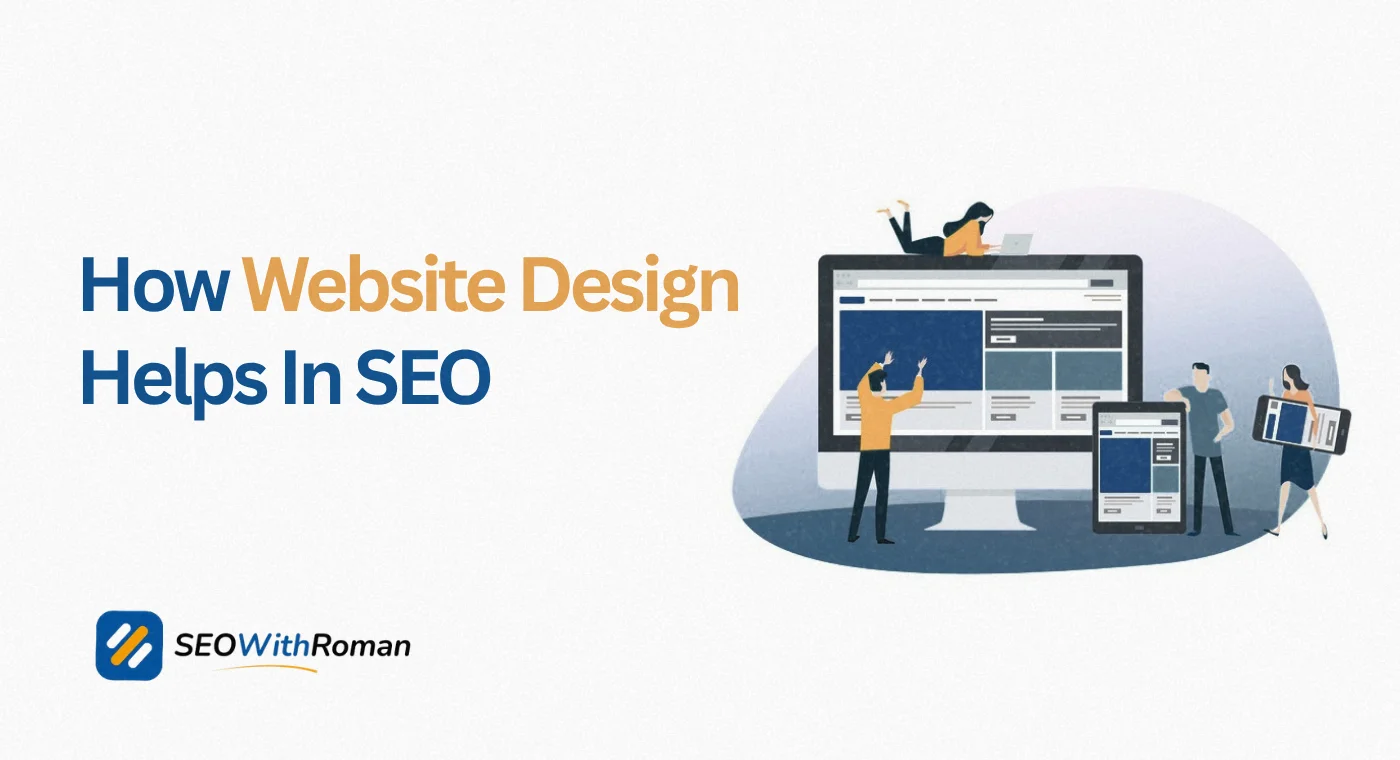
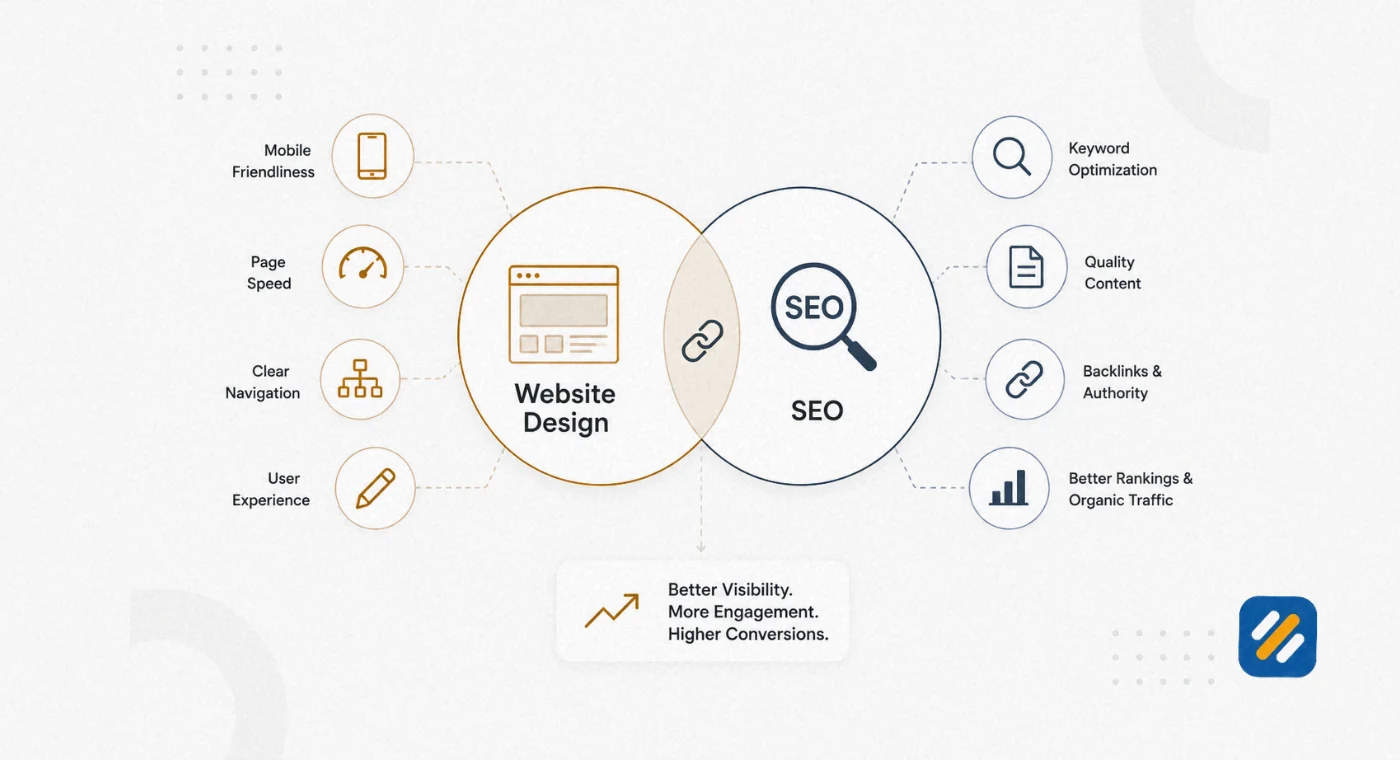
- Website design directly influences Google ranking signals including page speed, mobile usability, Core Web Vitals, and user engagement
- Good website design is not just about looking professional, it is about making Google and your visitors trust your website instantly
- UI design controls how your website looks, UX design controls how it feels to use, and both affect how long visitors stay on your pages
- A poorly designed website can rank temporarily but will lose rankings the moment Google measures real user behaviour signals
- You can design a website yourself using WordPress, Wix, or Squarespace for under $100 per year, and AI tools including ChatGPT can now assist with basic design decisions
1 What Is Website Design and Why It Is Not Just About Looking Good
Most small business owners think website design is about choosing colours, uploading a logo, and picking a font. After many years of doing SEO audits on client websites, I can tell you that this misunderstanding costs businesses thousands of pounds and dollars in lost Google rankings every single year.
Website design is the complete process of planning, structuring, and building a web page so that it serves both the human visitor and the search engine crawling it. It covers visual decisions like layout, typography, and colour, but it also covers structural decisions like how pages connect to each other, how fast the site loads, and whether a visitor can find what they need in under three clicks.
Here is the distinction that most guides miss. Design is not decoration. Design is function. Every visual choice you make on your website either helps or hurts your SEO, your conversion rate, and your credibility in Google’s eyes.
A website that looks beautiful but loads slowly, breaks on mobile, or confuses visitors with a complicated navigation will rank below a simpler, faster, cleaner website every single time. Google measures what users actually do on your site, and bad design drives them away before they even read your content.
2 How Website Design Directly Impacts Your Google Rankings
Google does not rank websites based on how they look. It ranks them based on how they perform for real users. And almost every performance signal Google measures is directly influenced by design decisions.
Here is exactly how each design element connects to a specific ranking factor
| Design Element | SEO Ranking Signal Affected | Impact on Rankings |
|---|---|---|
| Page load speed | Core Web Vitals, LCP score | Direct ranking factor since 2021 |
| Mobile responsiveness | Mobile-first indexing | Google crawls mobile version first |
| Navigation structure | Crawlability, internal linking, crawl budget | Affects which pages Google can find and rank |
| Font size and readability | Dwell time, bounce rate | Low readability increases bounce rate |
| Image optimisation | Page speed, LCP score, crawlability via alt text | Unoptimised images slow pages and waste crawl budget |
| Heading structure H1 H2 H3 | On-page SEO relevance signals | Helps Google understand page topic hierarchy |
| Colour contrast and accessibility | Bounce rate, accessibility signals | Poor contrast increases exits on mobile |
| CTA placement and clarity | Engagement rate, conversion signals | Affects time on site and pages per session |
| HTTPS and security indicators | Trust signal, lightweight ranking factor | No HTTPS means Chrome shows “Not Secure” warning |
| Whitespace and visual hierarchy | Readability, content engagement | Dense layouts increase bounce rates on mobile |
Every row in that table represents a decision made at the design stage that either helps or hurts your SEO before you write a single word of content.
3 What Is Good Website Design | The 8 Principles That Actually Matter
Good web design is not a matter of personal taste. It is a set of principles that consistently produce websites that rank well, convert visitors, and build trust. Here are the eight principles that separate high-performing websites from attractive-but-ineffective ones:
Principle 1: Clarity over cleverness. Your homepage should communicate what you do and who you serve within five seconds of someone landing on it. If a visitor has to think about what your business offers, you have already lost them. Clear beats clever on the internet every single time.
Principle 2: Mobile-first layout. Over 63% of Google searches now happen on mobile devices. Google uses mobile-first indexing, meaning the mobile version of your website is what Google crawls and ranks. Design every page assuming the majority of your visitors will see it on a phone screen first.
Principle 3: Speed as a design decision. Every element you add to a page carries a weight. Heavy fonts, large uncompressed images, auto-playing videos, and complex animations all slow down page load time. Good web design treats speed as a core design constraint from the very beginning, not an afterthought.
Principle 4: Visual hierarchy that guides the eye. Your most important information should be the largest, boldest, and highest on the page. Visitors scan before they read. A strong visual hierarchy using size, weight, and contrast guides the visitor’s eye to exactly where you want it to go.
Principle 5: Consistent navigation. Your navigation menu should appear in the same place on every single page and contain the same items. Visitors should never have to think about where to go next. Confusion at the navigation level is one of the most common reasons people leave websites and never return.
Principle 6: White space as a design tool. Crowded pages feel overwhelming and untrustworthy. Generous white space around text, images, and buttons makes content easier to read, makes important elements stand out, and signals professionalism to first-time visitors.
Principle 7: Accessible design for all users. Accessibility is not optional in 2026. Proper colour contrast ratios, descriptive image alt text, keyboard navigability, and clear heading structures all make your website usable for people with visual or motor impairments. They also directly improve your SEO because accessibility signals overlap significantly with what Google rewards.
Principle 8: Trust signals placed strategically. Reviews, certifications, client logos, author bios, and contact details should appear prominently on your website. Trust is built visually before it is built through words. A professional design places these elements where they reduce hesitation at the exact moment a visitor is deciding whether to stay or leave.
4 UI vs UX | Understanding the Difference and Why Both Matter for SEO
These two terms get confused constantly by small business owners and beginners. Understanding the difference is important because they affect your SEO in different ways.
UI design (User Interface design) refers to the visual, interactive elements of your website. Buttons, colour schemes, typography, icons, form fields, spacing, and layout all fall under UI design. UI is what your website looks like and how individual elements appear on screen.
UX design (User Experience design) refers to the complete experience a person has while using your website. How easy is it to find information? How many clicks does it take to complete a purchase? Does the checkout flow feel logical? Does the page feel trustworthy? UX is what your website feels like to use from start to finish.
Here is why both connect directly to SEO
Google’s ranking algorithms increasingly measure user behaviour signals. If visitors land on your page and leave within seconds, that is a negative signal. If they stay, scroll, click to other pages, and return later, those are positive signals. UI decisions affect whether the page looks trustworthy enough to keep reading. UX decisions affect whether the experience is smooth enough to keep exploring.
A beautiful UI with poor UX produces visitors who are impressed for three seconds and then frustrated. A great UX with a weak UI produces visitors who find what they need but do not trust the brand enough to take action.
The websites that rank and convert consistently get both right. Clean, professional visual design combined with a logical, frictionless user journey. This combination reduces bounce rates, increases dwell time, and tells Google through real user behaviour that your page deserves its ranking.
5 Core Web Vitals | The Three Design Metrics Google Uses to Rank Your Website
Since 2021 Google has included Core Web Vitals as confirmed ranking signals. These are three specific measurements of how your website performs for real users, and all three are directly shaped by design and development decisions.
Largest Contentful Paint (LCP) measures how long it takes for the largest visible element on the page, usually a hero image or heading, to finish loading. Google considers anything under 2.5 seconds good. Between 2.5 and 4 seconds needs improvement. Over 4 seconds is poor and affects rankings.
Design decisions that affect LCP: hero image file size, whether images are compressed and in modern formats like WebP, whether your hosting server responds quickly, and whether render-blocking scripts delay the main content from appearing.
Interaction to Next Paint (INP) replaced Cumulative Layout Shift as the second Core Web Vital and measures how quickly your page responds when a user clicks a button, opens a menu, or interacts with any element. A score under 200 milliseconds is good.
Design decisions that affect INP: heavy JavaScript running on page load, complex animations triggered by user interactions, and bloated page builders that load excessive code.
Cumulative Layout Shift (CLS) measures how much your page layout jumps around while loading. If an image loads and pushes your text down, or an ad pops in and moves a button you were about to click, that is a layout shift. A CLS score under 0.1 is good.
Design decisions that affect CLS: images without defined width and height attributes, fonts that load late and cause text to reflow, and ads or embeds injected into the page after the initial load.
| Core Web Vital | What It Measures | Good Score | Common Design Cause of Poor Score |
|---|---|---|---|
| LCP | Loading speed of main content | Under 2.5 seconds | Uncompressed hero images, slow hosting |
| INP | Page responsiveness to interaction | Under 200ms | Heavy JavaScript, complex animations |
| CLS | Visual stability during loading | Under 0.1 | Images without dimensions, late-loading fonts |
You can check your Core Web Vitals scores for free at pagespeed.web.dev. Enter your URL and Google will show you your scores for both mobile and desktop along with specific recommendations for improvement.
6 How to Design a Website Yourself | A Practical Guide for Beginners
The most common question I hear from small business owners is whether they can build their own website without hiring a developer. The honest answer is yes, for most small business websites, and here is exactly how to do it.
Step 1: Choose your platform
For most small businesses and bloggers, WordPress is the best choice. It runs 43% of all websites on the internet, has the most extensive plugin library, and gives you complete control over your SEO. Alternatives include Wix for beginners who want a simpler drag-and-drop experience, and Squarespace for businesses that prioritise design aesthetics and need a portfolio or service website.
Step 2: Choose hosting and register your domain
Hostinger’s Business plan at approximately $3 to $4 per month is one of the best value options for WordPress hosting. Register your domain at Namecheap for approximately $10 per year. Your domain name should be short, memorable, and ideally contain a keyword related to your business.
Step 3: Install a fast, clean theme
For WordPress, Astra is the fastest and most SEO-friendly free theme available. It loads in under half a second on a clean installation and is compatible with every major page builder. Avoid themes that load multiple unnecessary scripts, have complex animations built in, or have not been updated in over a year.
Step 4: Install essential plugins only
Every plugin you add increases your page load time. For a basic business website you need Rank Math for SEO, WP Super Cache or WP Rocket for speed, Smush for image compression, and WPForms for contact forms. That is four plugins. Do not install more than ten total.
Step 5: Build your core pages first
Before creating any blog content, build your Home, About, Services or Hire Me, Contact, Privacy Policy, and Disclaimer pages. These pages establish your site structure and signal to Google that your website is a real, complete business rather than an unfinished project.
Step 6: Optimise images before uploading
Every image you upload should be compressed before it reaches WordPress. Use Squoosh.app to compress images for free and save them in WebP format. A hero image should never exceed 150KB. A blog post image should never exceed 80KB. These simple rules alone can improve your page speed score by 20 to 30 points.
Step 7: Test before publishing
Before your website goes live, test it on a real mobile device, run it through Google PageSpeed Insights, and check that every navigation link works correctly. Fix any issues before sending visitors or submitting your sitemap to Google Search Console.
7 Can ChatGPT Design a Website | What AI Can and Cannot Do
This is one of the most searched questions about web design in 2026, and the answer is more nuanced than most people realise.
ChatGPT and other AI tools including Claude AI can help with website design in specific, practical ways. They cannot build a fully functional, live website end to end on their own. Here is the honest breakdown:
What AI tools can do for website design:
- Generate HTML and CSS code for specific page sections or components
- Write and structure all the copy for your website pages
- Suggest colour palettes, font pairings, and layout ideas based on your brand description
- Create wireframe descriptions and page structure recommendations
- Generate image prompts for AI image tools like Midjourney or Adobe Firefly
- Write meta titles, meta descriptions, and alt text for all your images
- Suggest navigation menu structures and internal linking strategies
- Review your existing website copy and suggest improvements
What AI tools cannot do:
- Deploy and host a live website without additional platforms
- Handle WordPress plugin configuration or theme customisation independently
- Create original branded photography or video content
- Submit your sitemap to Google Search Console or set up analytics
- Make design decisions that account for your specific audience behaviour
The practical approach in 2026 is to use AI tools as a design assistant rather than a design replacement. Use ChatGPT or Claude to generate your page copy, suggest your colour palette, and write your meta descriptions. Use WordPress with Astra and Elementor to actually build the pages. This combination cuts website build time in half while keeping you in full control of the final result.
8 What Are the 10 Best Website Designs | and What Makes Them Work
Rather than listing websites by aesthetic preference, I want to show you what specific design principles make these websites work so well, so you can apply the same thinking to your own site.
| Website | Industry | What Makes the Design Work |
|---|---|---|
| Stripe | Fintech | Extreme clarity, technical content made approachable, speed, consistent visual language |
| Airbnb | Travel | Emotion-first photography, minimal navigation, search as the hero element |
| Apple | Technology | White space as the primary design element, product-led layout, zero distraction |
| Notion | Productivity | Use-case focused homepage, social proof integrated into design, interactive demos |
| Basecamp | Project management | Long-form sales page design that builds trust through transparency |
| Linear | Software | Dark mode design done correctly, micro-animations that aid understanding not distract |
| Figma | Design tools | Community-first design, showcases user work as the hero, fast load despite visual richness |
| Duolingo | Education | Gamification built into the design, single clear CTA, consistent character use |
| Mailchimp | Email marketing | Personality-led design, illustration-first approach, navigation that guides rather than overwhelms |
| Patagonia | Ecommerce | Values-forward design, product photography that tells stories, environmental mission woven into layout |
The thread connecting every one of these websites is that the design serves the visitor’s goal, not the company’s preference. Each one makes it immediately obvious what the website is for and what the visitor should do next.
9 How Much Does It Cost to Design a Website in 2026
Website design costs vary enormously depending on who builds it and what platform it runs on. Here is an honest breakdown across every option:
| Option | Who It Is For | Estimated Cost | What You Get |
|---|---|---|---|
| DIY on WordPress | Beginners, bloggers, small businesses | $55 to $100 per year | Full control, best SEO potential, requires learning curve |
| DIY on Wix or Squarespace | Non-technical business owners | $144 to $276 per year | Easier to build, less SEO flexibility |
| Freelance web designer | Businesses wanting professional help | $500 to $5,000 one-time | Custom design, faster build, ongoing costs for updates |
| Small web design agency | Growing businesses with budget | $3,000 to $15,000 one-time | Full service, branding, SEO setup included |
| Enterprise web design agency | Large businesses or complex projects | $15,000 to $100,000+ | Custom development, ongoing retainer, full digital strategy |
| AI-assisted DIY build | Tech-comfortable beginners | $55 to $200 per year | Fast setup, AI helps with copy and structure |
For a personal brand blog or small business website in 2026, the realistic total first-year cost is $55 to $100 if you build it yourself on WordPress using Hostinger hosting and Namecheap domain registration. This is the approach I used for SEOWithRoman.com and it covers everything you need to rank on Google from day one.
The biggest mistake most small businesses make is spending thousands on a beautiful custom design before they have proven their content strategy works. Build lean first. Invest in design improvements once traffic validates the content.
10 Website Design Mistakes That Kill Your SEO Without You Knowing
These are the design mistakes I find on almost every new client website I audit. Most of them have been there for months or years and the website owner has no idea they are happening.
Using a page builder that generates bloated code: Some WordPress page builders, particularly older versions of Divi and WPBakery, generate hundreds of lines of unnecessary CSS and JavaScript that slow down every page on your site. Elementor with proper settings and WP Rocket caching is a far cleaner combination.
Putting important text inside images: Search engines cannot read text that is embedded in an image file. If your main heading, a key service description, or your contact details only exist inside a graphic, Google cannot index that information. All critical text must exist as actual HTML text on the page.
Using pop-ups that cover content on mobile: Google specifically penalises what it calls “intrusive interstitials” on mobile. If a pop-up covers your main content when a mobile visitor arrives, Google reduces the ranking of that page. Use timed pop-ups that appear after at least 30 seconds or exit-intent pop-ups that trigger when the visitor moves to leave.
No clear heading hierarchy: Every page should have exactly one H1 heading containing your primary keyword. Supporting sections should use H2 headings. Sub-points within those sections should use H3 headings. A page with three H1 headings, no H2s, and bold text used as headings tells Google nothing useful about the page’s structure.
Embedding videos without lazy loading: If you embed a YouTube video on your page and it loads immediately with the rest of the page, it adds significant load time. Enable lazy loading so videos only load when the visitor scrolls to them. In WordPress this can be done with most caching plugins or by adding the loading="lazy" attribute to your iframe embed code.
11 3 Expert Tips to Design a Website That Ranks and Converts
Tip 1: Design your above-the-fold section for the three-second rule.
The content visible on screen before scrolling, called above the fold, is your only chance to convince a visitor to stay. Your headline must state what you do and who it is for. Your subheadline must explain the benefit. And there must be one clear next action, a button, a form, or a scroll prompt. If a first-time visitor cannot understand your business in three seconds, your bounce rate will tell you in Google Search Console within weeks.
Tip 2: Use your real face on the homepage and about page.
Personal brand websites with a genuine photo of the author or business owner consistently outperform faceless websites in trust metrics and conversion rates. In an era of AI-generated content, a real human face is a powerful credibility signal. It also directly supports E-E-A-T by putting a real person behind the content. Do not use a stock photo. Use a professional photo of yourself.
Tip 3: Compress every image before it touches your website.
Image optimisation is the single highest-impact technical improvement most small business websites can make with zero budget. Before uploading any image to WordPress, compress it using Squoosh.app, convert it to WebP format, and resize it to the maximum width it will display at on the page. A blog header image rarely needs to be wider than 1200 pixels. This one habit applied consistently can reduce your average page size by 40 to 60 percent and significantly improve your Core Web Vitals scores.
12 Conclusion
Website design and SEO are not two separate projects. Every design decision you make, from your colour scheme to your image file format to your navigation structure, either helps or hurts your ability to rank on Google and convert the visitors who find you.
The good news is that most of the design decisions that help SEO the most are also free to implement. Compressing images costs nothing. Choosing a clean heading structure costs nothing. Making your navigation logical and consistent costs nothing. Building on a fast, lean theme like Astra costs nothing.
Start with the fundamentals. Make your website fast, clear, and mobile-friendly. Structure your content with a logical heading hierarchy. Place trust signals where they reduce hesitation. And design every page around what your visitor needs to find, not what you want them to see.
A website designed for your visitor is a website Google will reward. Build it that way from the beginning and you will spend far less time trying to fix design problems that are quietly killing your rankings.
Have a question about your website design or how it is affecting your SEO? Drop a comment below and I will answer it personally.
Join 1,000+ business owners and bloggers who get one actionable SEO tip every week — straight to their inbox. Free forever.
Get Free Weekly Tips →