- WordPress themes control the entire visual design and layout of your website without writing a single line of code
- There are over 11,000 free WordPress themes in the official directory and thousands more premium options available
- The best WordPress themes are fast, mobile friendly, and built with clean code that Google can crawl without issues
- Using a quality theme instead of custom development saves thousands of dollars and weeks of build time
- Astra, GeneratePress, and Kadence are consistently the top three choices for SEO focused websites in 2026
1 What Are WordPress Themes and What Are They Actually Used For
If you have ever looked at two WordPress websites and wondered how they look completely different despite running on the same platform, the answer is themes.
A WordPress theme is a collection of files that controls everything your visitor sees when they land on your website. The layout, the colours, the fonts, the header style, the footer design, the blog post format, and the way your pages are structured on mobile. All of it is controlled by your theme.
Think of WordPress itself as the engine of a car. Your theme is the body, the paint job, and the interior. The engine runs the same way regardless of how the car looks on the outside.
What makes WordPress themes genuinely powerful is that switching the entire visual design of your website takes under two minutes. You activate a new theme and your website looks completely different without touching a single piece of content.
WordPress themes are used for:
- Setting the visual identity of a business website or blog
- Controlling how blog posts, pages, and category archives display
- Defining the mobile layout so your site works on every screen size
- Loading the CSS and design styles that make your site look professional
- Integrating with page builders like Elementor to give you full design control
In many years of building and optimising WordPress websites for clients across multiple industries, the theme choice is consistently one of the most important decisions a website owner makes. A slow or poorly coded theme can undermine months of SEO work in ways that are very difficult to diagnose.
2 Free vs Premium WordPress Themes | Which One Should You Choose
This is the question every beginner asks and most guides answer incorrectly by pushing paid options without being honest about what free themes can do.
The truth is that free WordPress themes available from the official WordPress.org directory are genuinely good. They are reviewed for coding standards, tested for security, and many of them are actively maintained by developers with large user bases.
The real difference between free and premium themes is not quality. It is features and support.
| Factor | Free WordPress Themes | Premium WordPress Themes |
|---|---|---|
| Cost | Zero upfront cost | $29 to $299 one time or annually |
| Design options | Limited customisation | Extensive options and pre-built demos |
| Support | Community forums only | Direct developer support |
| Updates | Varies by developer | Usually regular and reliable |
| Page builder compatibility | Basic to good | Usually excellent |
| Performance | Good if chosen carefully | Good to excellent |
| Best for | Beginners, blogs, simple sites | Business sites, agencies, complex layouts |
| SEO friendliness | Good options available | Good to excellent |
For a personal brand blog like SEOWithRoman.com, a free theme like Astra is genuinely all you need for the first 12 months. The premium version adds features you do not need until your traffic and revenue justify the investment.
For a client business website where design flexibility and professional support matter, a premium theme pays for itself in saved development time within the first project.
3 What Is the Best Theme for WordPress in 2026
There is no single best WordPress theme for every website. The right theme depends on what your website needs to do. That said, after building and optimising dozens of WordPress websites, three themes consistently outperform everything else for speed, SEO, and design flexibility.
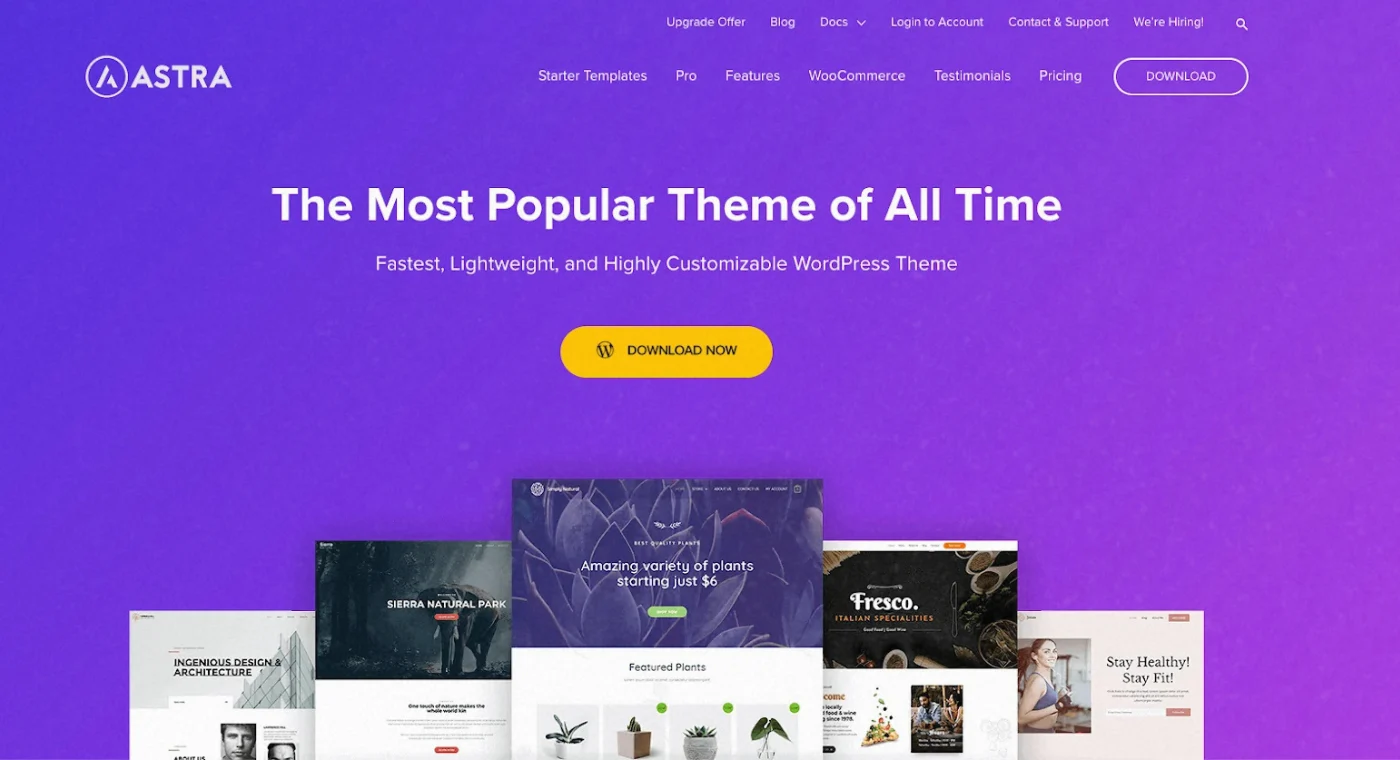
Astra | Best Overall Free WordPress Theme
Astra is the most installed third-party WordPress theme on the planet with over 1.9 million active installations. It loads in under 0.5 seconds out of the box, weighs less than 50kb, and works perfectly with every major page builder including Elementor, Beaver Builder, and Gutenberg.
The free version gives you everything a beginner needs. The pro version at $49 per year adds starter templates, advanced header options, and WooCommerce integration for anyone building an online store.
GeneratePress | Best for Pure Speed and Clean Code
GeneratePress is the choice of developers and performance-focused SEO specialists. It is lighter than Astra, generates cleaner HTML output, and consistently scores 95 or above on Google PageSpeed Insights without any additional optimisation.
The free version is fully functional. GeneratePress Premium at $59 one-time adds site library templates and advanced module controls.
Kadence | Best for Beginners Who Want Design Flexibility
Kadence has become the fastest-growing WordPress theme in the past two years because it combines the speed of GeneratePress with a more visual customisation experience that beginners find easier to use. The free version includes a full header and footer builder that most themes lock behind paid upgrades.
4 Top 10 WordPress Themes You Should Know About in 2026
| Theme | Best For | Price | Page Speed Score | Active Installs |
|---|---|---|---|---|
| Astra | Blogs, business sites, all-purpose | Free / $49 per year Pro | 95 plus | 1.9 million plus |
| GeneratePress | Speed-focused, developer sites | Free / $59 one-time | 98 plus | 500,000 plus |
| Kadence | Beginners, flexible design | Free / $79 per year Pro | 95 plus | 300,000 plus |
| OceanWP | WooCommerce, ecommerce | Free / $43 per year | 90 plus | 700,000 plus |
| Neve | Agencies, multipurpose | Free / $69 per year | 92 plus | 300,000 plus |
| Divi | Visual design, creative sites | $89 per year | 85 plus | 1 million plus |
| Avada | Business, multipurpose | $69 one-time | 83 plus | 900,000 sales |
| Hello Elementor | Elementor users, blank canvas | Free | 97 plus | 600,000 plus |
| Sydney | Business, corporate | Free / $69 per year | 88 plus | 100,000 plus |
| Blocksy | Block editor, modern design | Free / $49 per year | 95 plus | 200,000 plus |
5 Are There Any Free WordPress Themes Worth Using
Yes, and more than most people realise.
The WordPress.org theme directory contains over 11,000 free themes that have passed a formal review process. This means every free theme in the directory meets minimum standards for coding quality, security, and WordPress compatibility.
The best free WordPress themes available right now include:
Astra Free is the strongest all-round free theme available anywhere. It is fast, flexible, and works with every page builder without any conflicts. For a beginner blog or small business website it covers every requirement without spending anything.
Hello Elementor is the official Elementor theme and the best choice if you plan to build your site with Elementor. It strips every default WordPress style away and gives Elementor complete design control. Zero unnecessary code loading in the background.
Kadence Free includes a full header and footer builder in the free version which is genuinely unusual. Most themes lock these controls behind paid upgrades. For a beginner who wants a professional looking header without buying a pro licence, Kadence free is the best option available.
GeneratePress Free is the cleanest coded free theme in the WordPress directory. If your priority is Google PageSpeed scores above 95 and minimal CSS loading, nothing beats GeneratePress free as a starting point.
Blocksy Free is the best free option for bloggers specifically. It has strong typography controls, a built-in breadcrumb system, and native support for the WordPress block editor that most older free themes do not have.
6 Why WordPress Themes Beat Custom Web Development for Most Websites
This is a conversation I have regularly with small business owners who come to me after being quoted thousands of dollars for a custom-coded website. Here is what I tell them every time.
For ninety percent of small businesses, blogs, and personal brand websites, a quality WordPress theme delivers a better result than custom development at a fraction of the cost and in a fraction of the time.
Here is why:
Cost comparison is dramatic. A custom-coded WordPress website built by a professional developer costs between $3,000 and $15,000 depending on complexity. A premium WordPress theme costs between $49 and $299. The design quality difference between the two is minimal for most business websites.
Speed to launch: A custom development project takes 6 to 16 weeks minimum. Installing a WordPress theme, importing a starter template, and customising it to match your brand takes 2 to 5 days.
Maintenance is simpler: Custom code requires a developer every time something needs updating or breaks. A WordPress theme is updated with one click from your dashboard. Most premium themes include security and compatibility updates as part of the licence fee.
SEO performance is equal or better: The best WordPress themes are built specifically with clean code and fast loading in mind. A well-configured Astra or GeneratePress website consistently outperforms bloated custom-coded sites on Core Web Vitals metrics.
You stay in control: With a WordPress theme you can make design changes yourself through the customiser. With custom code, every change requires going back to your developer and paying for their time.
| Factor | WordPress Theme | Custom Development |
|---|---|---|
| Upfront cost | $0 to $299 | $3,000 to $15,000 |
| Time to launch | 2 to 7 days | 6 to 16 weeks |
| Design flexibility | High with page builder | Very high but requires developer |
| Maintenance | Self-managed, one-click updates | Developer dependent |
| SEO performance | Excellent if chosen carefully | Varies by developer skill |
| Support | Theme developer or community | Your development agency |
| Long-term cost | Low, predictable | High, ongoing developer fees |
7 How to Install a WordPress Theme Step by Step
Installing a WordPress theme takes under three minutes once you know the process. Here are the two methods you will use most often:
Method 1: Install from the WordPress Directory (Free Themes)
Go to your WordPress dashboard and click Appearance then Themes. Click Add New at the top of the page. Use the search bar to find the theme you want, for example type “Astra” and press enter. When you find the theme, click Install. Wait for the installation to complete then click Activate. Your theme is now live on your website.
Method 2: Upload a Premium Theme File
After purchasing a premium theme, you receive a zip file containing the theme files. Go to Appearance then Themes then Add New. Click Upload Theme at the top of the page. Click Choose File and select the zip file you downloaded from the theme developer. Click Install Now then Activate once the upload completes.
After activating any new theme, do these three things immediately:
First, go to Appearance then Customize and set your site colours and fonts to match your brand. Second, check your website on mobile to confirm the layout looks correct on a small screen. Third, run a PageSpeed Insights test at pagespeed.web.dev to confirm your theme is not slowing your site down.
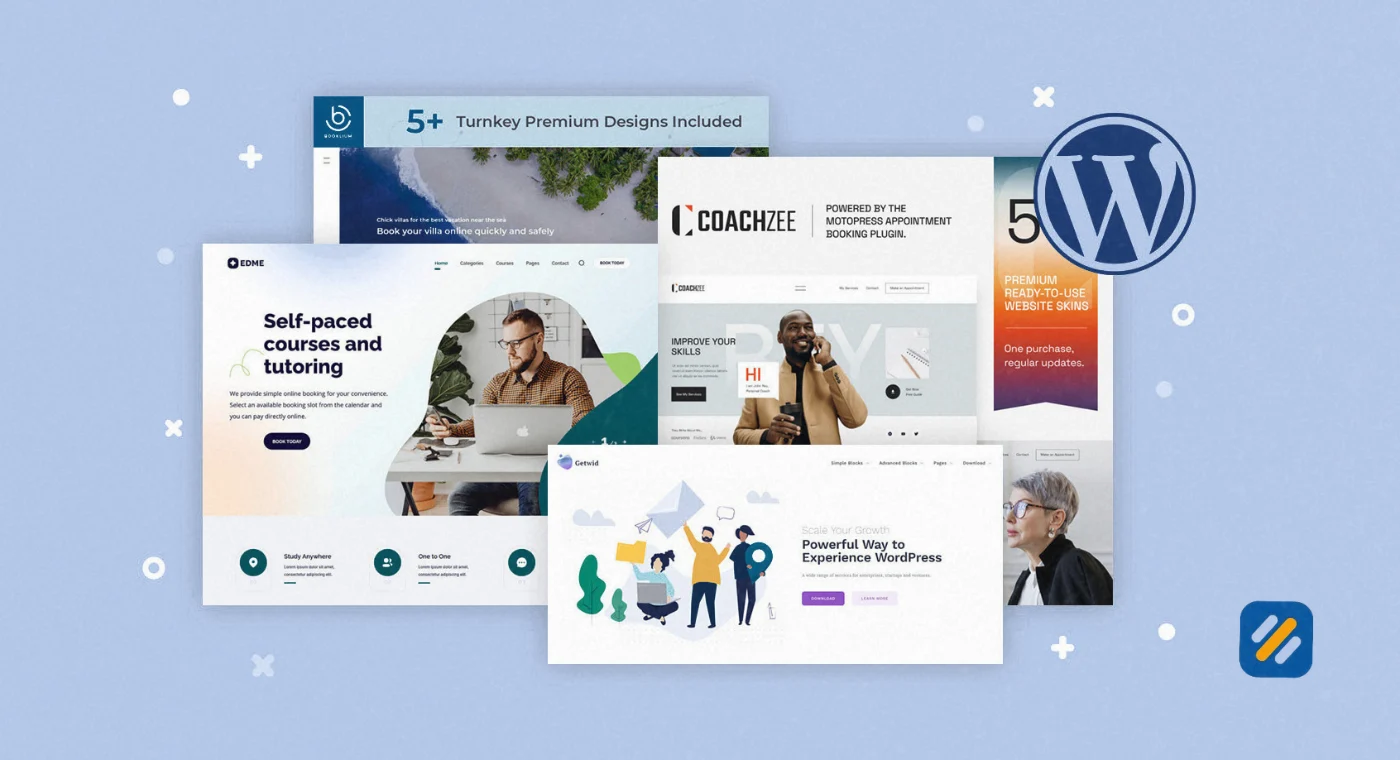
8 What Makes a WordPress Theme SEO Friendly
Not all WordPress themes are equal when it comes to SEO. A beautiful theme that loads slowly or generates bloated code can quietly destroy your rankings no matter how good your content is.
Here is what to look for when choosing an SEO-friendly WordPress theme:
Fast loading speed: Your theme should load your homepage in under 2 seconds. Test any theme before committing by searching for independent speed tests or installing a demo version and running it through PageSpeed Insights.
Clean HTML output: Some themes generate excessive nested div elements, inline styles, and unnecessary CSS that Google has to wade through before it reaches your actual content. Lightweight themes like GeneratePress and Astra generate minimal, clean code.
Schema markup support: Good themes include basic schema markup for articles, breadcrumbs, and author information built into the theme code. This helps Google understand your content structure and can improve how your pages appear in search results.
Mobile responsive design: Google indexes the mobile version of your website first. A theme that does not display correctly on mobile is an SEO liability regardless of how well it looks on desktop.
Compatibility with SEO plugins: Your theme needs to work without conflicts alongside Rank Math or Yoast SEO. The themes listed in this article are all fully compatible with both plugins.
9 Mobile Friendly WordPress Themes | Why This Is Non-Negotiable in 2026
Google switched to mobile-first indexing in 2020. This means Google uses the mobile version of your website to determine your rankings, not the desktop version. A theme that is not fully responsive on mobile is not just a user experience problem. It is an SEO problem that directly affects every ranking on your site.
Every theme on the top 10 list above is fully mobile responsive. But mobile friendly and mobile optimised are different things.
A mobile friendly theme adjusts its layout to fit a small screen. A mobile optimised theme is designed with mobile users as the primary audience, with touch-friendly navigation, appropriate font sizes, fast loading times on mobile connections, and no content that is hidden or inaccessible on small screens.
When evaluating any WordPress theme for mobile performance:
- Test it on a real phone, not just a browser simulator
- Check that navigation menus are easy to tap with a thumb
- Confirm that buttons and links are large enough to tap without zooming
- Verify that font sizes are readable without pinching the screen
- Run the mobile test at pagespeed.web.dev and aim for a score above 85
10 3 Expert Tips for Choosing and Using WordPress Themes
Tip 1: Test Your Theme Speed Before You Build Your Entire Site on It
Most beginners choose a theme based on how it looks in a demo and spend weeks building their site before realising it scores 45 on PageSpeed. Install the theme, run one speed test, and confirm it hits 85 or above on mobile before investing any time in design or content.
Tip 2: Never Run Two Themes Simultaneously With Conflicting Page Builder Styles
If you switch from one theme to another after building pages with a page builder, the old styling often breaks. Always back up your site before switching themes and test on a staging environment first if your hosting provides one.
Tip 3: Stick With One Theme Long Term Instead of Switching Regularly
Every time you switch WordPress themes, you risk breaking your layout, losing customisations, and creating temporary speed issues that Google notices. Choose your theme carefully upfront, optimise it properly, and stay with it. Consistency in your site’s technical foundation is an underrated SEO signal.
11 Conclusion
WordPress themes are the fastest, most cost-effective way to build a professional website that looks custom-designed, loads fast, and ranks well on Google. Whether you are starting a personal brand blog, launching a small business website, or building your first online presence, the right WordPress theme gives you a foundation that can grow with you for years.
Start with Astra or Kadence free if you are on a zero budget. Both themes are genuinely excellent and used by millions of real websites. When your traffic and revenue grow, upgrading to a premium plan or a premium theme gives you the additional features you will need at that stage.
The most important thing is not which theme you choose. It is that you choose one that is fast, mobile friendly, and SEO compatible, and then focus your energy on creating the content that will actually bring people to your website.
Have a question about which WordPress theme is right for your specific website? Leave a comment below and I will give you a direct recommendation based on your situation.
Join 1,000+ business owners and bloggers who get one actionable SEO tip every week — straight to their inbox. Free forever.
Get Free Weekly Tips →