- ChatGPT is a free AI tool built by OpenAI that can handle keyword research, content writing, meta tag creation, and technical SEO analysis
- Using ChatGPT effectively for SEO requires the right prompts, not just asking generic questions
- ChatGPT free version gives you access to GPT-4o with limitations, while paid plans unlock faster responses and more advanced models
- Never share passwords, client data, or confidential business information with ChatGPT
- The four core rules for ChatGPT use are: be specific, give context, iterate on responses, and always verify facts before publishing
1 What Is ChatGPT and Why Every SEO Specialist Should Be Using It Right Now
When ChatGPT launched in November 2022, most SEO professionals either panicked or ignored it. By 2026, the ones who learned to use it effectively are producing more content, ranking faster, and spending less time on repetitive research tasks than ever before.
ChatGPT is an AI chatbot built by OpenAI. It is trained on an enormous dataset of text from across the internet and can generate human-like responses to almost any question or instruction you give it. Unlike a search engine that retrieves existing pages, ChatGPT generates new responses based on patterns it learned during training.
For SEO work specifically, ChatGPT has become genuinely useful in six areas that used to eat hours of time every week
- Generating keyword ideas and clustering them by topic
- Writing and optimising title tags and meta descriptions at scale
- Creating content outlines that match search intent
- Drafting first versions of blog articles that a specialist then refines
- Analysing competitors’ content structure and identifying gaps
- Writing FAQ sections optimised for Google’s People Also Ask and AI Overviews
I use ChatGPT daily in my SEO work across multiple client websites. The honest truth is that it does not replace an SEO specialist. It replaces the parts of the job that are time-consuming but not intellectually demanding, freeing up hours for the strategic thinking that actually moves rankings.
2 Is ChatGPT Free to Use | Plans, Limits, and What You Actually Get
This is the question I get asked most often by small business owners and beginner bloggers. The answer is yes, ChatGPT is free to use, but the free version has real limitations worth understanding before you start.
Here is what each plan currently offers
| Plan | Cost | Model Access | Best For |
|---|---|---|---|
| Free | $0/month | GPT-4o with usage limits | Beginners, occasional use, testing prompts |
| ChatGPT Go | $8/month | GPT-4o with higher limits | Regular users who need more daily messages |
| ChatGPT Plus | $20/month | GPT-4o, o1, o3 reasoning models | Professional use, content creators, SEO specialists |
| ChatGPT Pro | $100/month | All models including o1 Pro | Heavy power users, developers, agencies |
| ChatGPT Business | $20/user/month | Team workspace, data controls | Small teams and agencies |
For SEO work on a personal brand blog like SEOWithRoman.com, the free plan is enough to get started. You can use it to write article outlines, draft meta descriptions, generate keyword ideas, and create FAQ sections without spending a penny.
The main limitation on the free plan is that usage slows down after heavy use in one session. If you are writing multiple articles per day, the Plus plan at $20 per month pays for itself quickly when you calculate the time it saves.
To access ChatGPT, go to chat.openai.com or chat.com and create a free account using your email address or Google account. No credit card is required for the free tier.
3 How to Use ChatGPT for Beginners | The Interface Explained Simply
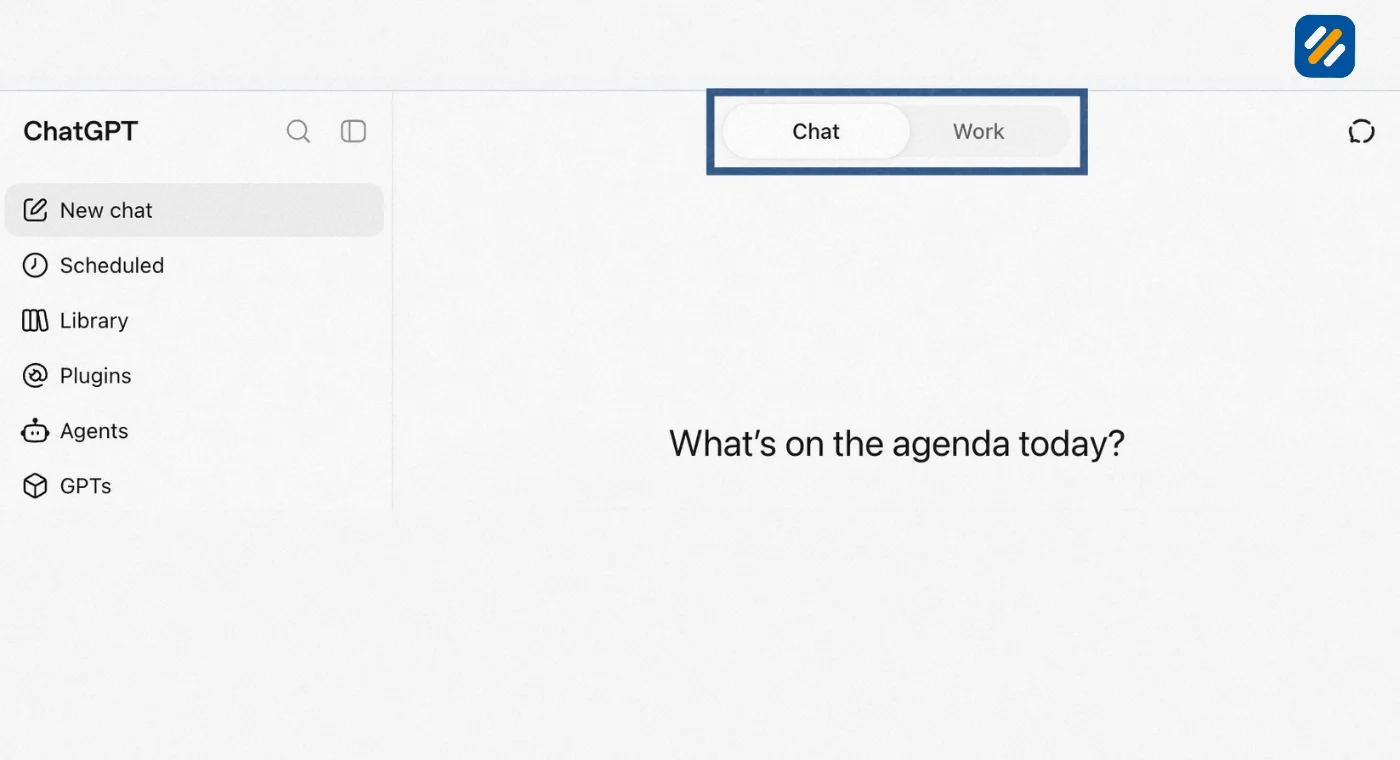
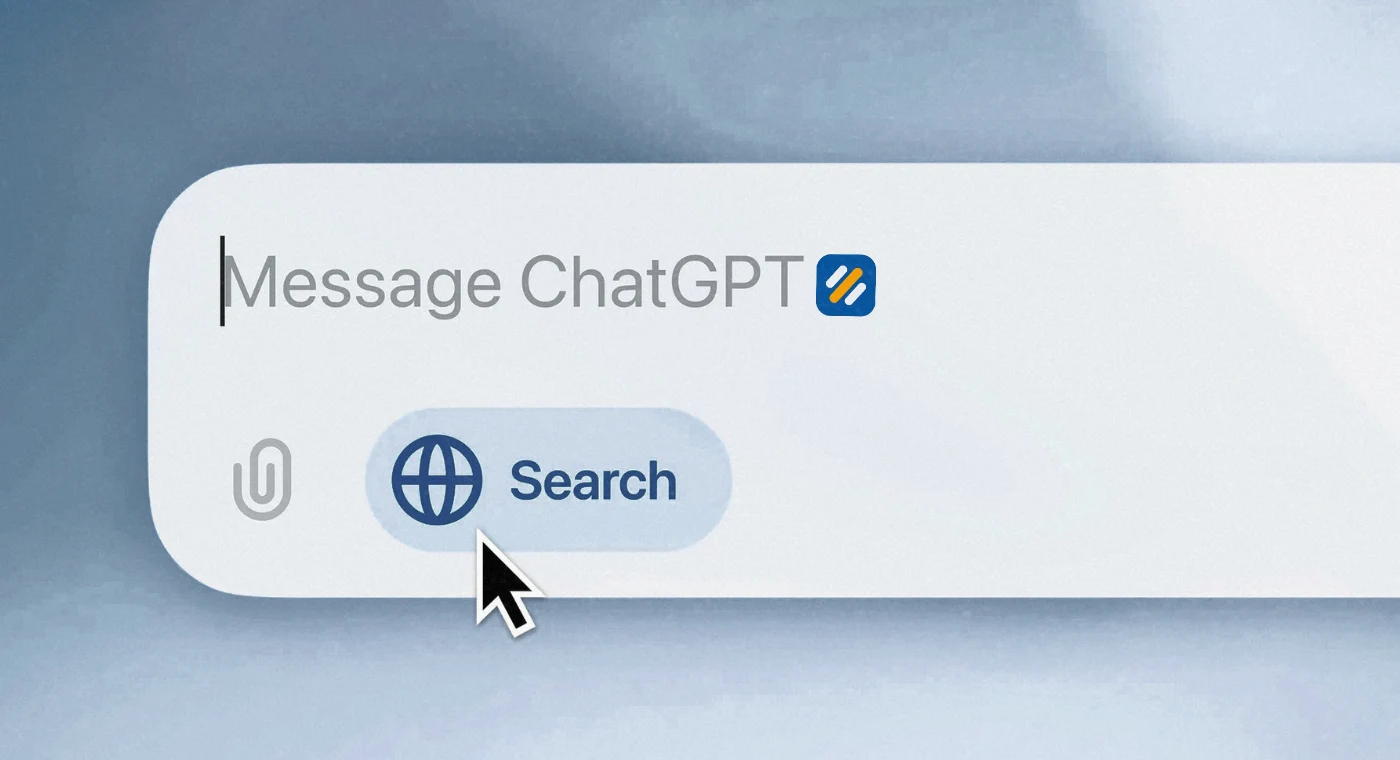
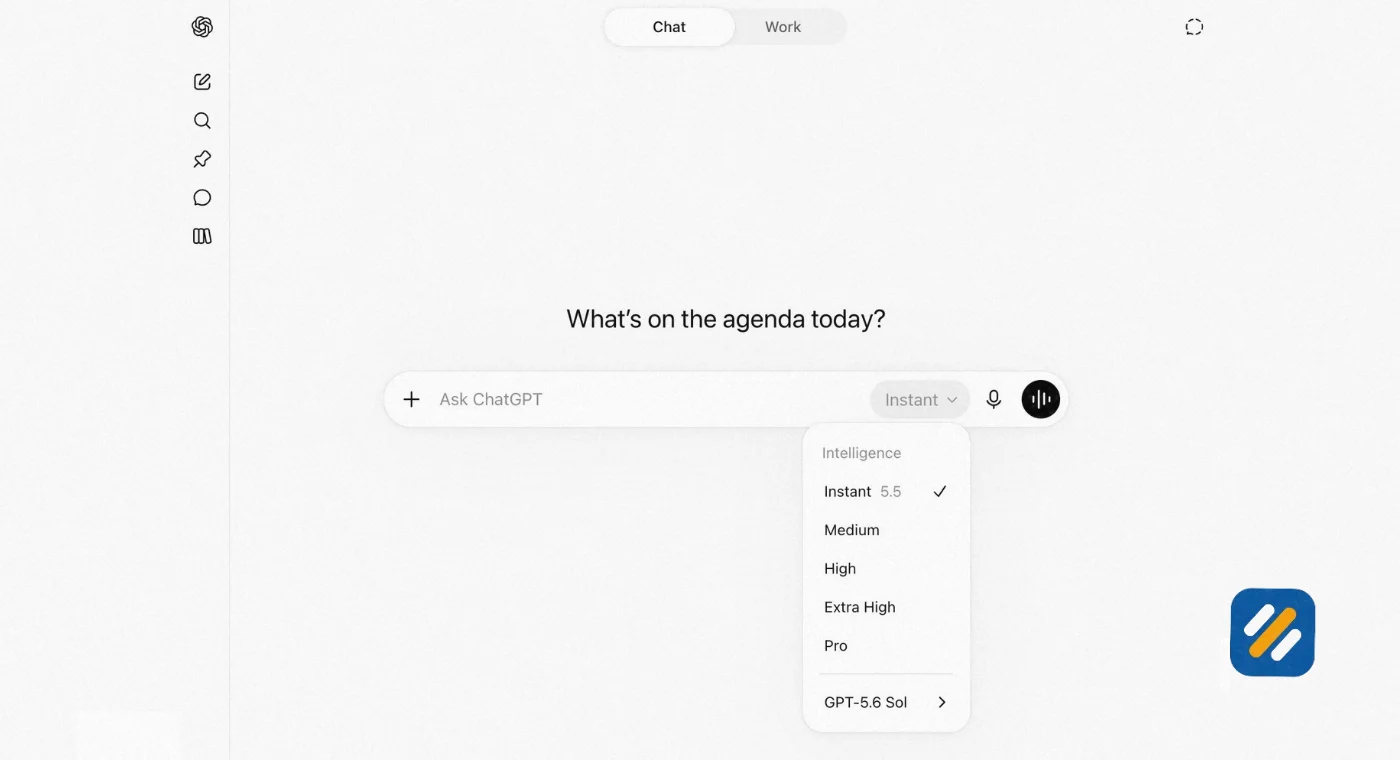
The ChatGPT interface is deliberately simple. When you open it for the first time, you see a clean message bar in the centre of the screen. That is where you type your request. ChatGPT calls your request a “prompt.”
Here is what each element of the ChatGPT interface does
The message bar is where you type your prompt or question. Press Enter or click the send button to submit it. You can also attach images, PDFs, or files by clicking the plus icon next to the message bar.
The sidebar shows your conversation history. Every chat you have is saved here automatically. Click any past conversation to continue it.
The model selector appears at the top of the conversation window on paid plans. This lets you choose which AI model powers your responses. For most SEO tasks, the default model works perfectly.
Memory and custom instructions can be set in your profile settings. Custom instructions let you tell ChatGPT permanent things about yourself so you do not have to repeat them every session. For example, I have mine set to always write in British English, assume I am writing for a US and UK audience, and avoid em dashes in all content.
New chat button starts a fresh conversation. ChatGPT remembers the context of your current conversation but starts fresh in a new chat. For SEO work, I recommend starting a new chat for each article or project to keep context clean.
For complete beginners, the fastest way to start is to simply describe what you need in plain English. You do not need to learn any special commands. The more specific you are in your request, the better the response you will get.
4 How to Use ChatGPT Effectively for SEO | The 7 Most Powerful Use Cases
General guides about ChatGPT tell you it can write emails and summarise documents. This section focuses specifically on how to use ChatGPT for SEO in ways that actually move rankings.
Use Case 1: Keyword Research and Topic Clustering
Ask ChatGPT to generate long-tail keyword variations around your seed topic from the perspective of a beginner who knows nothing about your industry. The natural language output surfaces phrases that match how real people search, not how experts write. Then ask it to group those keywords by search intent.
Example prompt: “Generate 20 long-tail keyword variations for the topic ‘technical SEO for small businesses.’ Write them the way a US small business owner who has never studied SEO would type them into Google.”
Use Case 2: Title Tag and Meta Description Writing at Scale
This is where ChatGPT saves the most time for bloggers publishing multiple articles per week. Give it your keyword, your target audience, and your character limit and it will produce multiple title tag options in seconds.
Example prompt: “Write five SEO title tags for a beginner guide targeting the keyword ‘what is a 404 error.’ Each title must be under 60 characters, contain a power word, and speak to a US small business owner.”
Use Case 3: Content Outline Creation
Before writing any article, ask ChatGPT to build a content outline that covers all the subtopics and questions a comprehensive guide on your keyword should answer. This ensures your article achieves the topical depth Google rewards.
Use Case 4: FAQ Section Writing for AI Overviews
Google’s AI Overviews pull heavily from FAQ sections. Ask ChatGPT to write ten questions and concise answers around your target keyword. Format them in a natural question and answer style that reads the way someone would ask a voice search query.
Use Case 5: Internal Linking Suggestions
Paste a list of your existing article titles and ask ChatGPT to suggest which articles should link to which others and what anchor text to use. This is a task that takes hours manually and minutes with AI.
Use Case 6: Meta Description Writing for Existing Pages
Paste your existing page title and first paragraph and ask ChatGPT to write three meta description variations under 160 characters that include the primary keyword and a clear benefit statement.
Use Case 7: Competitor Content Gap Analysis
Paste the headings from a competitor’s top ranking article and ask ChatGPT to identify what topics and questions the article fails to answer. Use those gaps as the unique angle for your own article on the same keyword.
5 What Not to Tell ChatGPT | The Privacy Rules Every User Must Know
ChatGPT is a powerful tool but it comes with privacy considerations that most guides skip over entirely. Understanding what not to share protects you, your clients, and your business.
Never share passwords or login credentials. ChatGPT does not store your passwords but pasting them into any AI chat interface is poor security practice. If you need to give ChatGPT context about a platform, describe it without including any credentials.
Never share confidential client information. If you do SEO work for clients, do not paste their private analytics data, revenue figures, or business strategies into ChatGPT. OpenAI’s free and Plus plans use conversations to improve their models by default. You can turn this off in your settings under Data Controls, but the safest approach is never to share sensitive client data in the first place.
Never share personal identification information. Do not paste your own or anyone else’s passport numbers, ID numbers, bank account details, or National Insurance or Social Security numbers into ChatGPT for any reason.
Be careful with proprietary content. If you have a content strategy, keyword list, or internal process that gives your business a competitive advantage, think carefully before pasting it into a public AI tool.
Do not share medical, legal, or financial details expecting professional advice in return. ChatGPT can give general information but it is not a licensed professional and should never be treated as one for important decisions.
For SEO work specifically, the safest approach is to give ChatGPT enough context to help you without revealing identifying details about clients or strategies you want to keep confidential.
6 The 4 Rules for Using ChatGPT That Separate Good Results From Great Results
After using ChatGPT daily for SEO work across multiple client websites, I have found that the quality of what comes out depends almost entirely on how well you apply these four rules.
Rule 1: Be Specific, Not Vague
“Write an SEO article” produces generic output. “Write a 1,400 word beginner-friendly guide targeting the keyword ‘how to do keyword research for free’ for US small business owners who have never done SEO before, using short sentences, numbered steps, and no jargon” produces something actually useful.
The more specific your prompt, the less editing you need to do on the output.
Rule 2: Always Give Context
ChatGPT does not know who you are, who your audience is, or what tone your brand uses unless you tell it. Before giving any task instruction, set the context: your niche, your audience, the purpose of the content, and the platform it will be published on.
A simple context statement at the start of every SEO prompt looks like this: “You are helping me write content for an SEO education blog targeting US and UK small business owners. Write in a clear, expert but approachable tone. Avoid jargon. Do not use em dashes.”
Rule 3: Iterate, Do Not Accept the First Draft
The first response ChatGPT gives you is rarely the final version you should use. Treat it as a first draft. Ask it to make the introduction more specific, tighten the conclusion, add a real example in section three, or remove the generic opening statement. ChatGPT gets better with each instruction you give it.
Rule 4: Always Verify Facts Before Publishing
ChatGPT can and does make mistakes. It sometimes cites statistics that do not exist or attributes quotes to people who never said them. This is called hallucination and it still happens in 2026 even with the most advanced models.
Every statistic, study reference, or specific claim ChatGPT produces should be verified against a real source before you publish it. Publishing incorrect data damages your E-E-A-T credibility with both readers and Google.
7 ChatGPT SEO Tools | The Best Way to Track Rankings and Measure Results
Using ChatGPT for content creation is only one part of an AI-powered SEO workflow. The other part is tracking whether your efforts are actually producing rankings and traffic.
ChatGPT itself does not track your website rankings. For that you need dedicated SEO tracking tools. Here are the best options that integrate well with an AI-powered workflow:
| Tool | Best For | Cost | ChatGPT Integration |
|---|---|---|---|
| Google Search Console | Tracking real keyword rankings and impressions | Free | Export data, paste into ChatGPT for analysis |
| Ahrefs | Keyword tracking, competitor analysis, backlink monitoring | From $129/month | Export reports for ChatGPT analysis |
| SEMrush | Full SEO visibility including paid and organic tracking | From $139/month | Position tracking with exportable data |
| Rank Math | On-page SEO scoring and keyword tracking in WordPress | Free and Pro versions | Use ChatGPT to write content, Rank Math to optimise it |
| Google Analytics 4 | Traffic analysis, user behaviour, conversion tracking | Free | Export data for ChatGPT-assisted interpretation |
The most practical workflow for a small blog using ChatGPT for SEO looks like this. Use ChatGPT to research and write content. Use Rank Math to optimise each article before publishing. Use Google Search Console to monitor which keywords are generating impressions and clicks. Export that GSC data into ChatGPT every month and ask it to identify which articles are ranking between positions 5 and 20, which are the fastest to push to page one with an update.
This combination of AI content creation and free tracking tools gives you a complete SEO workflow at minimal cost.
8 3 Expert Tips for Using ChatGPT for SEO Like a Professional
Tip 1: Use ChatGPT to Write Your Prompts for You
If you are unsure how to write a good SEO prompt, ask ChatGPT to help you write it. Tell it what output you need and ask it to write the most effective prompt to get that result. This sounds circular but it is genuinely one of the fastest ways to improve your prompt quality.
Tip 2: Always Add Your Own Experience Before Publishing
Google’s E-E-A-T framework rewards first-hand experience. ChatGPT cannot provide that. Before publishing any AI-assisted article, add at least one personal example from your real work, one specific tool reference you personally use, and one observation that only someone with hands-on experience in your field would know.
Tip 3: Create a Permanent Context Prompt and Paste It at the Start of Every Session
Write a 100-word paragraph that describes your blog, your audience, your tone, and your formatting preferences. Paste it at the start of every new ChatGPT session before giving any task. This eliminates the need to repeat your preferences each time and produces more consistent output across every article you create.
9 Conclusion
ChatGPT has changed the economics of SEO content creation permanently. Tasks that used to take a full day now take two hours. Keyword research that required multiple tools and manual analysis can now start with a well-crafted AI prompt. Meta descriptions that took twenty minutes to write per page now take twenty seconds per batch.
But the professionals winning with AI ChatGPT in 2026 are not the ones using it as a replacement for expertise. They are using it as a force multiplier for the expertise they already have. Your many years of SEO experience, your real client knowledge, and your understanding of what actually works in Google is what makes the content ChatGPT helps you produce genuinely valuable.
Use AI for the repetitive tasks. Use your expertise for the judgment calls. That combination is what builds a website Google trusts and readers come back to.
Have a question about how to use ChatGPT for SEO on your specific website? Drop a comment below and I will answer it personally.
Join 1,000+ business owners and bloggers who get one actionable SEO tip every week — straight to their inbox. Free forever.
Get Free Weekly Tips →