- A search term is the exact word or phrase a real person types into Google or any search engine at that moment
- Search terms and keywords are related but not the same. Users create search terms. Marketers and SEOs select keywords
- Understanding what search terms your audience uses is the foundation of every successful SEO and PPC strategy
- Google processes over 8.5 billion searches every day, and roughly 15% of those are search terms Google has never seen before
- Google Search Console shows you the exact search terms bringing real people to your website right now for free
1 What Is a Search Term and Why Does It Matter More Than You Think
Let me start with the simplest possible explanation.
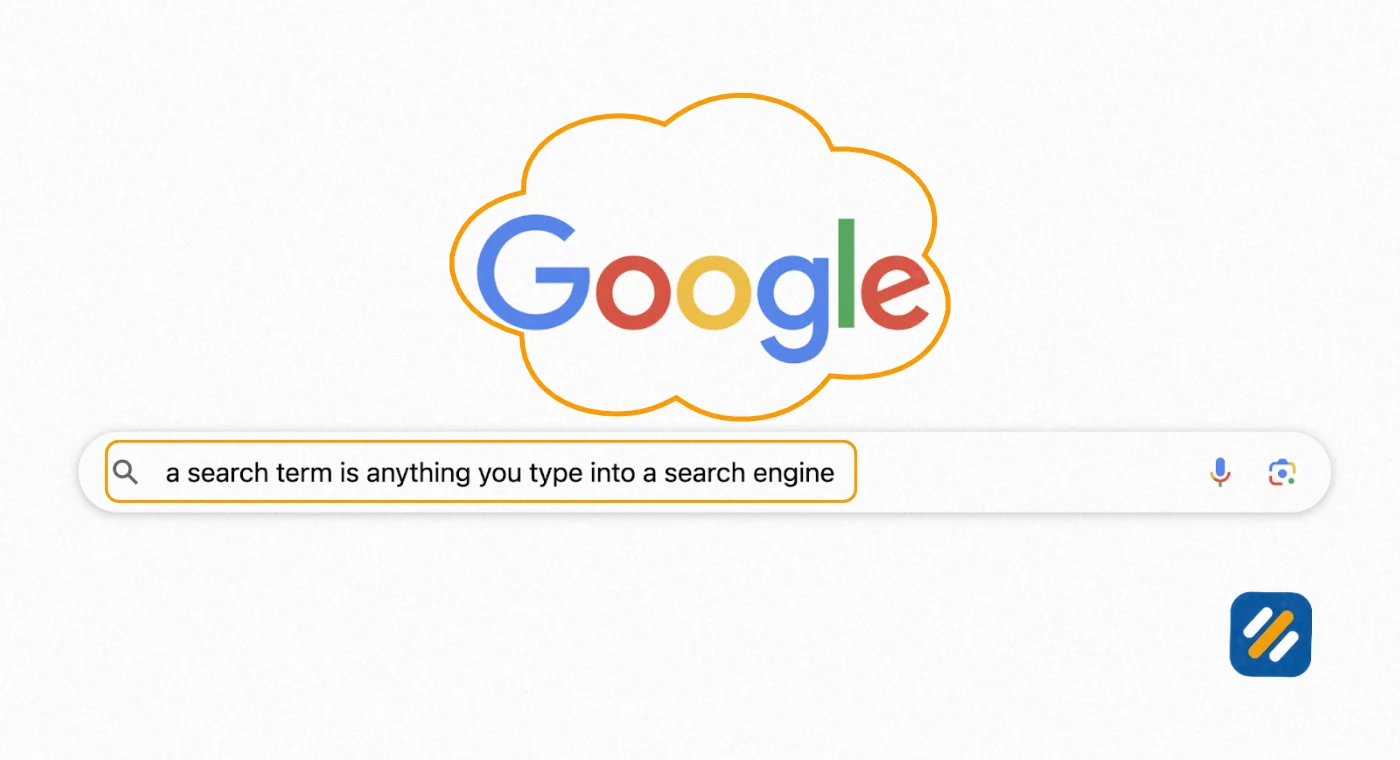
A search term is whatever you type into Google before you press Enter.
That is it. It is the raw, unfiltered language of your audience. No jargon. No marketing speak. Just the words a real person uses when they need an answer, want to buy something, or are trying to find their way somewhere online.
When someone types “how to fix a leaking tap without a plumber” into Google, that entire phrase is a search term. When someone types “best running shoes under 100 dollars,” that is a search term. When someone types a single word like “dentist,” that is a search term too.
Here is why this matters so much for anyone building a website or running online ads.
Google processes over 8.5 billion searches every day. Each one of those searches is a search term. Each one represents a real human need, a real question, or a real buying intention. If your website or your ad shows up at the exact moment someone types a search term that matches what you offer, you get a visitor who already wants what you have.
That is the entire game of SEO and search marketing. Understanding search terms is how you play it properly.
In many years of working on SEO campaigns for clients in the US, UK, and Pakistani markets, the businesses that grow fastest organically are always the ones that understood their customers search terms first and built their content strategy around them. Not around industry terms. Not around what they think sounds professional. Around what real people actually type.
2 What Do You Mean by Search Term? The Full Definition Explained
A search term, also called a search query, is the exact text a user enters into a search engine at the moment of searching. It represents the user’s immediate need, intent, or question in their own natural language.
The search term definition has three important parts worth understanding separately.
It is exact. A search term is precisely what was typed, including typos, abbreviations, and informal phrasing. “best seo advise” with a spelling error is still a search term Google processes and tries to answer.
It comes from the user. A search term is not something a business creates or controls. It is generated by real people in real moments. This is what makes search terms so valuable as market research. They are unfiltered signals about what your audience needs right now.
It carries intent. Every search term contains a why behind it. Someone searching “symptoms of food poisoning” is in a very different mental state than someone searching “food poisoning lawyer near me.” Same broad topic, completely different search intent, completely different content needed to satisfy them.
Here are real examples of search terms across different categories to make this concrete:
Informational search terms: “what is domain authority,” “how long does SEO take,” “what does a 404 error mean”
Commercial search terms: “best SEO tools 2026,” “ahrefs vs semrush comparison,” “top WordPress themes for blogs”
Transactional search terms: “buy semrush subscription,” “hire SEO specialist UK,” “sign up rank math pro”
Navigational search terms: “Google Search Console login,” “Ahrefs keyword explorer,” “Yoast SEO plugin download”
Each of these categories requires a completely different type of content to rank and convert.
3 What Are Google Search Terms and How Does Google Use Them
Google search terms are the specific queries people type into Google Search, Google Images, Google Shopping, or Google Maps. Google collects and processes these terms to match searchers with the most relevant results from its index of billions of pages.
What most people do not realise is that Google does not just match your page to an exact search term. It interprets the meaning, context, and intent behind the search term and then decides which pages best satisfy that underlying need.
This is why a page optimised for the keyword “cheap flights to London” can also rank when someone searches “affordable London travel deals” or “low cost UK flights.” Google understands that all three search terms share the same intent even though the words are different.
Here is how Google processes a search term from the moment you press Enter:
Google reads the search term and identifies the primary topic and intent. It checks its index for pages that contain relevant content. It ranks those pages based on relevance, authority, page experience, and E-E-A-T signals. It displays the results it believes best match what the searcher actually needs, not just what they literally typed.
This distinction between what someone typed and what someone meant is at the heart of modern SEO. Writing content that matches the intent behind search terms, not just the literal words, is what separates pages that rank from pages that never get seen.
4 What Is the Most Popular Search Term on Google
According to Ahrefs data and multiple independent studies, the most popular search terms on Google consistently include navigational queries for platforms people use daily.
The top searched terms globally include queries like YouTube, Facebook, weather, Google, Amazon, and Gmail. These are all navigational search terms where people are using Google to get somewhere rather than to find information.
For informational search terms, perennial top searches include “what to watch,” “how to tie a tie,” “how to lose weight,” and “how to make money online.”
For the SEO niche specifically, the most searched terms consistently include “what is SEO,” “SEO tools,” “keyword research,” and “how to rank on Google.”
Here is what this data tells you as a website owner or content creator. The most popular search terms are dominated by massive brands and platforms you cannot compete with directly. The opportunity for a new website is never in chasing the highest volume search terms. It is in finding the specific, lower competition search terms your target audience uses that larger websites have not fully addressed.
A search term with 200 monthly searches and clear buying intent is worth far more to your business than a search term with 200,000 monthly searches that everyone in the world is competing for.
5 What Is the Difference Between a Keyword and a Search Term
This is the question I get asked most often by clients who are just starting with SEO, and it is one of the most important distinctions to understand.
A search term comes from users. A keyword comes from you.
Here is the clearest way I can explain it.
When you do keyword research, you identify specific words and phrases you want your content to rank for. You put “how to do keyword research for free” into Ahrefs, check the difficulty score, confirm the search volume, and decide to target it. That phrase is now your keyword. You own the decision to pursue it.
When a real person opens Google and types “free keyword research tutorial for beginners,” that is their search term. They did not check a difficulty score. They did not think about search volume. They just typed what felt natural to them in that moment.
Sometimes a search term and a keyword are identical. Often they are variations of each other. And sometimes they overlap in unexpected ways that reveal valuable opportunities you would never have found through keyword research alone.
| Factor | Search Term | Keyword |
|---|---|---|
| Who creates it | The user searching Google | The marketer or SEO targeting it |
| How it looks | Natural, conversational, sometimes with typos | Researched, specific, chosen strategically |
| Where you find it | Google Search Console, Google Ads Search Terms report | Ahrefs, SEMrush, Google Keyword Planner |
| What it tells you | Exactly how real people describe their needs | What topics have confirmed search volume |
| How it is used in SEO | Informs content strategy and keyword selection | Placed in title tags, headings, and body content |
| Example | “cheapest way to fix my WordPress site speed” | “WordPress speed optimisation” |
The smartest SEO strategy combines both. You identify keywords through research, then you study actual search terms in Google Search Console to discover how real users are actually finding your pages, and then you refine your content to serve both groups better.
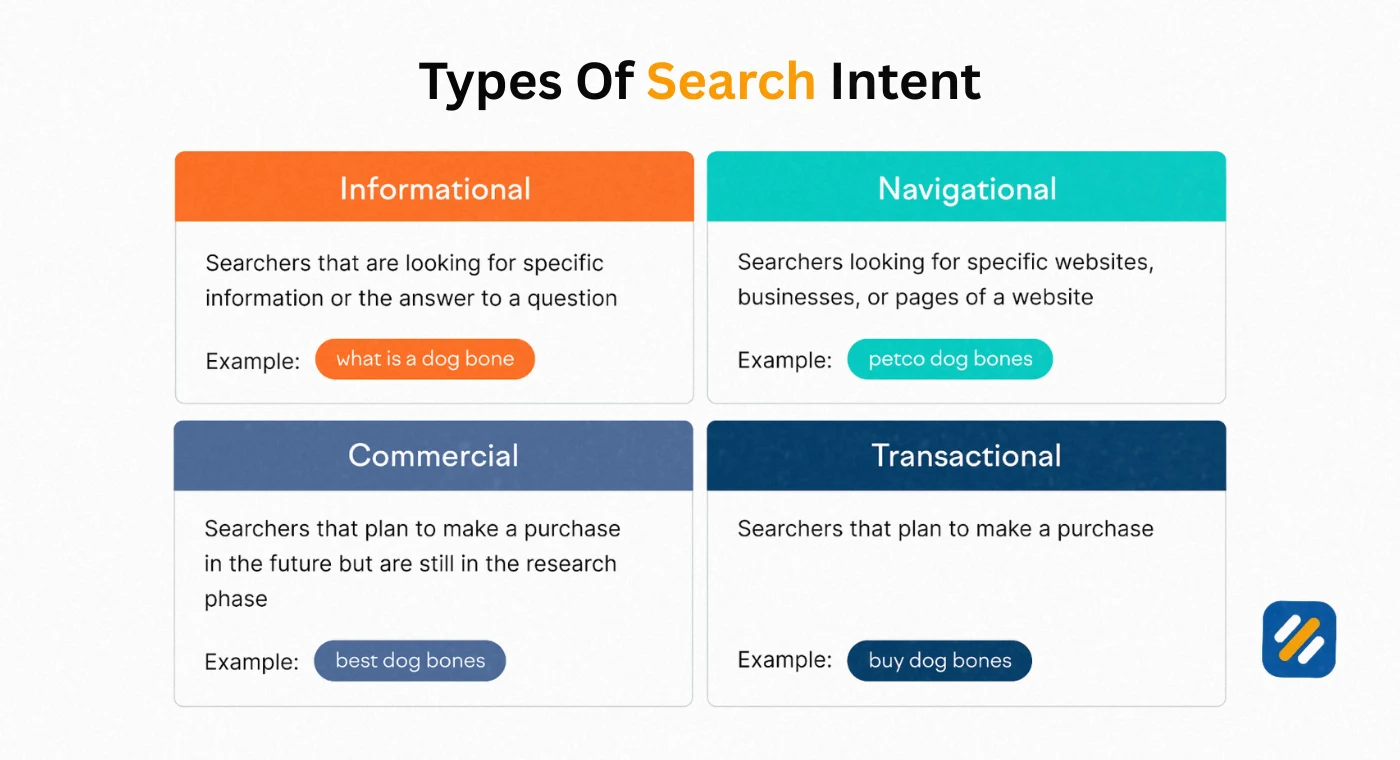
6 4 Types of Search Terms and What Each One Means for Your Content
Not all search terms are equal. Understanding the type of search term someone is using tells you exactly what kind of content they need to find and what they are likely to do after they find it.
Informational search terms are searches where the user wants to learn something. These make up the majority of all Google searches. “What is a search term,” “how does Google rank websites,” and “what is E-E-A-T” are all informational. Content targeting these terms should be comprehensive, educational, and genuinely helpful. The user is not ready to buy yet but they are building trust with sources they find valuable.
Commercial investigation search terms are searches where the user is comparing options before making a decision. “Ahrefs vs SEMrush,” “best free SEO tools 2026,” and “Rank Math or Yoast which is better” are commercial investigation terms. Content here should be honest, detailed comparisons that help the user make an informed decision. Users at this stage are close to buying.
Transactional search terms signal that the user is ready to take action right now. “Buy SEMrush,” “sign up for Ahrefs free trial,” and “hire SEO consultant UK” are transactional. These search terms need landing pages or product pages optimised for conversion, not long educational guides.
Navigational search terms are searches where the user already knows where they want to go and is using Google to get there. “Google Search Console login” and “Rank Math plugin WordPress” are navigational. Unless your brand is what they are navigating to, you cannot realistically compete for these terms.
7 How to Find the Search Terms People Use to Find Your Website
The most valuable search term data you can access is the data showing how real people are already finding your specific website. Here is how to get it from three different sources:
Google Search Console is your primary source for organic search term data and it is completely free. After connecting your website and waiting a few days for data to accumulate, go to Performance then Search Results in the left sidebar. The Queries tab shows every search term that resulted in an impression or click to your website in the last 16 months.
Filter this report by clicking on any individual page URL to see which search terms are driving traffic to that specific page. This is where the real insights are. You will often find that pages are ranking for search terms you never intentionally targeted, which reveals content gaps and new keyword opportunities hiding inside your existing content.
Google Ads Search Terms Report shows the exact search terms that triggered your paid ads. This data is gold for SEO because it shows you which search terms actually led to conversions, not just clicks. If a search term consistently drives paid conversions, it is almost certainly worth creating organic content to target it too.
Ahrefs and SEMrush free versions both allow limited lookups of organic keywords for any website. Enter a competitor’s URL and look at the organic keywords report to see which search terms are sending them the most traffic. Many of these will be search terms your audience uses that you have not yet created content for.
8 How to Use Search Terms to Build a Smarter SEO Strategy
Understanding search terms is not just an academic exercise. Here is how to actually use this knowledge to get more traffic.
Build content around search term clusters, not individual keywords. Real users searching for information about one topic will use dozens of different search term variations. Instead of writing one article for each variation, write one comprehensive article that naturally covers all the variations and answers every related question the searcher might have. This is called topical authority and it is one of the most powerful SEO strategies available in 2026.
Use search term data to find content you need to update. When Google Search Console shows you that one of your pages is ranking in position 8 to 15 for a valuable search term, that page is a priority for improvement. It is already in Google’s index and trusted enough to rank. Adding more depth, better examples, and tighter keyword optimisation around that specific search term can move it to page one faster than any new content you publish.
Identify search terms with buying intent for affiliate and service pages. If your keyword research shows that search terms like “best X for small business” or “X pricing comparison” have decent search volume and low competition, these are perfect targets for affiliate review content or service comparison pages. Users typing these terms are actively making purchase decisions.
9 Search Term Examples in SEO and PPC Side by Side
Looking at real examples is the fastest way to understand how search terms work in practice across both organic and paid search.
| Scenario | User’s Search Term | SEO Keyword Targeted | Match Type | What This Tells You |
|---|---|---|---|---|
| Plumber in London | “emergency plumber central London” | “plumber London” | Broad intent, specific location | User needs urgency addressed in title tag |
| SEO software buyer | “is semrush worth it for small business” | “SEMrush review” | Commercial investigation | User needs honest pros and cons content |
| WordPress beginner | “how do I make my WordPress site faster for free” | “WordPress speed optimisation” | Informational, budget conscious | User needs free tool recommendations |
| Local restaurant | “Italian food open now near me” | “Italian restaurant Birmingham” | Transactional with immediacy | User needs hours and location prominently shown |
| Blog monetisation | “how much does AdSense pay per 1000 views” | “AdSense RPM” | Informational with commercial intent | User is evaluating whether to pursue AdSense |
| SEO beginner | “what does KD mean in Ahrefs” | “keyword difficulty” | Informational, tool specific | User needs a simple plain English explanation |
Each example above reveals not just what to write but how to write it, what format to use, and what the user needs to feel satisfied after landing on the page.
10 3 Expert Tips for Using Search Terms to Outrank Competitors
Tip 1: Mine your GSC data for search terms ranking in position 4 to 15 every month. These are your fastest ranking opportunities. A focused update adding 300 to 400 words of depth, better internal links, and tighter on-page optimisation around that specific search term can move a page from position 8 to position 2 in weeks, not months.
Tip 2: Never ignore search terms with low volume but high specificity. A search term with 50 monthly searches and very specific buying intent, like “SEO specialist for BPO companies UK,” converts at a dramatically higher rate than a search term with 5,000 monthly searches and vague intent. Low volume and high specificity is where small websites find opportunities the big players ignore.
Tip 3: Use People Also Ask boxes as a free search term research tool. Every time you search a keyword in Google, expand every People Also Ask question on the page. Each question is a real search term Google is seeing from real users. Each one is a potential H2 heading for your article that targets a secondary search term naturally within your existing content.
11 Conclusion
A search term is the starting point of every SEO decision that matters. It is the raw voice of your audience telling you exactly what they need, in their own words, at the exact moment they need it.
Understanding the difference between search terms and keywords, knowing how to find the terms your audience actually uses, and building content that genuinely matches the intent behind those terms is what separates websites that rank from websites that sit invisible on page five.
Start with Google Search Console this week. Look at which search terms are already bringing people to your website. Find the pages ranking between position 5 and 15 and ask yourself whether the content fully satisfies what someone searching that term would actually need. The answer to that question is your next piece of content work.
Every search term is a human being asking a question. The website that answers it best wins the click. Make sure that website is yours.
Have a question about search terms or how to find the right ones for your website? Drop a comment below and I will answer it personally.
Join 1,000+ business owners and bloggers who get one actionable SEO tip every week — straight to their inbox. Free forever.
Get Free Weekly Tips →