- Use one primary keyword plus two to four secondary keywords per page as your starting rule
- Keyword density for your primary keyword should sit at around 1% of total word count, never forced
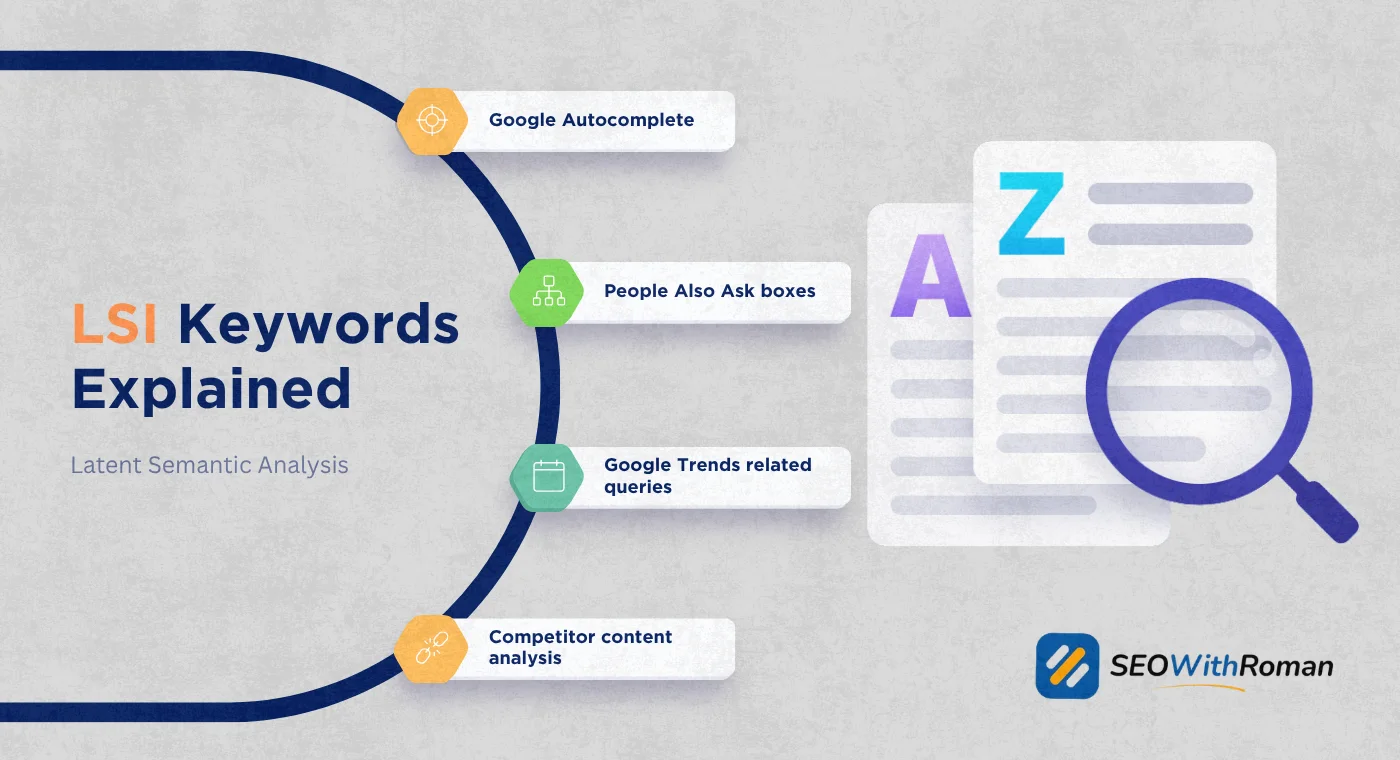
- LSI keywords and keyword variations help Google understand your content's full topic without stuffing
- Keyword clustering is the advanced strategy that prevents pages from competing against each other
- Keyword cannibalization silently kills rankings and happens when multiple pages target the same search intent
1 Why "How Many SEO Keywords Should I Use" Is the Right Question to Ask
Most beginners start their SEO journey asking about keywords, and that is exactly the right instinct. Keywords are the bridge between what your audience searches for and what your website offers. Get this right and your content finds the right people. Get it wrong and even a brilliantly written article sits invisible on page five forever.
After many years of optimising content across B2B, ecommerce, healthcare, and service websites for US and UK markets, I have seen both extremes. Websites that target one keyword so rigidly the content reads like a legal document. And websites that stuff twenty keywords into 800 words and wonder why Google ignores them.
The honest answer to how many SEO keywords you should use is not a single number. It depends on what type of keyword you are talking about, where on the page you are placing it, and how the keywords relate to each other.
This article covers all of it. Primary keywords, secondary keywords, LSI keywords, keyword density, keyword placement, clustering, and cannibalization. By the end you will have a complete keyword strategy framework that works whether you are writing your first article or your hundredth.
2 Understanding the Three Types of Keywords You Need on Every Page
Before answering how many, you need to understand what types. Most beginners treat all keywords as the same thing. They are not. Each type serves a different purpose and gets placed differently in your content.
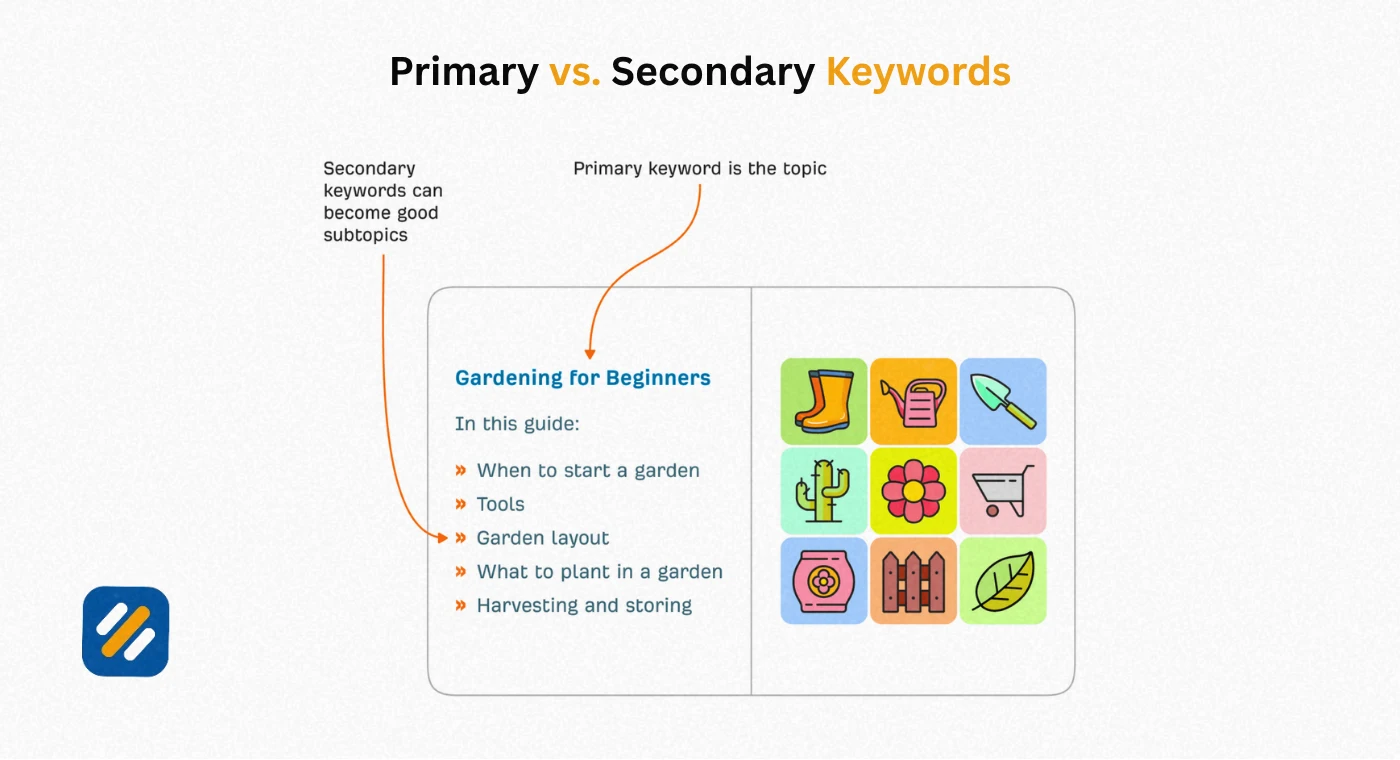
Primary Keyword
Your primary keyword is the single main search term you want that page to rank for. It represents the core topic of your content and carries the highest search volume of any keyword you will use on that page.
Every page on your website should have exactly one primary keyword. Not two. Not three. One.
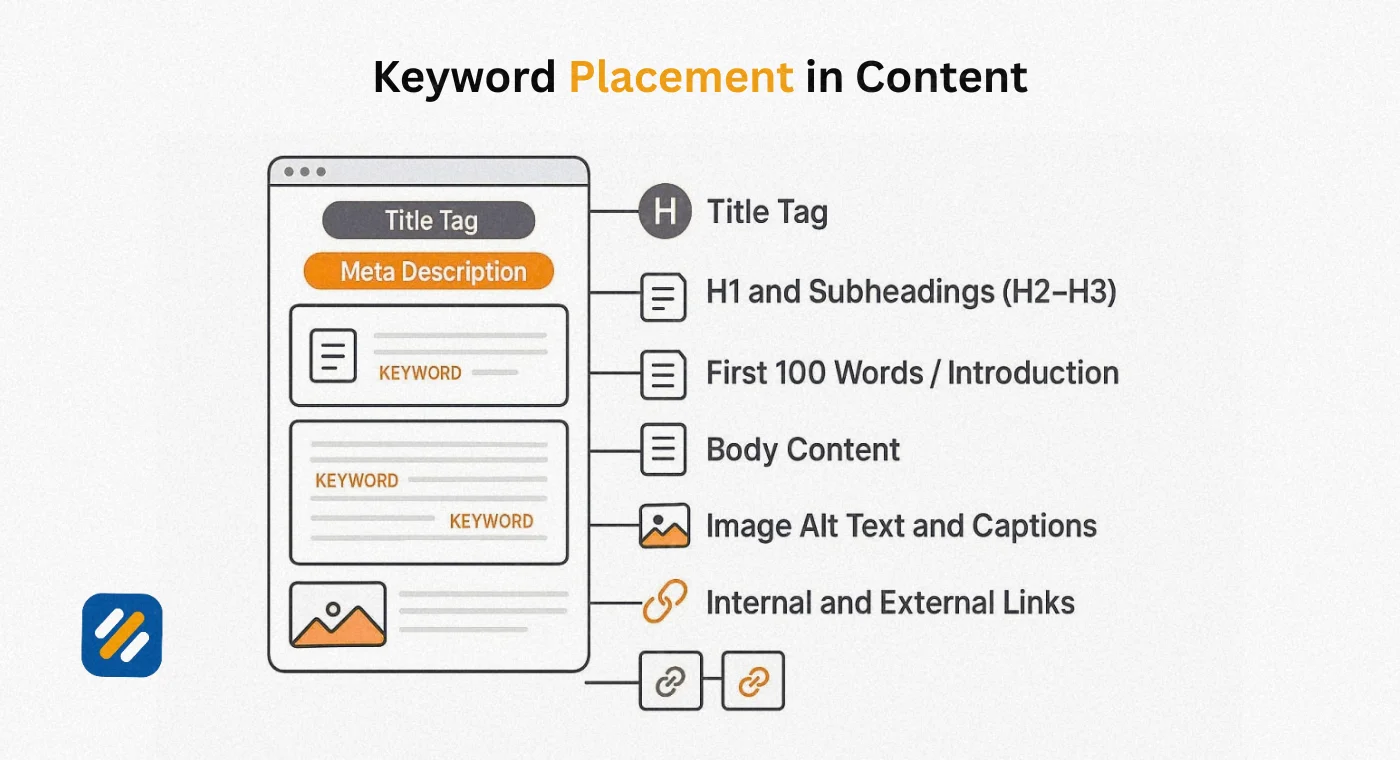
The primary keyword goes in your title tag, your H1 heading, your meta description, the first 100 words of your content, and at least one H2 subheading. It should appear naturally throughout the body at a density of around 1%, meaning once for every 100 words. In a 1,500-word article that is approximately 15 natural mentions.
Example of a primary keyword: "how many SEO keywords should I use"
Secondary Keywords
Secondary keywords are closely related search terms that support your primary keyword. They capture variations of the main search intent, related questions, and alternative phrases your audience might use to find the same information.
Use two to four secondary keywords per page. They do not need to appear as frequently as your primary keyword. One to two natural mentions each is sufficient. The goal is topical completeness, not mechanical repetition.
Example secondary keywords for this article: "how many keywords per page," "how many keywords should I target," "keyword density," "keyword optimization"
LSI Keywords
LSI stands for Latent Semantic Indexing. In simple terms, LSI keywords are the words and phrases Google expects to see on a page about a given topic because they are naturally associated with that subject.
If you write about keyword research, Google expects to see words like search volume, search intent, keyword difficulty, SERP, and ranking. These are not keywords you need to insert mechanically. They appear naturally when you write a genuinely thorough article on a topic.
LSI keywords tell Google your content is comprehensive and authoritative rather than thin or narrowly focused. They are the difference between content that ranks for one keyword and content that ranks for fifty related terms simultaneously.
3 SEO Keyword Density | What 1% Actually Means and Why It Is Not a Magic Number
Keyword density is one of the most misunderstood concepts in SEO. Let me clear it up completely.
Keyword density is the percentage of times your primary keyword appears in your content relative to the total word count. The formula is simple:
Keyword density = (Number of keyword mentions divided by total word count) multiplied by 100
So in a 1,500-word article, a 1% keyword density means your primary keyword appears approximately 15 times.
Here is what most guides do not tell you. Keyword density is not a direct Google ranking factor in 2026. There is no magic percentage that will guarantee your page ranks. Google's algorithms are sophisticated enough to understand context and topic without counting keyword frequency.
What keyword density actually is, is a proxy measure for natural writing. If your density is 0.2%, you are probably not covering the topic thoroughly enough. If your density is 4%, you are almost certainly stuffing the keyword unnaturally and the content will read poorly.
| Keyword Density | What It Signals | Risk Level |
|---|---|---|
| Under 0.5% | Topic may be covered too superficially | Low rankings due to weak relevance signal |
| 0.5% to 1% | Natural, well-covered topic | Good, aim for this range |
| 1% to 1.5% | Slightly keyword-rich but acceptable | Fine if placement feels natural |
| 1.5% to 2.5% | Borderline, depends on content quality | Monitor for unnatural reading |
| Over 2.5% | Almost certainly keyword stuffing | Google penalty risk, avoid |
The target for your primary keyword is 1% density. For secondary keywords, aim for 0.3% to 0.5% each, meaning three to five natural mentions across a 1,500-word article.
4 How Many Keywords Per Page | The Complete Breakdown by Content Type
The right number of keywords changes depending on what type of page you are optimising. A homepage, a service page, and a blog post all have different keyword strategies.
| Page Type | Primary Keywords | Secondary Keywords | LSI Keywords | Total Keyword Focus |
|---|---|---|---|---|
| Homepage | 1 (brand plus main service) | 2 to 3 (core service variations) | Natural throughout | Broad but not deep |
| Service or product page | 1 (specific service keyword) | 2 to 4 (related service terms) | Industry-specific terms | Focused and conversion-oriented |
| Blog post or guide | 1 (informational query) | 2 to 4 (related questions) | Topic-related terminology | Deep and comprehensive |
| Category page | 1 (category keyword) | 2 to 3 (subcategory terms) | Product or service descriptors | Moderate depth |
| Local landing page | 1 (service plus location) | 2 to 3 (local variations) | Neighbourhood and city terms | Location-specific focus |
| FAQ page | Multiple (one per question) | Variations per answer | Topic terms throughout | Question-driven |
For a standard blog post of 1,200 to 1,500 words, the correct keyword formula is:
One primary keyword at 1% density, two to four secondary keywords at 0.3% to 0.5% density each, and LSI keywords used naturally without any specific target count.
5 Where to Place Your Keywords | The Exact Locations That Matter Most
Knowing how many keywords to use is only half the answer. Where you place them has as much impact on your rankings as how frequently they appear.
Title Tag: Your primary keyword must appear in your title tag, ideally within the first four words. Google gives significantly more weight to words that appear earlier in the title. A title that leads with the keyword consistently outperforms one that buries it at the end.
H1 Heading: The H1 is your page's main heading and should contain your primary keyword in a natural, reader-friendly way. This can match your title tag or be a slight variation. Never use more than one H1 per page.
First 100 Words: Include your primary keyword within the opening paragraph. Google reads pages from top to bottom and early keyword placement signals strong relevance for that search term.
H2 Subheadings: Place your primary keyword in at least one H2 heading and use secondary keywords in two to three additional H2 headings throughout the article. Subheadings are one of the most underused keyword placement opportunities on most websites.
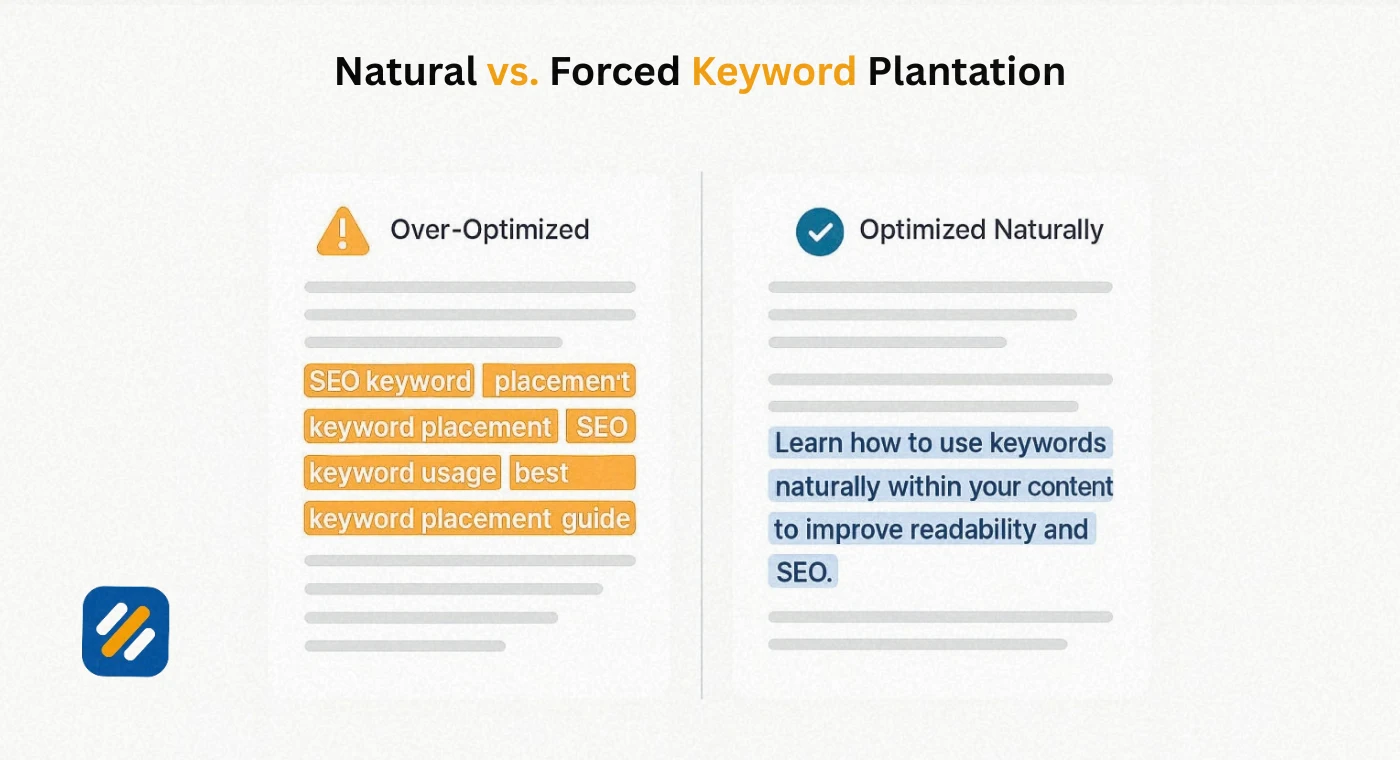
Body Content: Distribute keywords naturally throughout the body. Avoid clustering multiple keyword mentions in the same paragraph. Space them out so the content reads smoothly for a human reader first.
Meta Description: Include your primary keyword in the meta description. Google bolds keywords in meta descriptions when they match the search query, which increases click through rates from the search results page.
Image Alt Text: Add your primary keyword to at least one image's alt text on the page. This is a minor but consistent on-page signal that most beginners overlook entirely.
URL Slug: Your URL should contain your primary keyword in a clean, short format. A URL like /how-many-seo-keywords is stronger than /blog/post-147 or /how-many-seo-keywords-should-i-use-per-page-complete-guide.
6 What Is Keyword Clustering and Why It Changes Everything
Most beginners learn the one primary keyword per page rule and apply it consistently. That is the right starting point. But as your website grows to 30, 50, or 100 articles, a more strategic approach becomes necessary to prevent your own pages from competing against each other.
Keyword clustering is the process of grouping related keywords that share the same search intent into a single cluster and then targeting that entire cluster with one comprehensive page instead of creating separate pages for each keyword variation.
Here is a real example. If you are writing content about keyword research, you might have these keywords in your list:
- how to do keyword research
- keyword research for beginners
- keyword research step by step
- how to find keywords for SEO
- keyword research guide
These five keywords all represent the same search intent. A person searching any of these phrases wants the same thing: a guide to doing keyword research. Creating five separate articles targeting each one would cause all five to compete against each other and none of them to rank well.
The clustering approach combines all five into one comprehensive guide. That single page ranks for all five keyword variations simultaneously, capturing far more combined search traffic than any individual page would.
How keyword clustering prevents cannibalization:
Keyword cannibalization happens when multiple pages on your website target the same keyword or the same search intent. Google sees competing signals and has to choose which page to rank. Usually none of them rank as well as one strong, focused page would.
Signs your website has keyword cannibalization:
- Two or more pages appearing in Google Search Console for the same query
- Rankings for a keyword fluctuating between different pages on your site
- A new article targeting a keyword actually causes an older article's ranking to drop
- Multiple articles covering almost identical topics with different titles
The fix for cannibalization is either consolidating the competing pages into one comprehensive article, redirecting the weaker pages to the strongest one, or clearly differentiating the content so each page serves a genuinely distinct search intent.
7 Long-Tail Keywords | The Underused Strategy That Wins Rankings Faster
Long-tail keywords are search phrases of three or more words that are highly specific and typically have lower search volume but much lower competition. For any new website, long-tail keywords are the fastest path to first-page rankings.
Here is the difference in practical terms:
| Keyword Type | Example | Monthly Search Volume | Keyword Difficulty | Realistic for New Site |
|---|---|---|---|---|
| Head keyword | SEO | 500,000+ | 95+ | No |
| Body keyword | keyword research | 40,000+ | 75+ | No |
| Long-tail keyword | how many SEO keywords per page | 500 to 2,000 | 15 to 25 | Yes |
| Ultra long-tail | how many keywords should I use in a 1000 word article | Under 500 | Under 10 | Absolutely |
Long-tail keywords make up approximately 70% of all Google searches. Despite their lower individual search volumes, they collectively represent the majority of search traffic. More importantly, the people searching long-tail queries often have very specific intent, which means they convert better than broad keyword traffic.
For a new website, targeting one long-tail keyword per article for your first 30 articles builds both rankings and domain authority far more efficiently than chasing high-volume competitive terms you have no realistic chance of ranking for in year one.
8 Search Intent | The Factor That Matters More Than Keyword Count
Here is something most keyword count guides completely skip over, and it is the factor that actually determines whether your keyword strategy succeeds.
Search intent is the reason behind a search query. It is what the person is actually trying to accomplish. Google's primary mission is to match search results to intent, not just to keywords. This means you can have the perfect keyword density and placement and still not rank if your content does not match the intent behind the search.
Informational intent: The searcher wants to learn something. "What is keyword density" or "how many SEO keywords should I use" are informational queries. The correct content format is a guide, explanation, or tutorial.
Navigational intent: The searcher is looking for a specific website or page. "Ahrefs login" or "Google Search Console" are navigational queries. Creating content to rank for these is rarely worthwhile unless the query is about your own brand.
Commercial intent: The searcher is researching before making a decision. "Best keyword research tools" or "Rank Math vs Yoast" are commercial queries. The correct format is a comparison, review, or list article.
Transactional intent: The searcher wants to take action or make a purchase. "Buy Ahrefs subscription" or "hire SEO specialist" are transactional queries. The correct format is a sales or service page with a clear call to action.
Before choosing keywords for any page, identify the intent first. Then build your primary keyword, secondary keywords, and content structure around serving that intent completely.
9 The Keyword Optimisation Checklist | What to Check Before Publishing Every Article
Here is the exact checklist I run through before publishing any article. This ensures keyword optimisation is complete without any element being missed:
| Optimisation Element | What to Check | Done |
|---|---|---|
| Primary keyword in title tag | Appears within first 4 words, title under 60 characters | |
| Primary keyword in H1 | Matches or closely mirrors title tag | |
| Primary keyword in first 100 words | Natural placement in opening paragraph | |
| Primary keyword in at least one H2 | Not forced, reads naturally as a heading | |
| Primary keyword in meta description | Within 160 characters, compelling to click | |
| Primary keyword in URL slug | Short, clean, no stop words | |
| Primary keyword density at 1% | Check using Rank Math or a word counter | |
| Secondary keywords in H2 headings | Two to four secondary keywords across article headings | |
| Secondary keywords in body content | Each mentioned two to three times naturally | |
| LSI keywords present | Relevant terminology appears throughout without forcing | |
| Image alt text | At least one image includes primary keyword | |
| Internal links | At least two to three links to related articles | |
| Keyword cannibalization check | No other page on site targets same primary keyword | |
| Search intent match | Content format matches what searchers actually want |
Running this checklist on every article before publishing takes less than five minutes and eliminates the most common keyword optimisation mistakes.
10 3 Expert Tips on Keyword Optimisation From 6 Years of Real SEO Work
Expert Tip 1: Use Google's "People Also Ask" Section as a Free Secondary Keyword Generator
Every time you Google your primary keyword, scroll down to the People Also Ask section and expand every question. Each question is a real search query with confirmed volume. These questions become your H2 subheadings and secondary keywords naturally. You do not need a paid tool to find secondary keywords. Google is showing them to you for free on every search results page.
Expert Tip 2: Check Your Keyword Distribution Before You Publish, Not After
Most beginners write their full article and then try to add keywords. This creates the forced, unnatural keyword placement that Google penalises. Instead, write your H2 headings first with your secondary keywords already embedded. Then fill in the sections underneath. This way your keywords are part of the structure from the beginning and the content reads naturally around them.
Expert Tip 3: One Article Ranking for 30 Keywords Is Better Than 30 Articles Each Ranking for One
When you write a genuinely comprehensive article that fully covers a topic, Google often ranks it for dozens of related keyword variations you never specifically targeted. Check your Google Search Console impressions report on any well-performing article and you will almost always find it ranking for far more queries than the handful you optimised for. Depth and comprehensiveness are what create this multiplier effect. Thin articles targeting single keywords never produce it.
11 Conclusion
The answer to how many SEO keywords you should use per page is this: one primary keyword, two to four secondary keywords, and as many LSI keywords as your content naturally requires to fully cover the topic.
But the number is not what wins rankings. What wins rankings is choosing the right primary keyword for where your website currently sits in terms of authority, matching your content to the search intent behind that keyword, placing your keywords in the locations that matter most, and writing content comprehensive enough to naturally cover the full topic.
Start simple. One primary keyword per page. Two to three secondary keywords. Keep your primary keyword density at 1%. Make sure your title tag, H1, meta description, first paragraph, and at least one H2 all contain the primary keyword.
Do that consistently across every article you publish and your keyword strategy will be more effective than 80% of the websites you are competing against.
Have a question about keyword optimisation for your specific situation? Leave a comment below and I will answer it personally.
Join 1,000+ business owners and bloggers who get one actionable SEO tip every week — straight to their inbox. Free forever.
Get Free Weekly Tips →