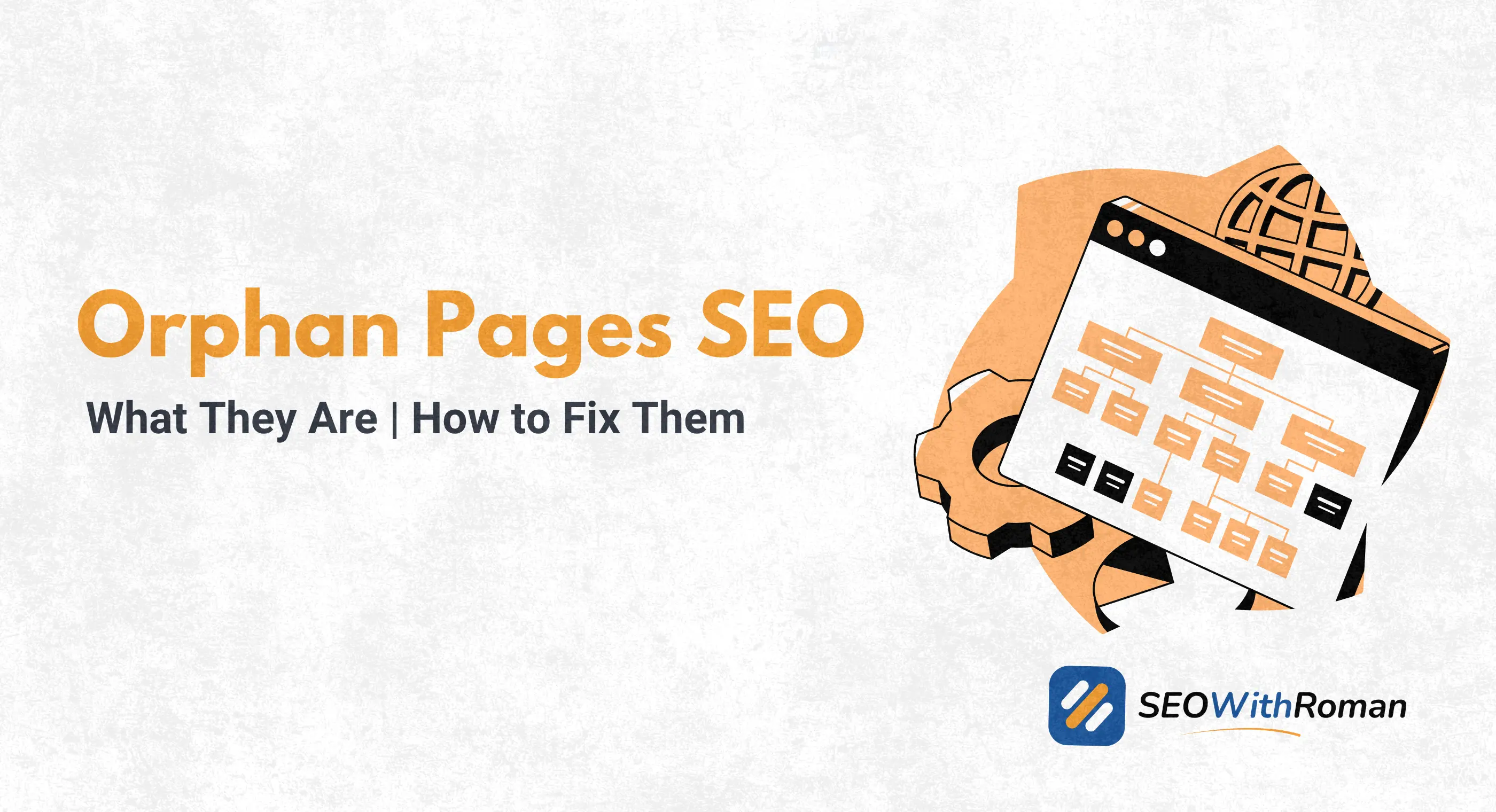
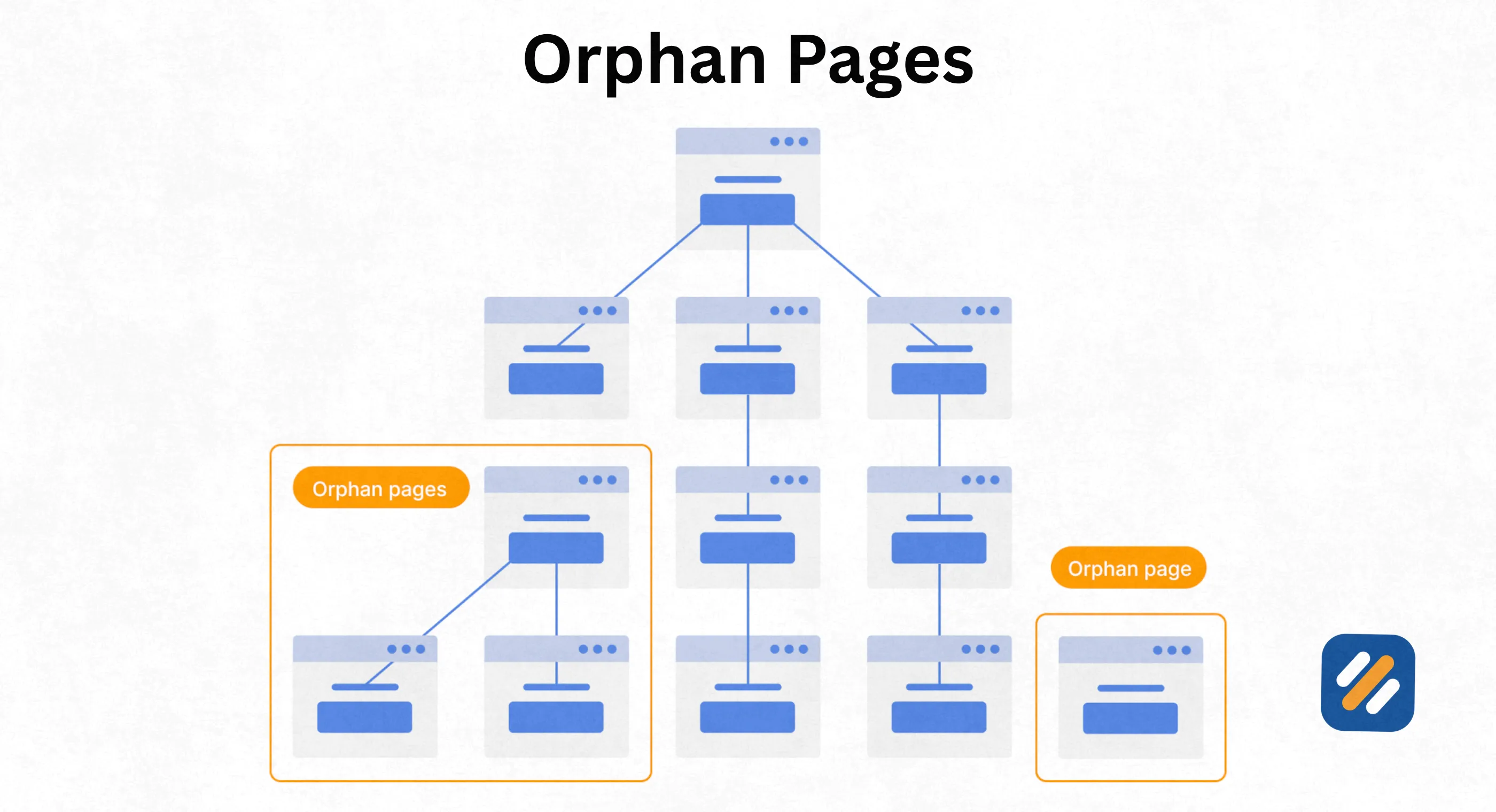
- Orphan pages are pages on your website with no internal links pointing to them from any other page
- Google cannot reliably find or rank orphan pages because Googlebot follows links to discover content
- Orphan pages waste your crawl budget, lose link equity, and create invisible dead zones inside your site architecture
- Google Search Console, Screaming Frog free version, and Ahrefs Webmaster Tools can all find orphan pages at zero cost
- The fix for most orphan pages takes under ten minutes: find the page, identify the most relevant live article, and add one internal link
1 What Are Orphan Pages and Why Does Every Website Have Them
An orphan page is a page on your website that no other page on your site links to. No internal links. No navigation menu links. No footer links. Nothing.
Think of your website as a city and your internal links as the roads connecting every building. An orphan page is a building that sits completely off the road network. Visitors cannot drive to it. Google's crawlers cannot find it by following roads. It exists on your server but is effectively invisible to everyone.
The word "orphan" captures the problem perfectly. These pages have no parent, no connection to the rest of your site structure. They are isolated.
Every website accumulates orphan pages over time. It happens for completely normal reasons. A page gets deleted from a navigation menu but the URL stays live. A blog post gets published but nobody adds internal links to it from other articles. A landing page created for an old ad campaign gets forgotten after the campaign ends. A site migration moves content to new URLs but old pages are never redirected or linked.
In many years of doing technical SEO audits across B2b, ecommerce, healthcare, and SaaS websites, orphan pages are one of the most consistently overlooked problems I find. They pile up quietly while website owners focus on creating new content, completely unaware that dozens of their existing pages are sitting invisible and unranked.
2 Are Orphan Pages Bad for SEO? Here Is the Honest Answer
Yes. Orphan pages are bad for SEO in three specific ways that compound over time the longer they go unfixed.
They block Google from crawling your content: Googlebot discovers pages by following links. It starts at your homepage, follows every internal link it finds, then follows the links on those pages, and so on. If a page has no links pointing to it from anywhere on your site, Googlebot has no path to follow to reach it. Your XML sitemap can partially compensate for this since Google reads sitemaps independently of link crawling. But a page that only Google's sitemap crawler knows about receives significantly less crawl attention than a page connected to your site through multiple internal links.
They receive zero internal link equity: Every internal link on your website passes a small amount of ranking authority from one page to another. This is called link equity or PageRank. A page that no other page links to receives none of this distributed authority. It starts every day at zero while your linked pages accumulate equity from every article you publish and every backlink you earn.
They create invisible content gaps: If you published an article with genuinely useful content but never linked to it from anywhere, that content is doing nothing for your readers and nothing for your SEO. Your audience cannot discover it through normal site navigation. Google cannot rank it reliably. The hours you spent creating that content are essentially wasted until you fix the orphan status.
3 What Causes Orphan Pages | The 6 Most Common Reasons
Understanding why orphan pages appear is the first step to preventing new ones from forming while you fix the existing ones.
| Cause | How It Creates Orphan Pages | How Common |
|---|---|---|
| Site migrations without redirects | Old URLs stay live but are never linked from the new structure | Very common |
| Ad landing pages left live after campaigns end | Created outside normal site structure, never connected to navigation | Common |
| Blog posts published without internal links | New articles added but existing articles never updated to link to them | Extremely common |
| Navigation menu updates | Pages removed from menus but URLs never deleted or redirected | Common |
| CMS pagination issues | WordPress generates paginated URLs that get no internal links | Common on larger sites |
| Staging pages accidentally indexed | Test or draft pages left live on the server with no links | Less common but high risk |
The most common cause on small WordPress blogs is the third one. Most beginner bloggers publish articles as standalone pieces without ever going back to update older articles with links to newer content. After 30 articles, dozens of posts are effectively orphaned from each other simply because nobody built the internal link network connecting them.
4 How to Find Orphan Pages on Your Website for Free
Finding orphan pages is the hardest part of fixing them. The reason is inherently logical. If a page has no links pointing to it, most crawl tools cannot find it either because crawl tools, like Googlebot, discover pages by following links.
Here are three free methods that work even for pages with no internal links:
Method 1: Google Search Console Plus Manual Comparison
This is the most reliable free method for small websites. Export all URLs from GSC's Pages report under Indexing. This shows every URL Google has indexed or attempted to index. Then export your sitemap URL list. Compare the two lists. Any URL in GSC that does not appear in your current internal link structure is a potential orphan.
This method is manual but requires zero paid tools and uses real Google data.
Method 2: Screaming Frog Free Version
Screaming Frog crawls up to 500 URLs for free and maps your entire internal link structure. After the crawl, go to the Inlinks column and filter for pages with zero inbound internal links. These are your orphan pages.
The limitation is that Screaming Frog only finds pages reachable through your link structure, meaning it cannot find pages that are completely isolated. Combine this with your GSC data for complete coverage.
Method 3: Ahrefs Webmaster Tools Free
Connect your website to Ahrefs Webmaster Tools for free and run a site audit. Ahrefs cross-references your crawled pages against your sitemap and identifies pages that appear in the sitemap but receive no internal links. This is the closest free alternative to the paid tools competitors use.
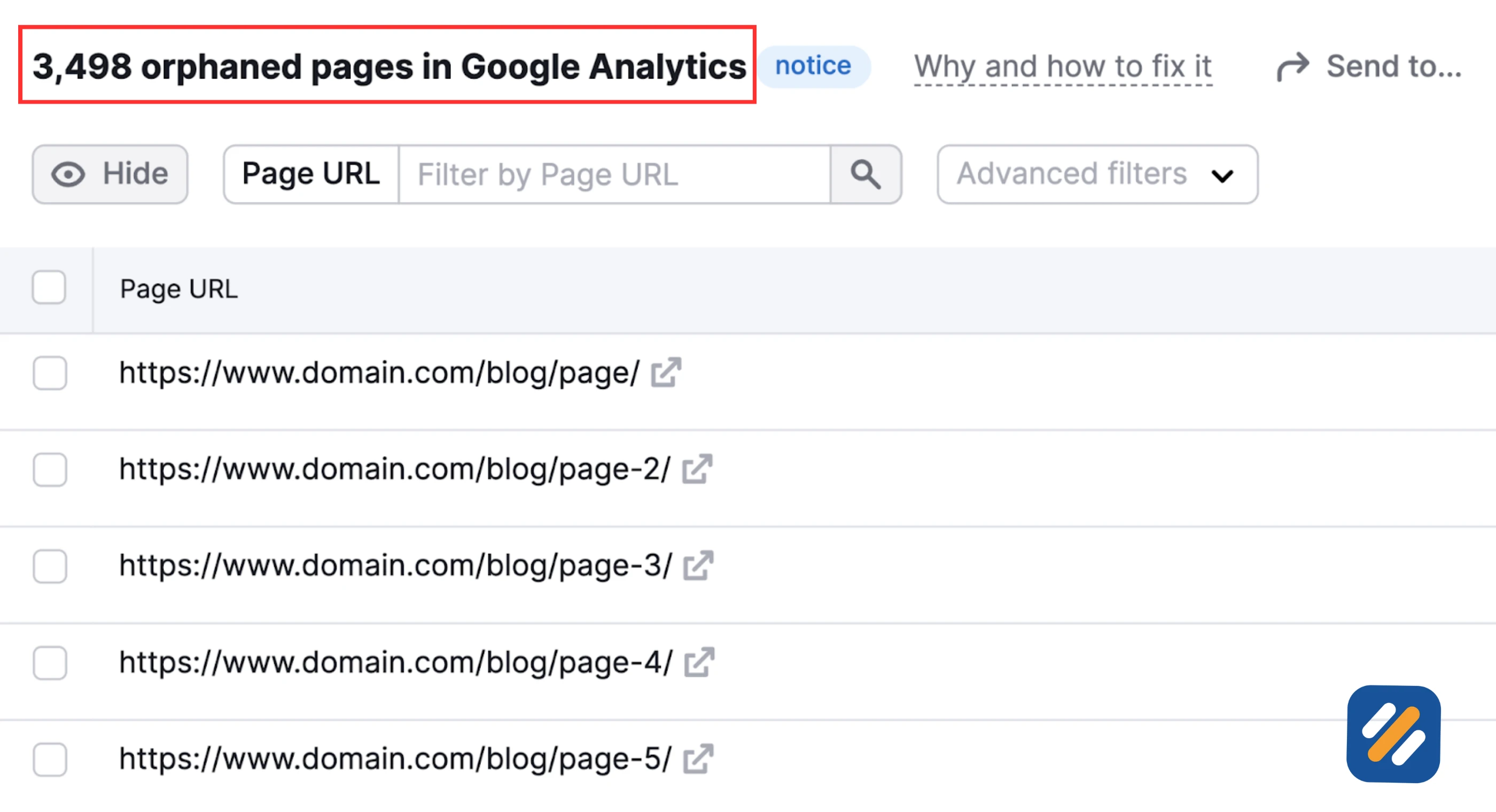
Method 4: Google Analytics Comparison
Export all pages that have received at least one session from Google Analytics over the past 12 months. Cross-reference this list with your Screaming Frog crawl results. Any page appearing in Google Analytics that does not appear in the Screaming Frog crawl is likely an orphan page that Google found through a direct URL, a sitemap, or an external backlink rather than through your internal link structure.
5 How to Fix Orphan Pages | The Right Solution for Every Situation
Once you have your list of orphan pages, the fix is straightforward. But the right action depends on why the page is orphaned and whether it still has value.
| Orphan Page Situation | Best Fix | Why |
|---|---|---|
| Valuable content, no internal links | Add internal links from 2 to 3 relevant pages | Fastest fix, immediately connects page to site structure |
| Old page replaced by newer content | 301 redirect old URL to new relevant page | Preserves any backlinks and removes duplicate content risk |
| Landing page for ended campaign | Delete or noindex if no backlinks exist | Removes crawl budget waste |
| Landing page with backlinks pointing to it | 301 redirect to most relevant live page | Recovers link equity from external backlinks |
| Thin or outdated content nobody should find | Delete and redirect or noindex | Cleans up site quality signals |
| Intentional standalone page (email exclusive content) | Add noindex tag | Stops Google indexing without deleting useful content |
How to add internal links to fix an orphan page in WordPress:
The most efficient way to fix content orphan pages is to use the WordPress search function to find your three most relevant published articles, open each one, and add a contextual internal link to the orphaned page wherever it fits naturally in the existing content. This takes roughly five to ten minutes per orphan page and immediately connects it to your site structure.
Do not add links just to fix the technical problem. Add them where they genuinely help the reader. A forced internal link on an irrelevant article passes minimal equity and creates a poor reading experience.
6 Should You Ever Create Orphan Pages Intentionally
Yes, and this is the nuance that most beginner guides skip over completely.
There are legitimate reasons to have pages on your website that are intentionally excluded from your normal navigation and internal link structure.
Ad campaign landing pages: When running paid traffic campaigns, you often want a dedicated landing page that is not accessible through your normal site navigation. This keeps the conversion path clean and prevents organic visitors from landing on a page designed specifically for ad traffic.
Email subscriber exclusive content: A page containing a free download, a resource guide, or exclusive content shared only with your mailing list is legitimately kept separate from your public site structure.
A/B testing variants: If you are testing two versions of a page, the variant should not be part of your normal site structure.
Event or webinar registration pages: One-time event pages are often short-lived and intentionally kept out of site navigation.
For all intentional orphan pages, the correct technical handling is to add a noindex meta tag to the page. This tells Google not to index the page in search results while still allowing you to share the URL directly. Simply not linking to the page is not sufficient because Google can still find and index it through your sitemap or external links.
7 Orphan Pages vs Dead End Pages | A Distinction Most Guides Miss
Most articles on orphan pages confuse them with dead end pages. They are not the same problem and they require different fixes.
An orphan page has no inbound internal links. No other page on your site links to it. This is an input problem. Google cannot find the page through your link structure.
A dead end page has no outbound internal links. The page exists and is reachable, but once a visitor or crawler arrives, there are no links leading anywhere else on your site. This is an output problem. It traps link equity and creates a poor user experience.
A page can be both an orphan and a dead end simultaneously. It receives no links and sends no links. These are your highest priority pages to fix because they are completely isolated from your site architecture in both directions.
When auditing a client website, I check for both simultaneously. Fixing only orphan pages while leaving dead end pages unaddressed means you are solving half the problem.
8 How Orphan Pages Affect Crawl Budget and Why It Matters for Growing Websites
Crawl budget is a concept that becomes critically important once your website grows beyond 50 to 100 pages. It refers to the number of pages Googlebot will crawl on your website within a given period.
Google does not have unlimited resources to crawl every page on every website every day. It allocates crawl budget based on your website's authority and the perceived value of your content. Larger, more authoritative websites get more crawl budget. Newer, smaller websites get less.
Orphan pages damage crawl budget efficiency in two ways.
First, if orphan pages exist in your sitemap, Google may spend crawl budget visiting them repeatedly even though they receive no link equity and rank for nothing. This is wasted budget that could be spent crawling and refreshing your best content.
Second, orphan pages that contain thin or duplicate content signal to Google that your site has quality issues. Google adjusts crawl frequency downward for websites where a significant portion of pages return low-quality signals. This means your best content gets crawled and updated in search results less frequently.
For a new website publishing four articles per week, crawl budget is rarely an issue. Once you reach 200 or more pages, cleaning up orphan pages becomes a meaningful ranking lever.
9 Expert Tips for Handling Orphan Pages Like an SEO Specialist
Tip 1: Fix Orphan Pages With Existing Backlinks Absolutely First
Before touching anything else, cross-reference your orphan page list with Ahrefs or other Webmaster Tools to identify which orphaned pages have external backlinks. These pages are losing link equity every single day. A 301 redirect or an internal link added today can recover that authority immediately.
Tip 2: Build Internal Links in Batches, Not One at a Time
When fixing orphan pages, open ten orphaned articles at once and spend one focused session adding internal links across all of them. Going back to fix one orphan page at a time is inefficient. Batch the work and schedule a two-hour internal linking session once per month as your content library grows.
Tip 3: Add New Articles to Your Internal Link Structure the Day They Publish
The best way to prevent orphan pages is to make internal linking part of your publishing checklist. Every time you publish a new article, immediately open two or three older related articles and add a contextual link to the new post. Do this on publish day, not weeks later, and you will never accumulate an orphan page problem on your site.
10 Conclusion
Orphan pages are one of those technical SEO problems that feel invisible until you audit for them. Then suddenly you discover that a quarter of your published content is sitting disconnected from your site, receiving no link equity, no crawl attention, and no organic traffic despite the hours you spent writing it.
The fix is not complicated. Find your orphan pages using Google Search Console and Screaming Frog. Prioritise the ones with backlinks and the ones with your strongest content. Add internal links from relevant live pages. Redirect or delete the ones with no value. Noindex the ones you want to keep private.
Do this audit once every three months and build internal linking into your publishing process from today forward. Orphan pages are a problem you can eliminate permanently with one focused afternoon of work.
Have orphan pages you are not sure how to handle? Drop a comment below and I will help you work out exactly what to do with each one.
Join 1,000+ business owners and bloggers who get one actionable SEO tip every week — straight to their inbox. Free forever.
Get Free Weekly Tips →