- An API key is a unique alphanumeric code that identifies and authenticates an application making a request to another application
- API keys control who can access a service, how much they can access, and how often they can make requests
- Most major platforms including ChatGPT API, Claude API, Google, AWS, and Shopify offer free API keys with usage limits
- A leaked or stolen API key can give bad actors full access to your account, data, and usage credits
- Rotating your API key every 90 days and storing it in environment variables are the two most important security habits to build from day one
1 What Is an API Key and Why Does It Exist
If you have ever connected two tools together, set up an automation, or used a plugin that pulls data from another platform, you have almost certainly encountered an API key at some point. But most people use them without really understanding what they are or why they matter.
An API key is a unique alphanumeric string of characters that acts as an identifier and authentication code for any application making a request to another application through an API. The term API stands for Application Programming Interface, which is simply a set of rules that allows two pieces of software to communicate with each other.
Think of it this way. When you walk into a members-only club, the doorman does not know you personally. You show your membership card. The card proves you are authorised to enter without you having to explain who you are every time. An API key works exactly the same way. Every time your application sends a request to another service, it presents the API key. The receiving server checks whether that key is valid and either processes the request or rejects it.
API keys exist because APIs give access to real data, real services, and sometimes real money. Without a system to identify who is making requests, any anonymous user could access private data, overload a server with unlimited requests, or exploit a paid service for free.
In many years of doing technical SEO and connecting dozens of tools for client websites, API keys are something every digital professional eventually needs to understand. Whether you are connecting Google Search Console to an SEO tool, setting up a ChatGPT integration, or pulling Shopify data into a dashboard, the API key is what makes that connection secure and controlled.
2 How Do API Keys Work | The Process Behind Every Request
Understanding how an API key works behind the scenes helps you use them more confidently and securely.
Here is the full process from start to finish
Step 1: You register for access. When you sign up for a service that offers API access, the platform generates a unique API key specifically tied to your account or project. This key is stored in the platform’s database alongside information about what permissions that key has and any usage limits attached to it.
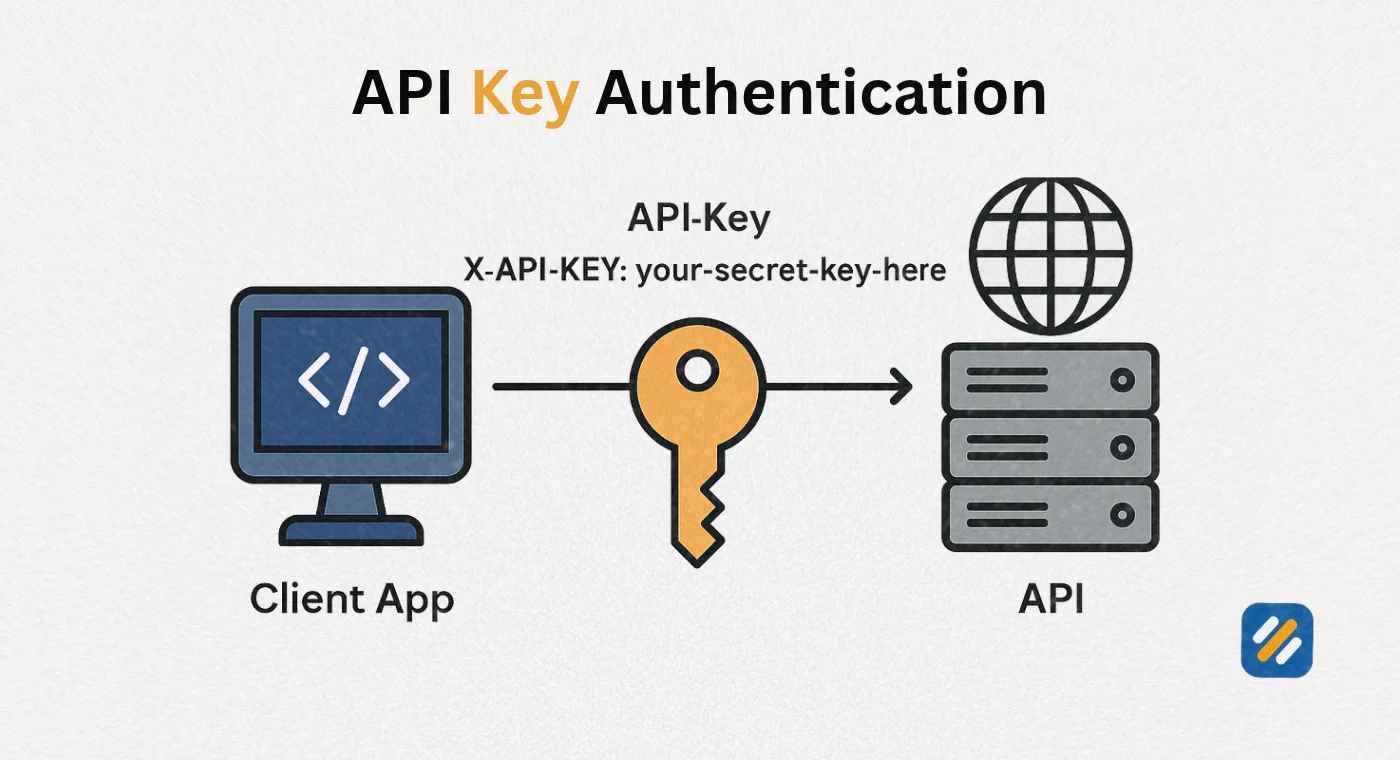
Step 2: Your application includes the key with every request. When your application sends a request to the API, it includes the API key as part of that request. Depending on the API, the key is sent in the request header, as a query parameter in the URL, or as part of the request body.
Step 3: The API server validates the key. The receiving server looks up the key in its database. If the key exists, is not expired, and has permission to perform the requested action, the server processes the request and returns the data.
Step 4: The server logs the request. Every request made with an API key is logged against that key. This is how platforms track usage, enforce rate limits, and identify unusual activity.
Step 5: The response is returned or rejected. If the key is valid, the requested data or action is returned. If the key is invalid, expired, or unauthorised for that specific action, the server returns an error code, typically a 401 Unauthorized or 403 Forbidden response.
| Step | What Happens | Who Controls It |
|---|---|---|
| Key generation | Platform creates a unique alphanumeric string | API provider |
| Key transmission | Your app sends the key with each request | Developer or you |
| Key validation | Server checks key against its database | API provider |
| Request processing | Server returns data if key is valid | API provider |
| Usage logging | Every request is logged against your key | API provider |
| Rate limiting | Requests are counted and capped per period | API provider |
3 What Is an API Key Used For | Real World Use Cases
API keys are not just for developers. In 2026 they are part of everyday digital work for SEO specialists, marketers, content creators, and small business owners who use connected tools.
Here are the most common real world situations where you will encounter and use an API key
SEO tools and Google Search Console. Connecting your website to Ahrefs, SEMrush, or Rank Math often requires generating an API key from Google Search Console or the tool itself. The key allows the SEO platform to pull your ranking data, indexing status, and performance metrics automatically without you manually exporting reports every week.
ChatGPT API and AI content tools: OpenAI provides a ChatGPT API that developers and tool builders use to integrate AI text generation into their own applications. When you use any third party tool that generates AI content, chances are it is using an OpenAI API key under the hood to make the requests.
Claude API: Anthropic provides the Claude API for developers who want to integrate Claude’s capabilities into their own products, workflows, or automations. Accessing the Claude API requires generating an API key from Anthropic’s developer console, which then authenticates every request your application makes.
AWS API key: Amazon Web Services uses API keys to authenticate programmatic access to cloud services. If you are managing S3 buckets, running Lambda functions, or accessing any AWS service through code rather than the web console, you are using an AWS API key to prove your identity to Amazon’s servers.
Shopify API key: Shopify’s API allows developers and store owners to build custom integrations, pull order data, manage products programmatically, and connect third party apps to their store. Every Shopify app or custom integration uses a Shopify API key to authenticate its requests.
Google services: Google Maps, Google Analytics, Google PageSpeed Insights, and dozens of other Google services all require an API key for programmatic access. Without it, you cannot make automated requests to these services from your own applications.
4 What Is the Difference Between an API Key and an API Token
This is one of the most commonly confused distinctions in API access management. The two terms are often used interchangeably but they represent fundamentally different things.
| Factor | API Key | API Token |
|---|---|---|
| What it identifies | The application or project making the request | The specific user making the request |
| Expiry | Does not expire unless manually rotated | Usually expires automatically after a set period |
| Security level | Lower, identifies app not user | Higher, includes user identity and scope |
| Use case | Server to server communication | User authentication and session management |
| Example | Google Maps API key | OAuth access token, JWT token |
| Revocation | Must be manually deleted or regenerated | Expires automatically or can be revoked |
| Granularity | Controls what the app can access | Controls what a specific user can do |
The clearest way to think about this is that an API key says “this is the application that is making the request” while an API token says “this is the specific person making the request and here is exactly what they are allowed to do.”
For most beginners connecting tools and setting up integrations, API keys are what you will encounter. Tokens are more common in situations where individual user authentication is required, such as logging into a third party app with your Google or GitHub account.
5 How to Find My API Key | Platform by Platform Guide
One of the most searched questions about API keys is simply where to find them. The answer varies by platform but the process follows a consistent pattern across almost every service.
Google API key: Go to console.cloud.google.com, create or select a project, navigate to APIs and Services then Credentials, and look for your existing keys or create a new one.
OpenAI ChatGPT API key: Go to platform.openai.com, click your account name in the top right, select API keys from the menu, and either copy an existing key if one exists or create a new one. Note that OpenAI only shows you the full key once at creation. Copy it immediately.
Claude API key (Anthropic): Go to console.anthropic.com, navigate to the API Keys section in your account settings, and generate a new key. Like OpenAI, Anthropic only displays the full key at creation so copy it before closing the window.
AWS API key: Log into the AWS Management Console, click your account name in the top right, select Security Credentials, scroll to Access Keys, and either use an existing key or create a new access key pair.
Shopify API key: Go to your Shopify admin panel, navigate to Settings then Apps and Sales Channels, click Develop Apps, create a new app, and your API credentials will be generated under the API credentials tab.
Ahrefs API key: Log into Ahrefs, go to Account Settings, find the API section, and generate your key. Note that Ahrefs API access requires a paid subscription at a certain tier.
6 How to Generate an API Key for Free | Step by Step
Most major platforms offer free API keys with usage limits. Here is a general step by step process that applies to almost any platform
Step 1: Create an account on the platform. Most API providers require you to register before generating a key. For free tiers, no payment information is required at signup, though some platforms like OpenAI require a phone number for verification.
Step 2: Navigate to the developer or API settings. Look for a developer console, API section, or settings area within your account dashboard. Common labels include “API Keys,” “Developer Settings,” “Credentials,” or “Access Tokens.”
Step 3: Create a new key. Click the button to generate a new API key. Most platforms will ask you to name the key so you can identify it later. Use a descriptive name like “SEO Tool Integration” or “WordPress Plugin” so you remember what the key is used for.
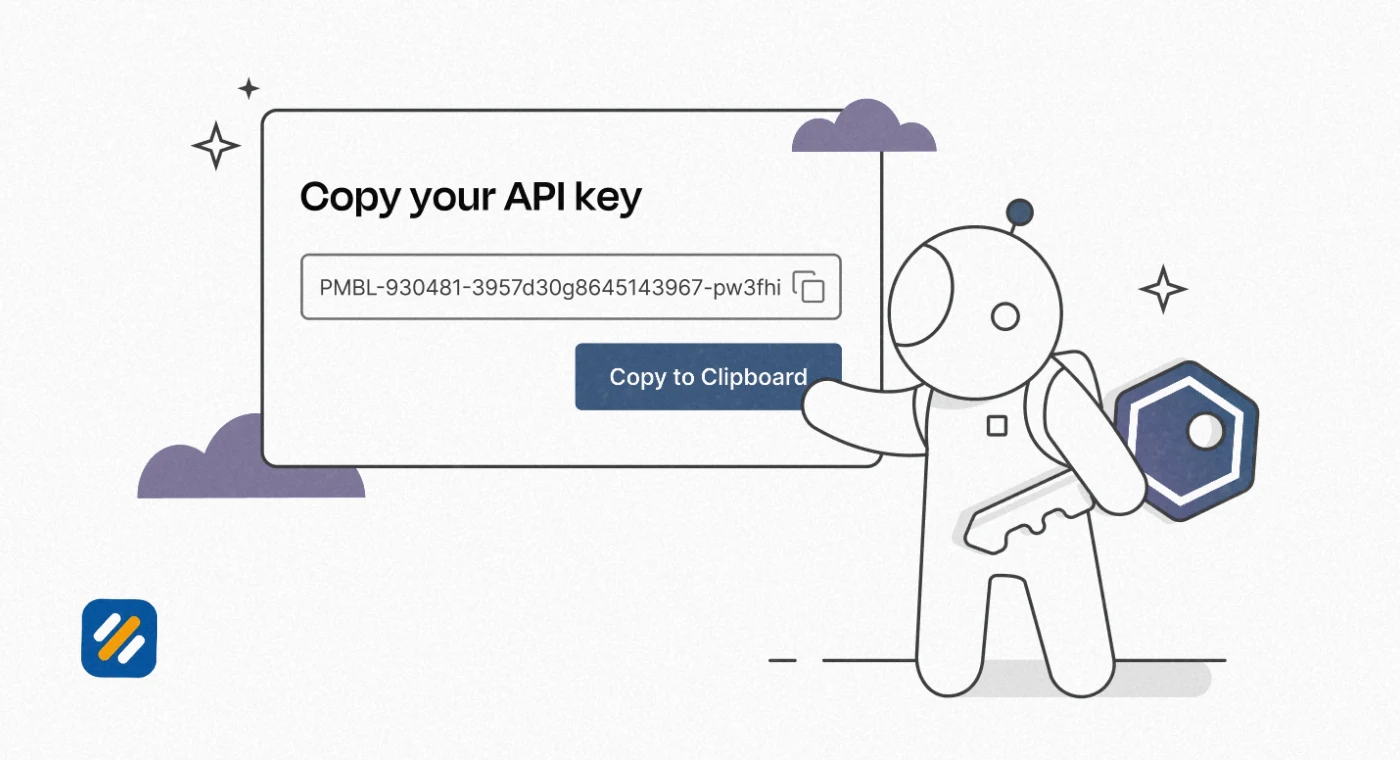
Step 4: Copy the key immediately. Most platforms show you the full API key only once at the moment of creation. After closing that window, you can usually only see a partial version for identification purposes. Copy the key immediately and store it securely.
Step 5: Store it in a secure location. Never paste your API key directly into a document, email, or chat message. Use your application’s environment variables, a password manager, or a secrets management tool to store it securely.
Step 6: Set restrictions where available. Many platforms let you restrict an API key to specific IP addresses, domains, or API endpoints. Setting these restrictions means that even if the key is leaked, it cannot be used from an unauthorised location.
7 Can I Get an API Key for Free | What Each Major Platform Offers
Yes, most major platforms offer free API keys. Here is what you actually get on the free tier for the most commonly used services:
| Platform | Free API Access | Free Tier Limits | Paid Plans Start From |
|---|---|---|---|
| Google Cloud | Yes | $200 monthly credit for most APIs | Pay per use after credit |
| OpenAI ChatGPT API | Yes, with new account credit | Limited trial credit for new accounts | Usage based, approximately $0.002 per 1K tokens |
| Claude API (Anthropic) | Free tier available | Rate limited requests per minute | Usage based pricing |
| AWS | Yes, Free Tier | 12 months free on most services | Pay per use after free tier |
| Shopify | Yes for development stores | Unlimited for dev stores | Paid plan required for live stores |
| Ahrefs | Limited free access | Limited to specific free tools | Paid subscription required for full API |
| Google Maps | Yes | $200 monthly credit | Pay per use after credit |
| SEMrush | Limited | No full API on free plan | Pro plan required for API access |
8 What Can Someone Do With Your API Key | The Real Security Risk
This is the section most API key guides skip over or treat too lightly. The truth is that a compromised API key is a serious security incident with real financial and reputational consequences.
Here is exactly what a bad actor can do with your API key depending on which service it belongs to
Make unlimited requests at your expense: If your ChatGPT or Claude API key is stolen, someone can run thousands of AI requests billed to your account. OpenAI bills per token. A stolen key running automated requests overnight can generate hundreds of dollars in charges before you notice.
Access private data: An AWS API key with broad permissions gives an attacker access to everything your key can reach. This includes databases, stored files, user data, and application secrets. AWS data breaches caused by exposed API keys are among the most common and costly cloud security incidents.
Scrape or manipulate your Shopify store: A stolen Shopify API key with write permissions allows someone to access customer order data, modify products, change prices, or extract email lists.
Exhaust your rate limits: Even if a stolen key cannot access sensitive data directly, an attacker can spam your API key with requests until you hit your rate limit. This breaks any integrations or tools relying on that key.
Impersonate your application: The receiving API server cannot tell the difference between you and someone using your key. Any action they take appears in the logs as if you made it.
The moment you suspect an API key has been exposed, revoke it immediately and generate a new one. Do not investigate first. Revoke first, then investigate.
9 API Key Security Best Practices Every Beginner Must Follow
Security is where most beginners make mistakes with API keys. Here are the practices that keep your keys safe:
Never hardcode an API key in your source code: If your code is ever shared on GitHub, pushed to a public repository, or seen by anyone else, your key is immediately compromised. Use environment variables to store keys outside of your codebase.
Use one key per project: Create a separate API key for each integration or project. This way, if one key is compromised, you only need to revoke and replace that one key without affecting everything else.
Set the narrowest possible permissions: Most platforms let you restrict what an API key can do. If a key only needs to read data, do not give it write permissions. Restrict it to the minimum access required for the task it performs.
Rotate your keys every 90 days: Keys that never change are a permanent vulnerability. Setting a reminder to regenerate your API keys every 90 days limits the window of exposure if a key has been leaked without your knowledge.
Delete keys you no longer use: Unused API keys sitting in a dashboard are an unnecessary security risk. Delete any key that is no longer actively connected to a running application or integration.
10 How API Keys Help With SEO | The Connection Most SEO Guides Miss
This is an angle that no competitor article covers but is genuinely valuable for the audience of this blog.
API keys are directly relevant to SEO work in several practical ways that most SEO guides never explain
Connecting SEO tools to your website: Rank Math, Yoast, and most premium SEO plugins connect to Google Search Console through an API key or OAuth token. Without this connection, you cannot see your ranking data, index coverage, or performance metrics inside WordPress.
Automating keyword research: Tools like DataForSEO, SEMrush API, and Ahrefs API allow you to pull keyword data, search volumes, and difficulty scores programmatically. For websites publishing large amounts of content, automating keyword research through API access saves hours every week.
Pulling Google PageSpeed data automatically: The Google PageSpeed Insights API allows you to check Core Web Vitals scores for any URL programmatically. SEO specialists use this to monitor page speed across hundreds of URLs without manually checking each one in a browser.
Integrating AI writing tools: If you use any AI-powered content tool in your SEO workflow, it is almost certainly making requests to the ChatGPT API or Claude API behind the scenes. Understanding how API keys work helps you manage costs, set usage limits, and troubleshoot when an integration stops working.
Schema markup and structured data validation: The Google Rich Results Test and several schema validation tools offer API access, allowing you to batch test structured data across an entire website rather than checking pages one at a time.
11 3 Expert Tips for Using API Keys Effectively
Tip 1: Always name your API keys descriptively at creation.
A key named “Key 1” tells you nothing six months later. Name every key with the project and tool it is used for, for example “SEOWithRoman Rank Math GSC Connection” or “WordPress PageSpeed Monitoring.” This makes auditing and revoking specific keys much faster when needed.
Tip 2: Set up billing alerts on any usage-based API.
Platforms like OpenAI and Google Cloud charge per request. Before using any usage-based API, set a monthly spending limit or billing alert so a compromised key or an unexpected traffic spike does not result in a surprise invoice.
Tip 3: Test API keys in a staging environment before production.
Never connect a new API key directly to your live website or production application. Test the connection in a development or staging environment first. This prevents a misconfigured key or permission error from breaking a live tool or causing unexpected data exposure on your real website.
12 Conclusion
An API key is one of the most fundamental concepts in modern digital work. It is the handshake that makes two pieces of software trust each other, the identifier that controls access and usage, and the security layer that stands between your data and unauthorised access.
Whether you are connecting Google Search Console to Rank Math, generating a ChatGPT API key for an automation, setting up a Shopify integration, or accessing AWS cloud services, the same principles apply. Generate the key properly, store it securely, restrict its permissions to what is actually needed, and rotate it regularly.
The difference between a developer who understands API keys and one who does not is the difference between someone who connects tools confidently and someone who either avoids them entirely or exposes their account to unnecessary risk.
Start with one integration. Generate the key correctly. Store it in an environment variable. Set a reminder to rotate it in 90 days. That is the complete habit loop that keeps your tools running and your data safe.
Have a question about a specific API key or integration you are working on? Drop a comment below and I will help you work through it.
Join 1,000+ business owners and bloggers who get one actionable SEO tip every week — straight to their inbox. Free forever.
Get Free Weekly Tips →