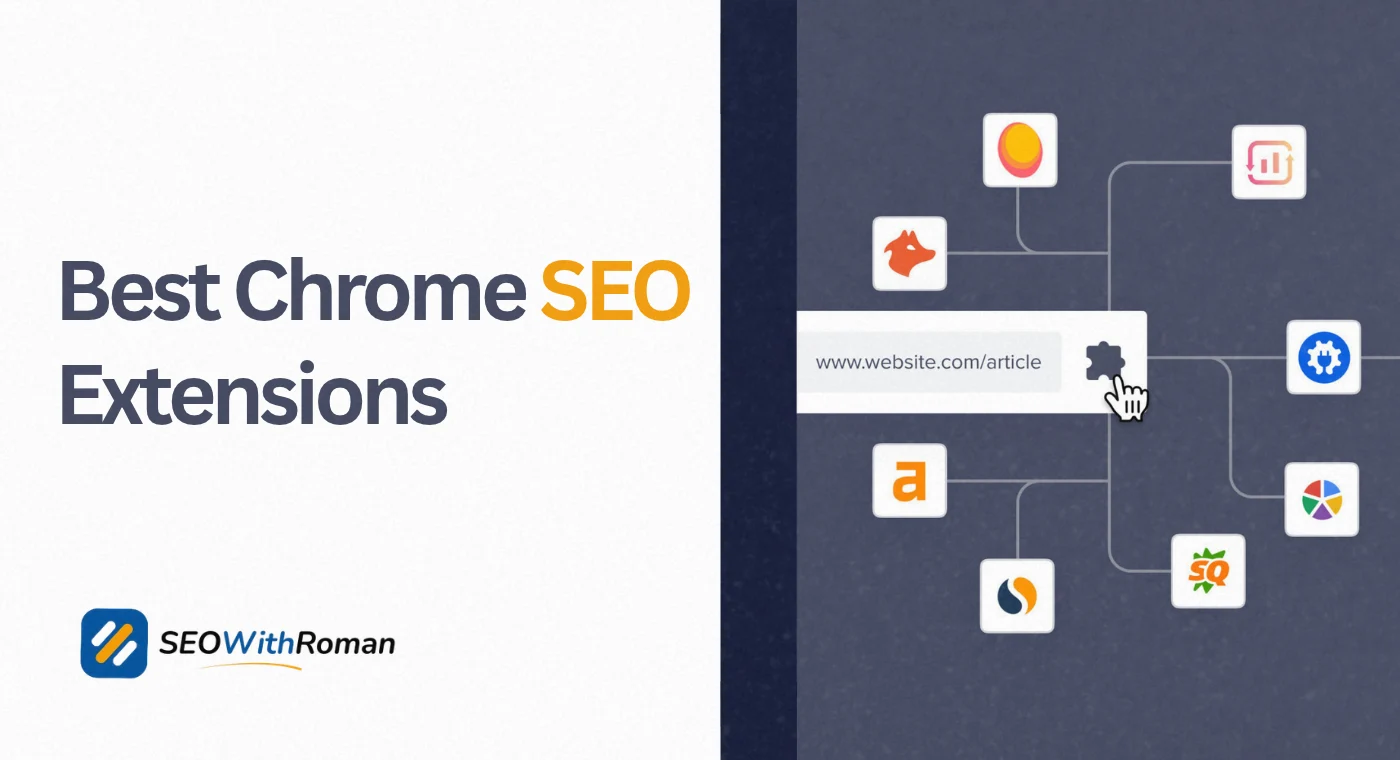
- Chrome SEO extensions let you analyse any webpage, check keywords, and spot technical issues directly inside your browser without switching tools
- The best free Chrome SEO extensions cover keyword research, on-page analysis, backlink checking, redirect tracking, and schema validation
- Extensions like MozBar, SEOquake, and Detailed SEO give you instant competitor data without paying for premium tools
- Quick SEO extension and SEO Minion are underrated picks that deliver real data in seconds with zero learning curve
- Using the right combination of three to four extensions covers 80% of daily SEO tasks without spending anything
1 What Is a Chrome SEO Extension and Why Every SEO Specialist Uses One
If you are doing SEO without Chrome extensions, you are doing it the slow way.
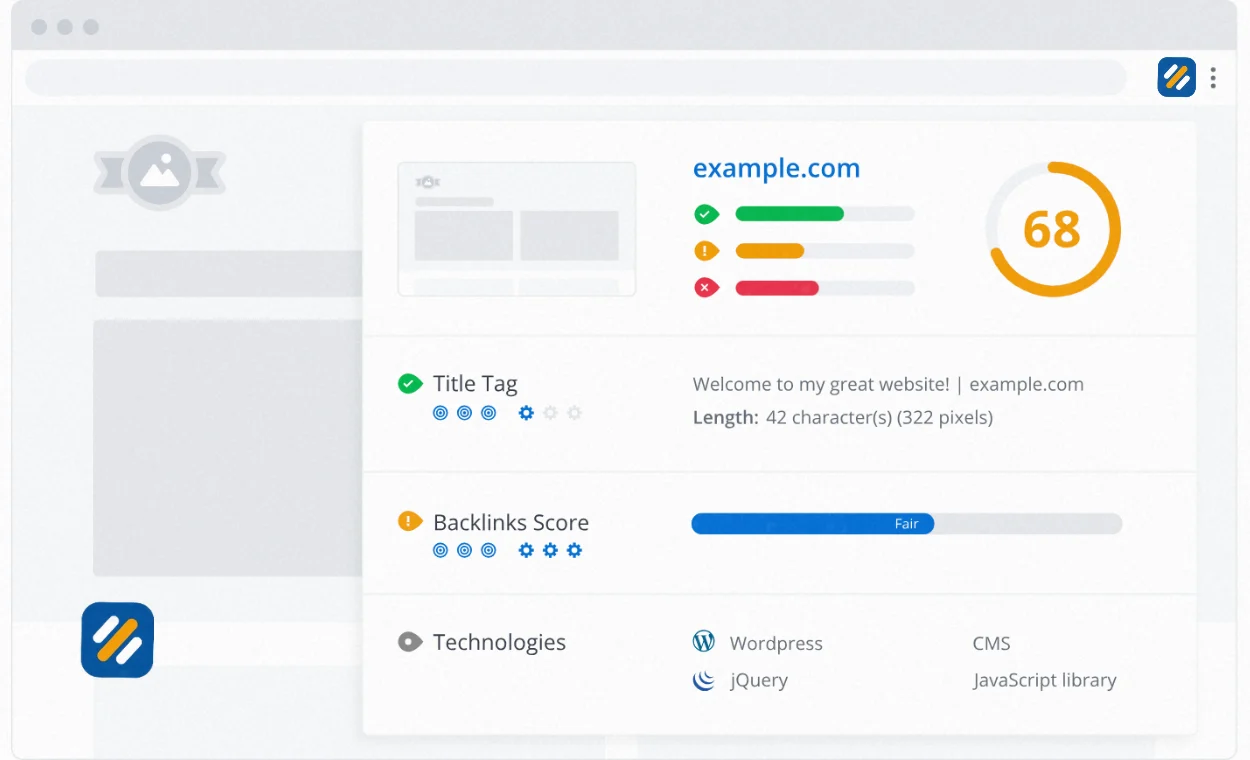
A Chrome SEO extension is a small software add-on you install directly into your Google Chrome browser. Once installed, it runs quietly in the background and activates when you visit any webpage or search result. Instead of switching between five different tools to check a page’s title tag, keyword density, backlinks, and load speed, a good Chrome extension surfaces all of that data directly on the page you are already looking at.
I use Chrome SEO extensions every single day in my work across multiple client websites. They are the difference between spending forty-five minutes on a competitor analysis and spending eight minutes on the same task with the same quality of insight.
Here is what makes them genuinely powerful for beginners and experienced SEOs alike. They work on any website, not just yours. You can visit a competitor’s page, activate your extension, and instantly see their title tag, heading structure, word count, internal links, schema markup, and more. That intelligence used to require premium tools. Now it is available for free in your browser.
2 How Chrome SEO Extensions Work | The Simple Explanation
Understanding how these extensions work helps you choose the right ones and use them more effectively.
When you install a Chrome SEO extension, it integrates with your browser using Chrome’s extension API. It can read the HTML of any page you visit, intercept HTTP requests to check status codes and redirect chains, inject data overlays into Google search results, and communicate with external SEO databases to pull metrics like domain authority, keyword search volume, and backlink counts.
Different extensions pull data from different sources. MozBar uses Moz’s index. Ahrefs SEO Toolbar uses Ahrefs data. SEOquake uses Semrush data. Keywords Everywhere uses its own search volume database. This matters because the same metric like domain authority can show different numbers across different extensions depending on whose data they use.
For a beginner, the practical takeaway is simple. Install two or three extensions that complement each other rather than duplicating the same data. One for on-page analysis, one for keyword data, and one for technical checks covers almost every daily SEO task you will encounter.
3 The Best Free Chrome SEO Extensions in 2026 | Full Breakdown
Here are the top Chrome SEO extensions used by real specialists, organised by what they do best. Every extension listed here has a free version that delivers genuine value without requiring a paid subscription.
Detailed SEO Extension
Detailed is the cleanest on-page SEO checker available as a free Chrome extension. Click its icon on any webpage and you instantly see the page’s title tag, meta description, canonical URL, word count, heading structure from H1 down to H3, schema markup types, and hreflang tags.
What makes Detailed stand out from competitors is the heading structure view. It pulls every heading on the page into a clean hierarchy so you can see exactly how a competitor structures their content without reading the full article. I use this on every new keyword I research before writing an article.
Download: Using this link (Detailed SEO Extension) — completely free, no hidden fees.
SEOquake
SEOquake is owned by Semrush and uses Semrush data, but you do not need a Semrush account to use it. It overlays key SEO metrics directly onto Google search results, showing keyword difficulty scores, backlink counts, and Semrush authority scores for every result on the page.
Its on-page analysis mode gives you a full SEO audit of any webpage including keyword density data, internal and external link counts, and a structured breakdown of every on-page element. The SERP report feature lets you export all ranking page data into a CSV for deeper analysis.
Download: Using this link (SEOquake) — completely free, no hidden fees.
MozBar
MozBar is one of the oldest and most trusted free Chrome SEO extensions. It shows Page Authority and Domain Authority scores for every website you visit, which gives you a fast read on how competitive a keyword is before you decide to target it.
The free version gives you DA and PA scores plus access to on-page elements like link metrics and keyword highlighting. The paid version adds more granular data but the free tier is genuinely useful for daily competitive research.
Download: Using this link (MozBar) — completely free, no hidden fees.
Keywords Everywhere
Keywords Everywhere is a keyword research Chrome extension that shows search volume, CPC, and competition data directly inside Google search results, Google Search Console, YouTube, Amazon, and a dozen other platforms. You do not need to leave the search results page to get keyword data.
The free version shows related keywords and People Also Ask data. The paid version at $10 per year for 100,000 credits is one of the best value paid upgrades in SEO because it adds search volume numbers directly to every Google search you perform.
Download: Using this link (Keywords Everywhere) — free tier available, paid from $10/year.
Keyword Surfer
Keyword Surfer is a completely free keyword research Chrome extension that shows monthly search volume and CPC directly in the Google search bar as you type. It also displays an estimated traffic value for every ranking page in the search results.
The feature that separates it from Keywords Everywhere is the keyword collection tool. You can add any keyword you see in search results to a running list and download the full collection as a CSV in one click. This is the fastest way to build a keyword list without opening a separate tool.
Download: Using this link (Keyword Surfer) — 100% free.
Redirect Path
Redirect Path is the go-to free Chrome extension for checking redirect chains and HTTP status codes. When you visit any URL, it shows you every step in the redirect chain from the original URL to the final destination, along with the HTTP status code at each step.
This is essential for technical SEO. If a 301 redirect is passing through an extra hop before reaching the final page, Redirect Path makes that visible instantly. It also flags 404 errors, 302 temporary redirects, and server errors on any page you visit.
Download: Using this link (Redirect Path) — completely free.
SEO Minion
SEO Minion is one of the most underrated free Chrome SEO extensions available. It covers on-page SEO analysis, broken link checking, hreflang validation, Google SERP preview, and location-based search simulation all in one lightweight extension.
The broken link checker is particularly useful. Run it on any page and it highlights every broken internal and external link on the page in red. For a website audit this saves hours compared to doing it manually. The SERP preview shows exactly how your title tag and meta description will appear in Google search results before you publish.
Download: Using this link (SEO Minion) — completely free.
Ahrefs SEO Toolbar
The Ahrefs SEO Toolbar gives you access to Ahrefs data directly in your browser for free if you have an Ahrefs Webmaster Tools account, which is also free. It shows Domain Rating, URL Rating, organic traffic estimates, and the number of referring domains for any page you visit.
On search result pages it overlays DR and UR scores for every ranking result so you can assess competition without leaving the SERP. This is one of the most data-rich free Chrome SEO extensions available and it uses Ahrefs data which is among the most accurate backlink databases in the industry.
Download: Using this link (Ahrefs SEO Toolbar) — free with free Ahrefs Webmaster Tools account.
SimilarWeb Extension
SimilarWeb’s free Chrome extension gives you estimated traffic data for any website you visit. Monthly visits, traffic sources broken down by channel, top countries, bounce rate, and average visit duration all appear in a popup panel without leaving the page.
For competitor research this is invaluable. You can visit a competitor’s homepage, open SimilarWeb, and understand their traffic scale and primary acquisition channels in thirty seconds.
Download: Using this link (SimilarWeb) — free version available with limited daily lookups.
Schema Markup Validator (Quick SEO Extension)
The Quick SEO extension is a fast on-page checker that validates schema markup, checks meta tags, analyses page speed signals, and reviews canonical tags all from a single popup. It is particularly strong on schema validation, showing you exactly which schema types are implemented on any page and whether they are correctly formatted.
For any website running Rank Math or Yoast, cross-checking your schema implementation against what actually renders on the page is something this extension does in seconds.
Download: Using this link (Schema Markup) — free version available.
Nofollow Link Checker
This lightweight extension highlights every nofollow link on a page with a visible red border. For link building and backlink analysis, knowing instantly which links on a page pass link equity and which do not saves significant time.
It is also useful when evaluating guest posting opportunities. Visit any website you are considering pitching, activate the extension, and see immediately whether their outbound links are nofollow or dofollow.
Download: Using this link (Nofollow Link) — completely free.
4 Chrome SEO Extensions Compared | Full Feature Table
| Extension | Best For | Free Version | Data Source | Download Link |
|---|---|---|---|---|
| Detailed SEO Extension | On-page analysis, heading structure | Fully free | Independent crawl | Chrome Web Store |
| SEOquake | SERP overlay, keyword difficulty, on-page audit | Fully free | Semrush database | Chrome Web Store |
| MozBar | Domain Authority, Page Authority scores | Free with limits | Moz index | Chrome Web Store |
| Keywords Everywhere | Keyword volume in search results | Free tier available | KE proprietary database | Chrome Web Store |
| Keyword Surfer | In-SERP keyword research, collection tool | Fully free | Surferseo database | Chrome Web Store |
| Redirect Path | Redirect chain checking, HTTP status codes | Fully free | Live HTTP inspection | Chrome Web Store |
| SEO Minion | Broken links, hreflang, SERP preview | Fully free | Independent crawl | Chrome Web Store |
| Ahrefs SEO Toolbar | DR, UR, backlink data, traffic estimates | Free with free account | Ahrefs index | Chrome Web Store |
| SimilarWeb | Competitor traffic, channel breakdown | Free with limits | SimilarWeb database | Chrome Web Store |
| Quick SEO Extension | Schema validation, meta tags, canonicals | Free version available | Independent crawl | Chrome Web Store |
| Nofollow Link Checker | Nofollow vs dofollow link identification | Fully free | Live page inspection | Chrome Web Store |
5 How Chrome SEO Extensions Help Your SEO | Real Benefits Explained
Most lists of Chrome SEO extensions tell you what each tool does. They rarely explain why any of it matters for your actual rankings. Here is the practical SEO value behind each category of extension.
Keyword research extensions save you from targeting keywords you cannot rank for. When Keywords Everywhere or Keyword Surfer shows you search volume and competition data directly in the search results, you can make targeting decisions in the moment rather than stopping your research flow to open a separate tool. This makes keyword research faster and more integrated into how you actually work.
On-page analysis extensions reveal exactly what top-ranking competitors do differently. When you visit a competitor page ranking above you and Detailed SEO Extension shows you their title structure, heading hierarchy, and word count, you get a clear picture of what Google has already decided is the best answer for that keyword. Matching and improving on that structure is the most direct path to closing the ranking gap.
Technical extensions catch problems before Google does. Redirect chains, broken internal links, missing canonical tags, and incorrect schema markup are all issues Google discovers during crawling. Finding them first with Redirect Path or SEO Minion means you fix them before they affect your rankings rather than after.
Backlink and authority extensions tell you whether ranking is realistic before you invest time writing. Checking Domain Rating and Domain Authority on competitor pages takes thirty seconds with MozBar or the Ahrefs toolbar. If the top ten results all have DR above 70 and your site is at DR 15, that keyword is not worth targeting right now. Knowing this before writing saves hours of work.
6 How to Download and Install a Chrome SEO Extension
Installing any Chrome SEO extension takes under two minutes and requires no technical knowledge.
Step 1: Open Google Chrome on your computer. Chrome extensions only work in the Chrome browser, not Firefox or Safari.
Step 2: Go to the Chrome Web Store at chromewebstore.google.com. You can also search the extension name directly in Google and click the Chrome Web Store result.
Step 3: Search for the extension name in the Chrome Web Store search bar.
Step 4: Click the extension listing and then click “Add to Chrome.” A popup will appear asking you to confirm the permissions the extension needs.
Step 5: Click “Add extension” to confirm. The extension icon will appear in your Chrome toolbar at the top right of the browser.
Step 6: Click the extension icon to activate it on any webpage you visit.
To manage all your installed extensions, click the puzzle piece icon in your Chrome toolbar and click the pin icon next to any extension you want to keep visible in the toolbar permanently.
7 The Best Extension Combination for Beginners | What to Install First
You do not need all eleven extensions running at the same time. Too many extensions slow your browser and create visual clutter. Here is the exact combination I recommend for beginners starting out:
For keyword research: Keyword Surfer (free, no account needed, works directly in Google search)
For on-page analysis: Detailed SEO Extension (free, most comprehensive on-page data in one click)
For technical checking: Redirect Path (free, catches redirect chains and HTTP errors instantly)
For competitive authority checking: MozBar (free, shows DA and PA scores on every site you visit)
This combination of four extensions costs nothing, requires no paid accounts, and covers keyword research, on-page analysis, technical SEO, and competitive research in one lightweight browser setup.
As your skills grow, add the Ahrefs SEO Toolbar once you have a free Ahrefs Webmaster Tools account, and Keywords Everywhere when you want richer keyword data in your search results.
8 3 Expert Tips for Getting More From Your Chrome SEO Extensions
Tip 1: Use Detailed SEO Extension Before Writing Any Article
Before writing, visit the top three ranking pages for your target keyword and open Detailed on each one. Note the average word count, heading count, and schema types used. This gives you a data-backed content brief in five minutes that would take thirty minutes to build manually.
Tip 2: Cross-Check Authority Scores Across Two Extensions
MozBar and the Ahrefs toolbar often show different authority scores for the same website because they use different databases. When a score matters for a competitive decision, check both. If both show high authority, the site is genuinely strong. If they disagree significantly, dig deeper before drawing conclusions.
Tip 3: Run Redirect Path Before Publishing Any URL Change
Any time you change a URL on your website, change a plugin, or update your permalink structure, visit the page in Chrome with Redirect Path active before announcing the change. If you see more than one redirect hop between the old and new URL, flatten it to a single redirect before Google crawls it.
9 Conclusion
Chrome SEO extensions are the closest thing to having an SEO analyst sitting next to you while you work. They surface the data you need at exactly the moment you need it, directly on the page you are already looking at, without interrupting your workflow or requiring you to pay for expensive tools.
Start with the four-extension stack recommended above. Get comfortable with how each one works. Then add more as specific needs arise in your SEO work.
Every extension listed in this article is free to download from the Chrome Web Store. There are no trials, no credit cards, and no complicated setup processes. Install one today and you will immediately see your daily SEO tasks get faster.
Have a favourite Chrome SEO extension not mentioned here? Drop a comment below and let me know which one you use every day.
Join 1,000+ business owners and bloggers who get one actionable SEO tip every week — straight to their inbox. Free forever.
Get Free Weekly Tips →